Upgrading Amazon EKS Clusters in 2023
Kubernetes is a rapidly evolving open-source project with periodic releases. And organizations embracing Kubernetes must adopt the practice of regular upgrades.
Read Now
No items found.
2023-11-29

.png)
Amazon EKS Auto Mode simplifies cluster management by automatically handling worker node scaling, patching, and other operational tasks. This guide walks you through migrating your existing EKS clusters to Auto Mode using Rafay.
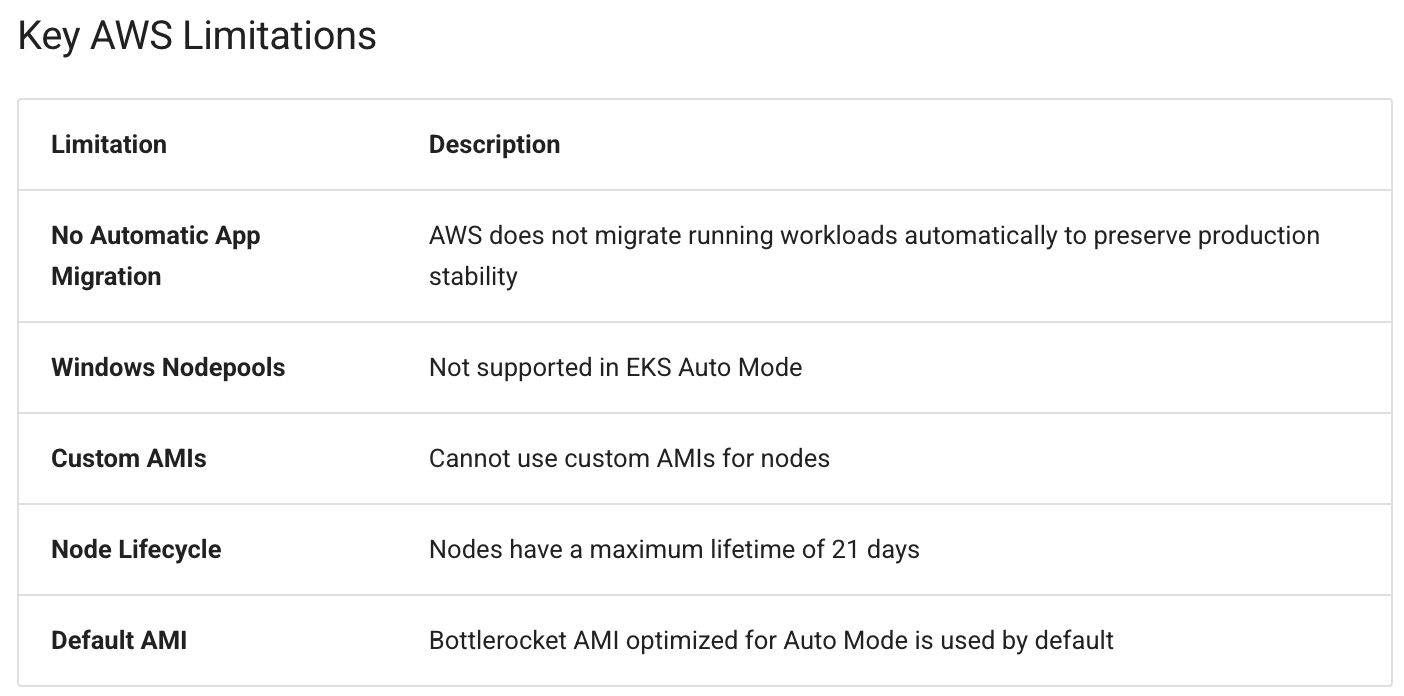
Important: AWS Limitations for Application Migration
While AWS provides a straightforward process for enabling EKS Auto Mode on existing clusters, they do not provide an automated migration path for applications. This is an intentional AWS design decision to avoid potentially disrupting production workloads.
The manual steps outlined in this guide for migrating storage, ingress, and applications are required due to AWS limitations, not Rafay's. Rafay simplifies the cluster-level migration, but the application-level migration steps must be performed manually per AWS's requirements.
Before proceeding, ensure you have:
kubectl installed and configuredDeploy this sample application on your existing EKS cluster to test the migration process. This application includes a deployment, service, persistent storage, and ingress—covering all the migration scenarios.
apiVersion: v1
kind: Service
metadata:
  name: app-service
spec:
  selector:
    app: app-demo
  ports:
    - protocol: TCP
      port: 80
      targetPort: 80
---
apiVersion: apps/v1
kind: Deployment
metadata:
  name: app-deployment
spec:
  selector:
    matchLabels:
      app: app-demo
  replicas: 1
  template:
    metadata:
      labels:
        app: app-demo
    spec:
      containers:
      - name: app-container
        image: public.ecr.aws/l6m2t8p7/docker-2048:latest
        ports:
        - containerPort: 80
        volumeMounts:
        - mountPath: "/data"
          name: app-storage
      volumes:
        - name: app-storage
          persistentVolumeClaim:
            claimName: app-pvc
---
apiVersion: v1
kind: PersistentVolumeClaim
metadata:
  name: app-pvc
spec:
  accessModes:
    - ReadWriteOnce
  storageClassName: gp2
  resources:
    requests:
      storage: 5Gi
---
apiVersion: networking.k8s.io/v1
kind: Ingress
metadata:
  name: app-ingress
  annotations:
    alb.ingress.kubernetes.io/scheme: internet-facing
    alb.ingress.kubernetes.io/target-type: ip
    kubernetes.io/ingress.class: alb
spec:
  rules:
    - http:
        paths:
        - path: /
          pathType: Prefix
          backend:
            service:
              name: app-service
              port:
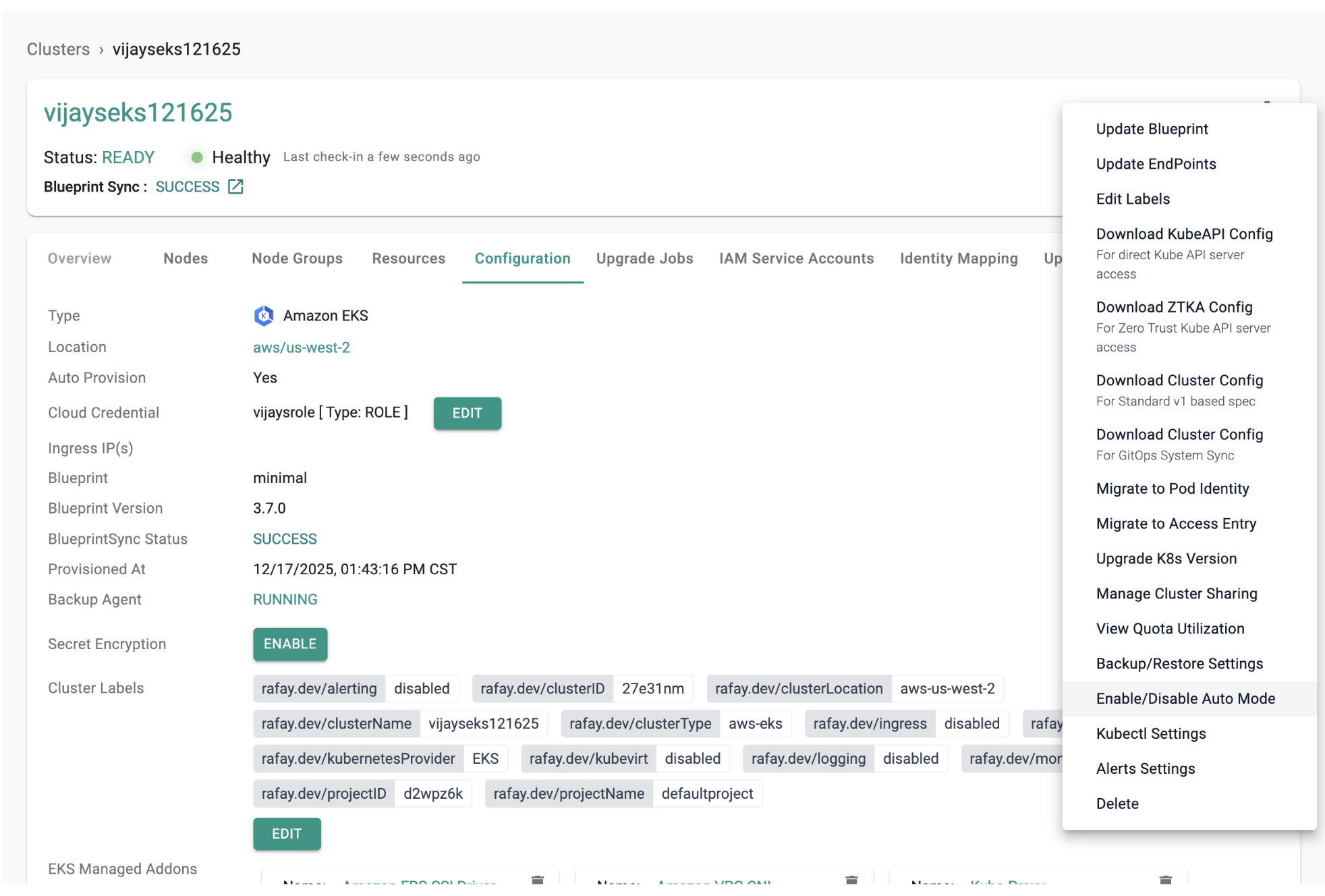
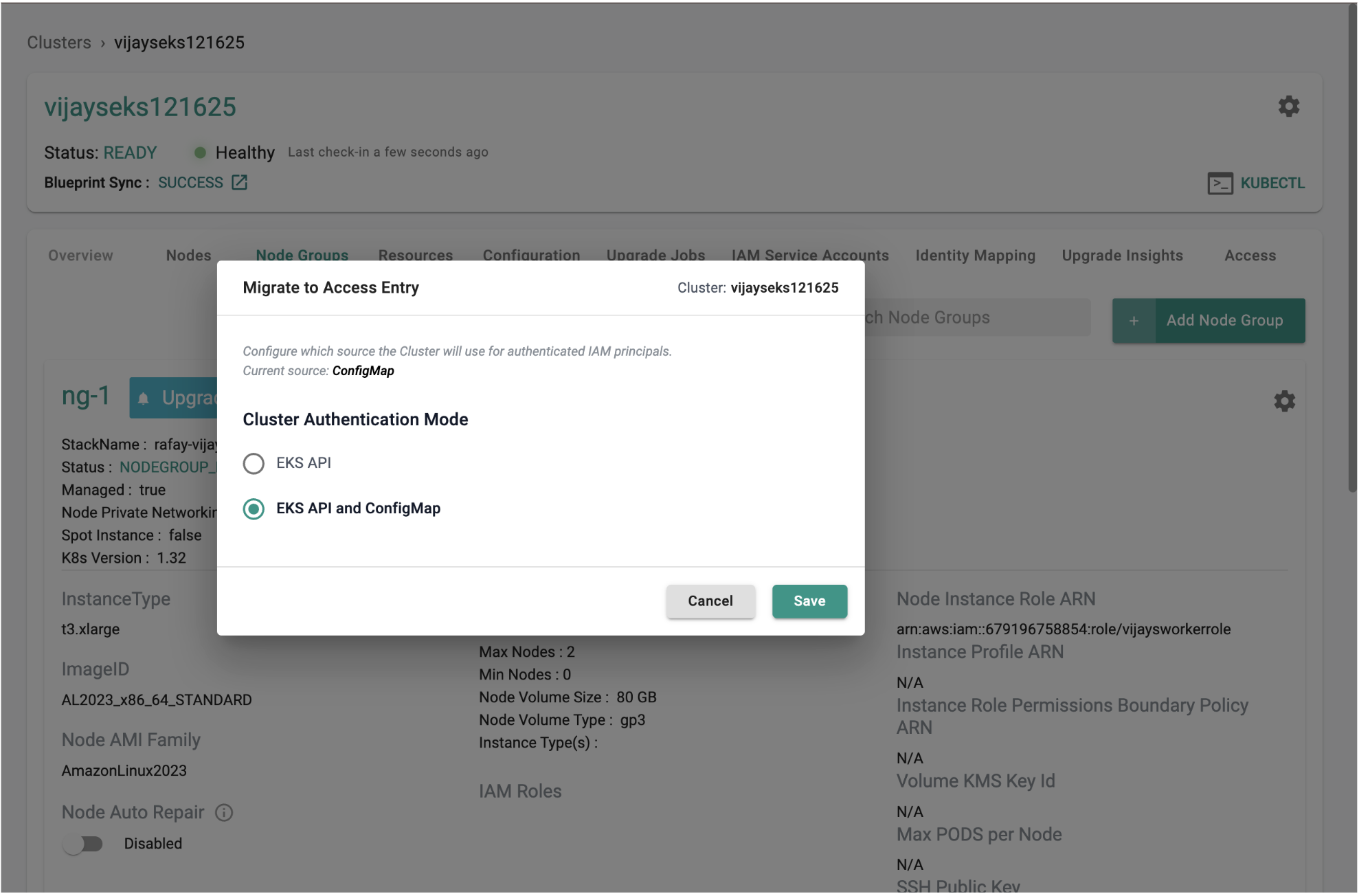
number: 80EKS Auto Mode requires access entries to be configured. Navigate to your existing EKS cluster settings in the Rafay console.
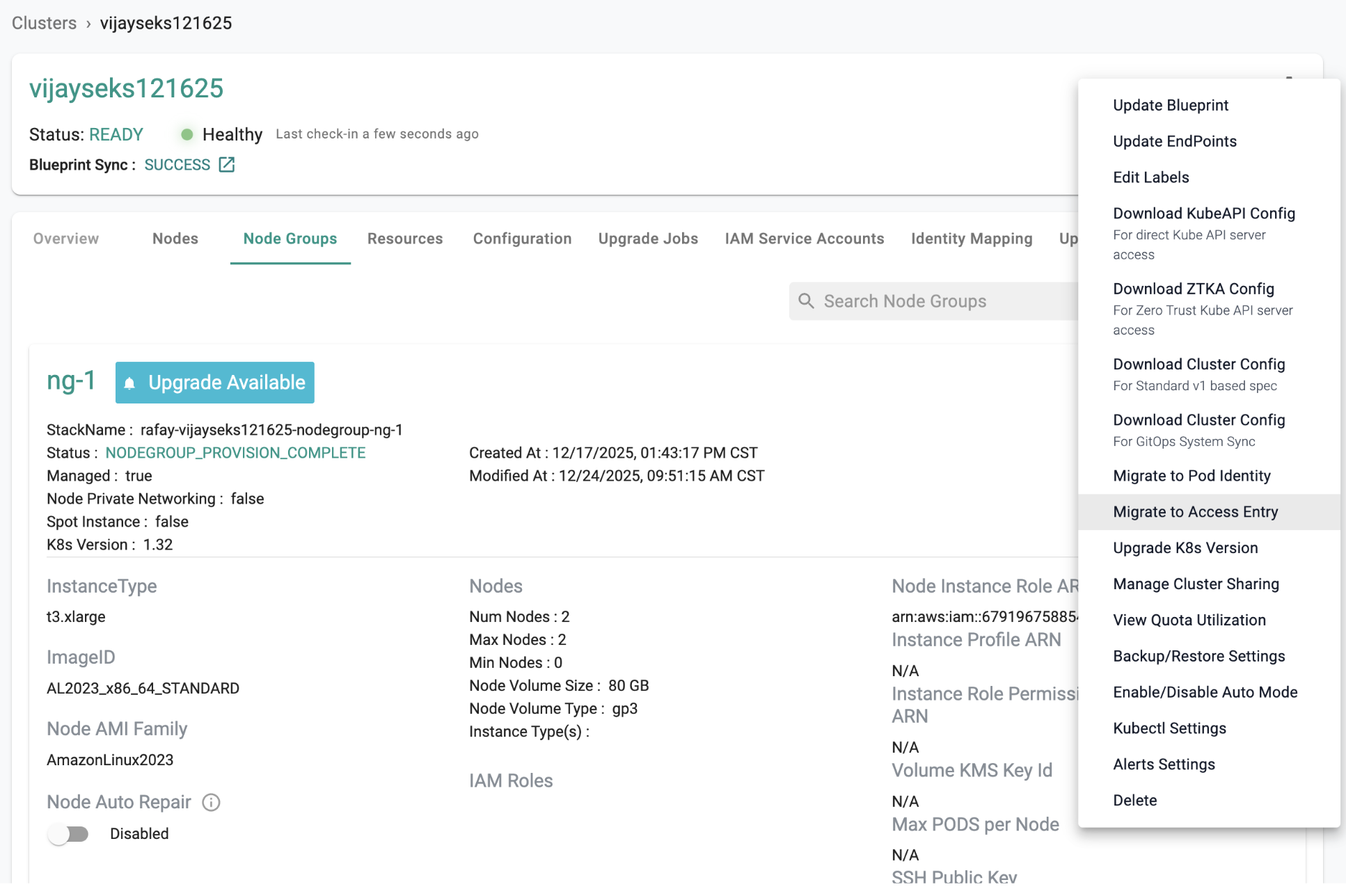
In the Rafay console, select Enable/Disable Auto Mode for your cluster.
Configure the following:
system, general-purpose)For advanced configurations, create custom NodeClasses with specific tags or secondary CIDR blocks:
apiVersion: eks.amazonaws.com/v1
kind: NodeClass
metadata:
  name: custom-nodeclass
spec:
  ephemeralStorage:
    iops: 3000
    size: 80Gi
    throughput: 125
  networkPolicy: DefaultAllow
  networkPolicyEventLogs: Disabled
  role: auto-mode-node-role
  securityGroupSelectorTerms:
  - id: sg-xxxxxxxxxx
  snatPolicy: Random
  subnetSelectorTerms:
  - id: subnet-xxxxxxxxxxx
  - id: subnet-xxxxxxxxxxx
  - id: subnet-xxxxxxxxxxx
  tags:
    key1: value1
Create a NodePool referencing the custom NodeClass:
apiVersion: karpenter.sh/v1
kind: NodePool
metadata:
  name: infra-nodepool
spec:
  disruption:
    budgets:
    - nodes: 10%
    consolidateAfter: 30s
    consolidationPolicy: WhenEmptyOrUnderutilized
  template:
    metadata: {}
    spec:
      expireAfter: 504h
      nodeClassRef:
        group: eks.amazonaws.com
        kind: NodeClass
        name: custom-nodeclass
      requirements:
      - key: karpenter.sh/capacity-type
        operator: In
        values:
        - on-demand
      - key: eks.amazonaws.com/instance-category
        operator: In
        values:
        - c
        - m
        - r
      - key: eks.amazonaws.com/instance-generation
        operator: Gt
        values:
        - "4"
      - key: kubernetes.io/arch
        operator: In
        values:
        - amd64
      - key: kubernetes.io/os
        operator: In
        values:
        - linux
      taints:
      - effect: NoSchedule
        key: CriticalAddonsOnly
terminationGracePeriod: 1h0m0sPrevent new pods from being scheduled on existing managed nodegroups:
kubectl get node -o name | xargs kubectl cordonCreate a new StorageClass compatible with Auto Mode:
apiVersion: storage.k8s.io/v1
kind: StorageClass
metadata:
  name: gp3
parameters:
  encrypted: "true"
  fsType: ext4
  type: gp3
provisioner: ebs.csi.eks.amazonaws.com
reclaimPolicy: Retain
volumeBindingMode: WaitForFirstConsumer
allowVolumeExpansion: true
allowedTopologies:
- matchLabelExpressions:
  - key: eks.amazonaws.com/compute-type
    values:
- autoCreate a new IngressClass for Auto Mode:
apiVersion: networking.k8s.io/v1
kind: IngressClass
metadata:
  name: alb-ingress-auto
spec:
controller: eks.amazonaws.com/albThe eks-auto-mode-ebs-migration-tool migrates Persistent Volume Claims from the standard EBS CSI StorageClass (ebs.csi.aws.com) to the EKS Auto Mode EBS CSI StorageClass (ebs.csi.eks.amazonaws.com).
Validate in Non-Production First
The migration process requires deleting the existing PersistentVolumeClaim and PersistentVolume, then re-creating them with the new StorageClass. Always validate this process in an identical non-production environment before running it in production.
Install the eks-auto-mode-ebs-migration-tool from AWS:
EBS Migration Tool Installation Guide
1. Scale down the application:
kubectl scale deploy app-deployment --replicas=02. Patch the PV to retain the volume:
kubectl get pvc app-pvc -n default -o jsonpath='{.spec.volumeName}' | \
  xargs kubectl patch pv --patch '{"spec": {"persistentVolumeReclaimPolicy": "Retain"}}'
3. Run migration in dry-run mode first:
eks-auto-mode-ebs-migration-tool --cluster-name <your-cluster> --pvc-name app-pvc -storageclass gp3Expected output:
I1224 13:25:23.059833   15295 main.go:92] "Running in dry-run mode"
I1224 13:25:23.796162   15295 migrator.go:108] "Found PVC" pvc="default/app-pvc"
...
I1224 13:25:25.491358   15295 main.go:141] "Dry-run completed successfully"
4. Run the actual migration:
eks-auto-mode-ebs-migration-tool --cluster-name <your-cluster> --pvc-name app-pvc -storageclass gp3 --dry-run=false
5. Scale up the application:
kubectl scale deploy app-deployment --replicas=16. Verify the pod is running on an Auto Mode node:
kubectl get pod -n default -o wide
kubectl get node -L karpenter.sh/nodepool
Expected output:
NAME                              READY   STATUS    RESTARTS   AGE   IP               NODE
app-deployment-7fbb4487bc-x729j   1/1     Running   0          22m   192.168.150.48   i-0c90de4f87d4226d3

NAME                    STATUS                     ROLES    AGE     VERSION               NODEPOOL
i-0c90de4f87d4226d3 Ready 22m v1.32.9-eks-3025e55 general-purposeCreate a new Ingress using the Auto Mode IngressClass:
apiVersion: networking.k8s.io/v1
kind: Ingress
metadata:
  name: app-ingress-auto
  annotations:
    alb.ingress.kubernetes.io/scheme: internet-facing
    alb.ingress.kubernetes.io/target-type: ip
spec:
  ingressClassName: alb-ingress-auto
  rules:
    - http:
        paths:
        - path: /
          pathType: Prefix
          backend:
            service:
              name: app-service
              port:
                number: 80
Verify the new ingress has a load balancer:
kubectl get ingress app-ingress-auto -n defaultNAME CLASS HOSTS ADDRESS PORTS AGE
app-ingress-auto alb-ingress-auto * k8s-default-appingre-cf1b39b137-183619354.us-west-2.elb.amazonaws.com 80 72s
After verifying:
kubectl delete ingress app-ingress -n defaultAfter all applications are migrated to Auto Mode nodes, delete the managed nodegroups from the Rafay console.
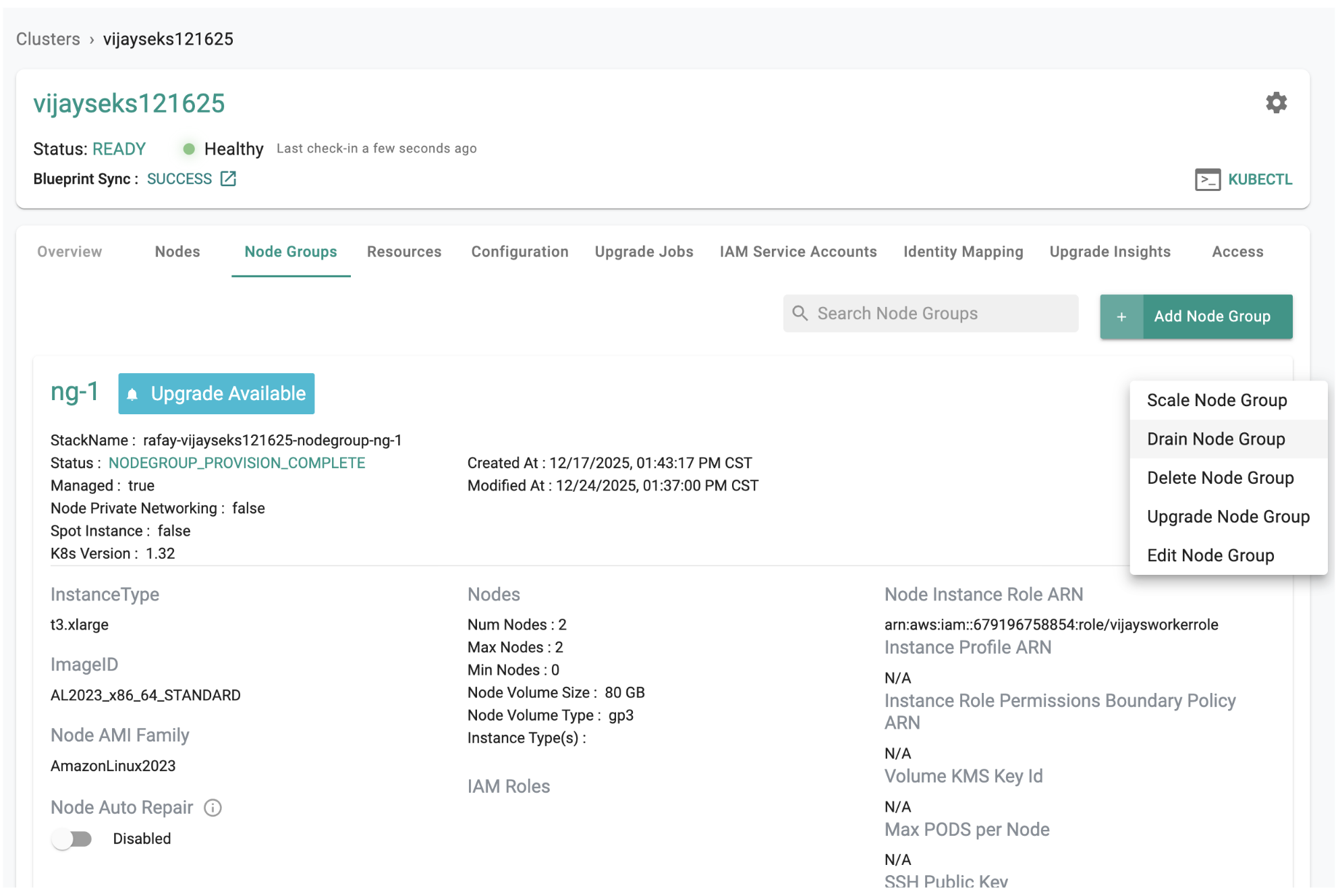
Important
Uncheck Preserve add-on resources on your cluster when removing these add-ons.
Delete the following EKS managed add-ons that are now handled by Auto Mode:
vpc-cnicorednskube-proxyebs-csi-driveraws-load-balancer-controller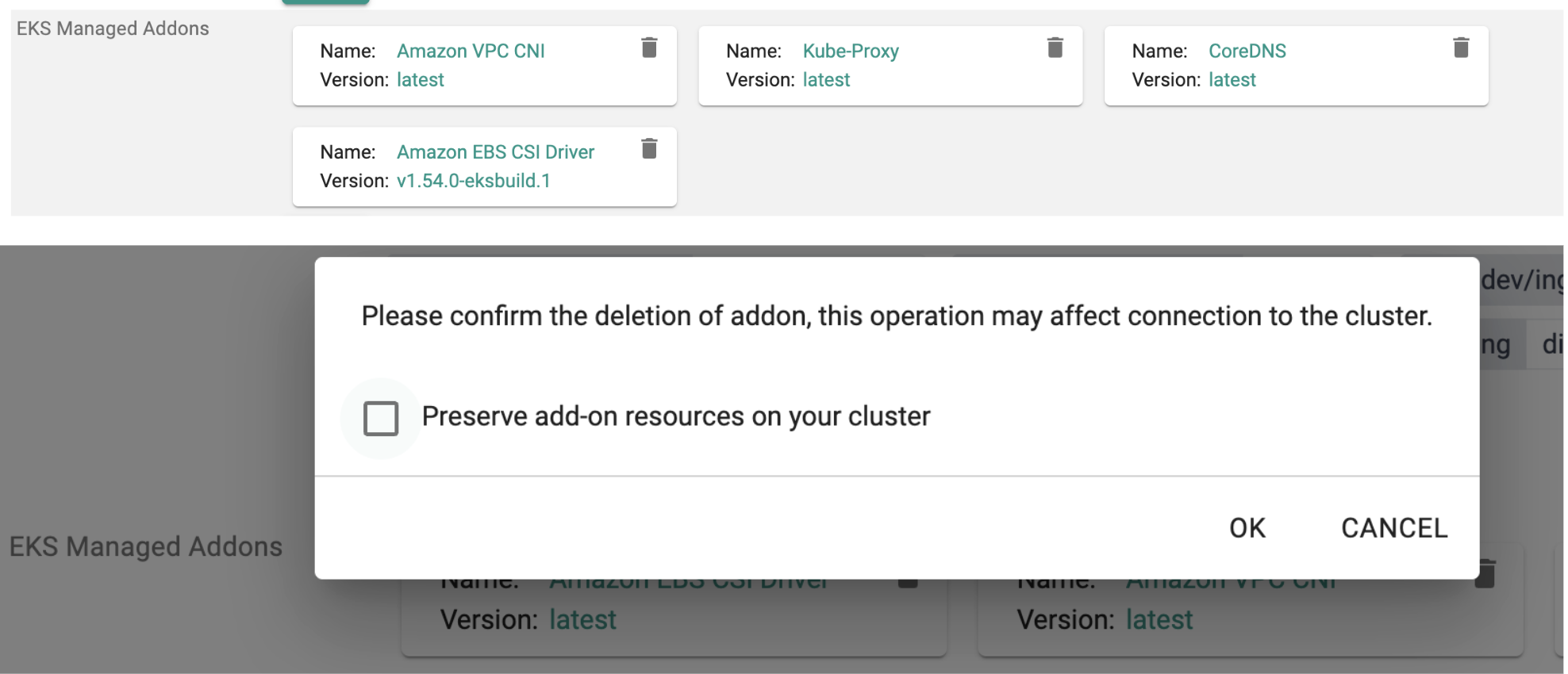
Tip
If any of these add-ons were installed directly on the cluster (not as EKS managed add-ons), they must also be removed.
You have successfully migrated your EKS cluster to Auto Mode.
Kubernetes is a rapidly evolving open-source project with periodic releases. And organizations embracing Kubernetes must adopt the practice of regular upgrades.
Read Now
Amazon EKS Anywhere (EKS-A) now supports a deployment option to provision Kubernetes clusters on bare metal environments such as data centers. EKS Anywhere provides an installable software package for creating and managing Kubernetes clusters in data centers, along with tooling for cluster lifecycle support.
Read Now

Developers love containerization, and Kubernetes (K8s) is the best open-source system for deploying and managing multi-container applications at scale. However, a significant challenge is choosing the best managed Kubernetes service for your application development.
Read Now