Getting started with Amazon Elastic Kubernetes Service (EKS)
November 12, 2019
No items found.
Amazon Elastic Kubernetes Service (Amazon EKS) is a managed Kubernetes to deploy, scale and monitor containerized applications on AWS. Amazon EKS auto-scales worker nodes, including the API servers and back-end persistence layer, across multiple AWS availability zones for high availability and fault tolerance. It automatically detects and replaces unhealthy worker nodes and provides patching for the control plane. Amazon EKS removes some of the operational burden for developers and administrators.
Overview
This guide is designed to help you get started with Amazon EKS, and covers the following:
Prerequisites
Deploying a Sample Microservices-based Application
Configuring Continuous Delivery (CD)
Building a Code Change
Scaling Applications On-Demand
Initially, you will setup a sample Node.js application on EKS cluster.
Pre-requisites
Before starting, make sure you have the following prerequisites. This guide helps you to setup from a Linux terminal.1. Install an EC2 instance with Kubectl and Kublet binaries.
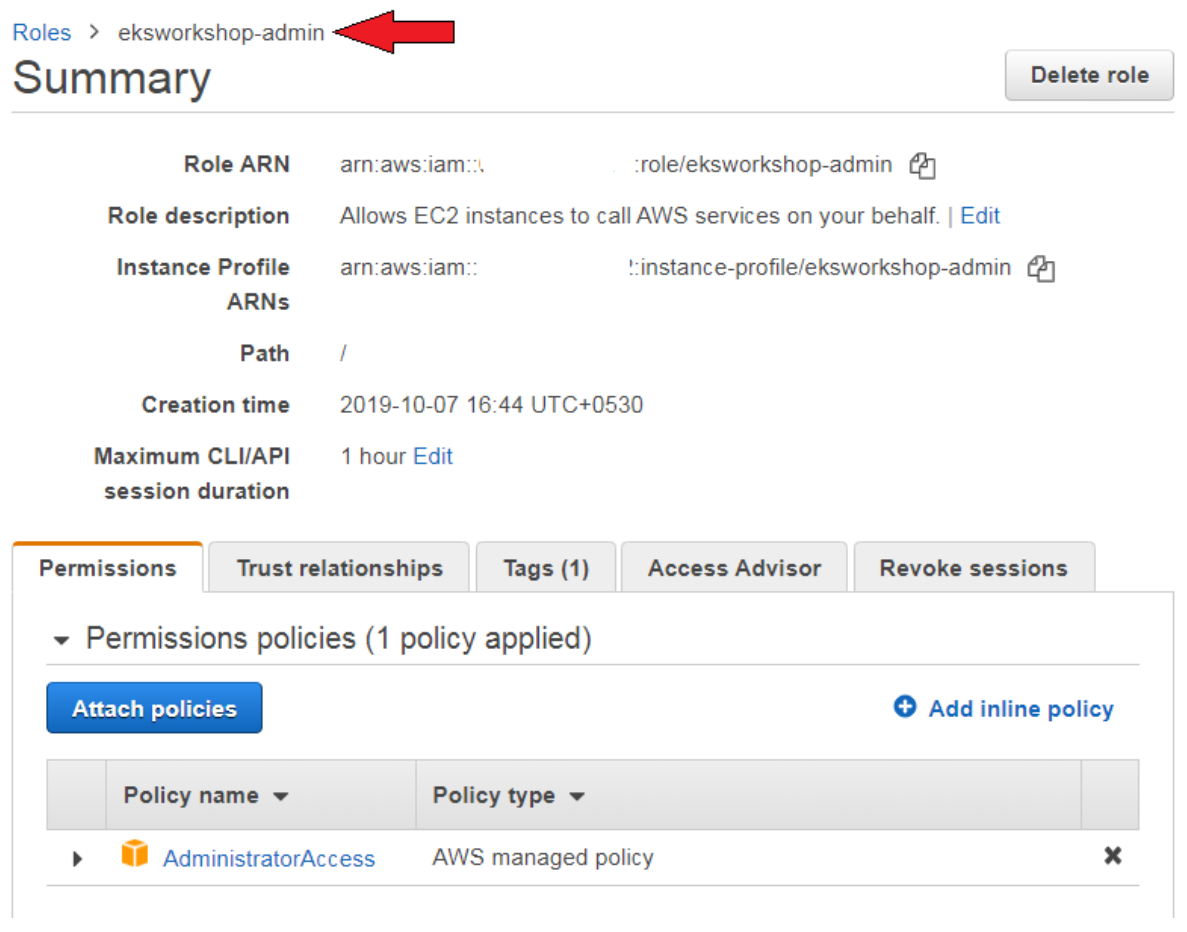
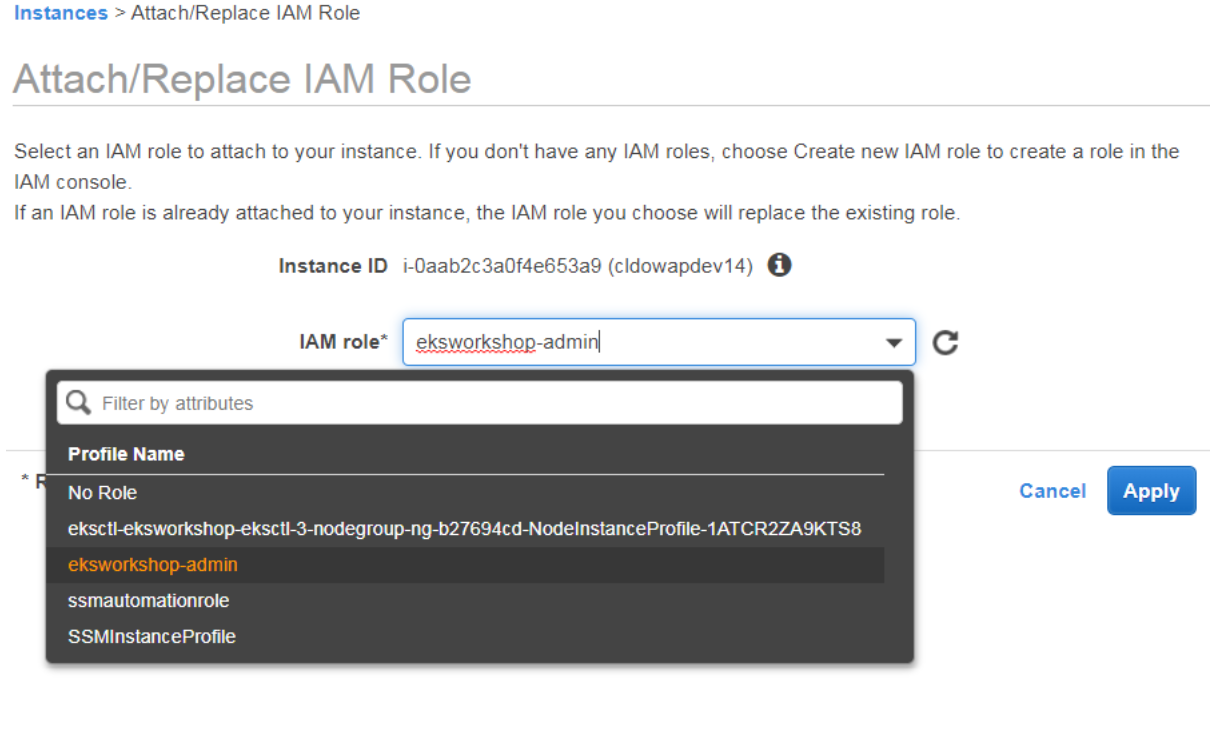
2. Attach an IAM role with ‘Administrator’ access to the EC2 instance. For example, create a role “eksworkshop-admin” role and attach it to the EC2 instance where you have installed Kubectl.
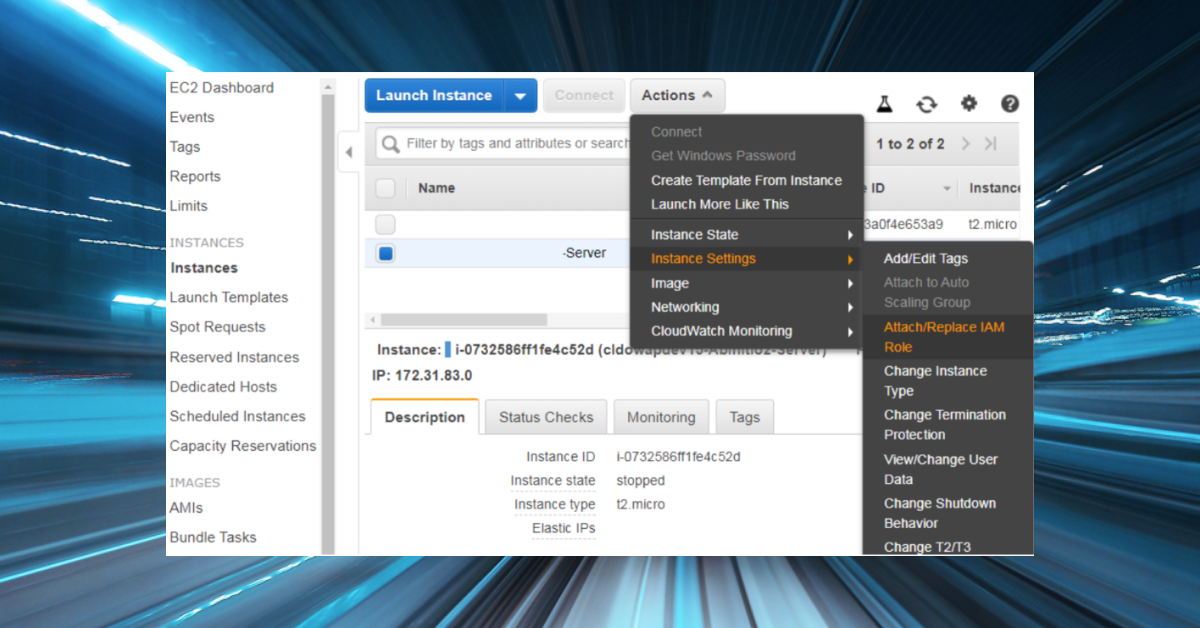
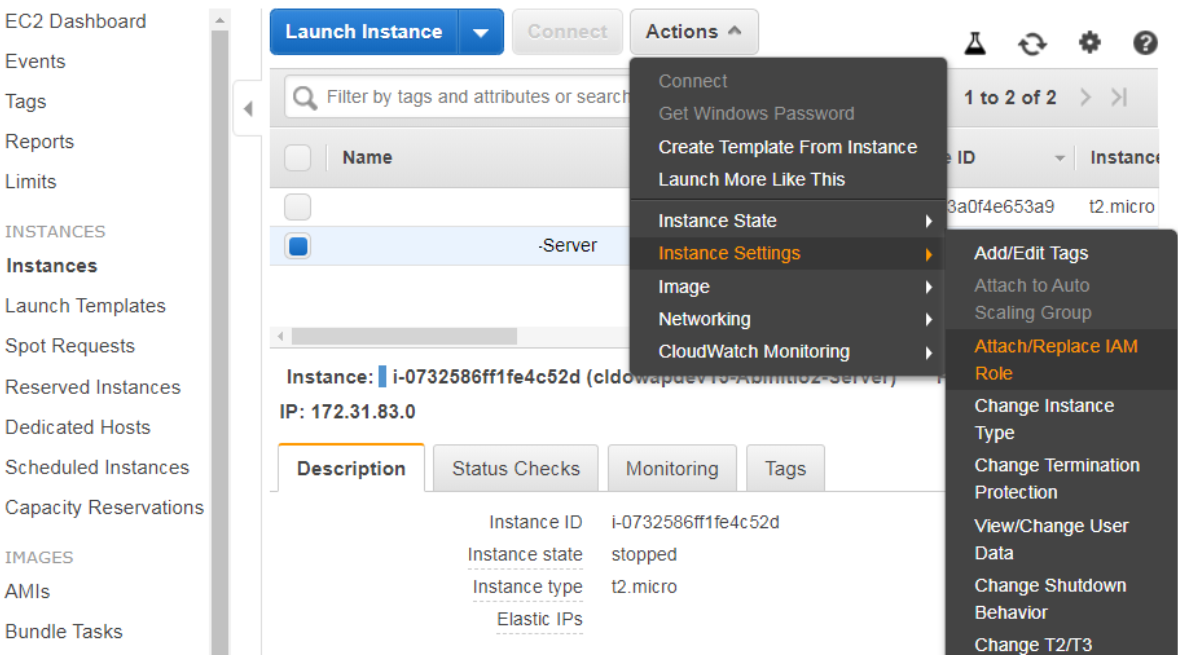
3. Select the EC2 instance. Go to Actions -> Instance Settings -> Attach and Replace IAM Role.
4. Select the IAM role “eksworkshop-admin” -> Apply.
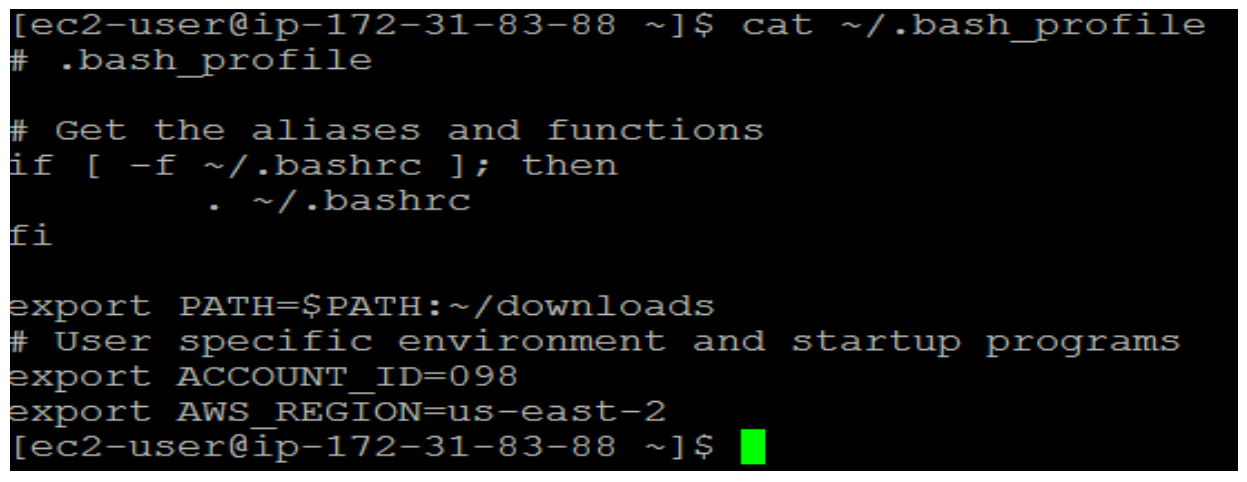
5. Configure the Bash Profile with AWS Account ID and Region. For example:
Basic Setup
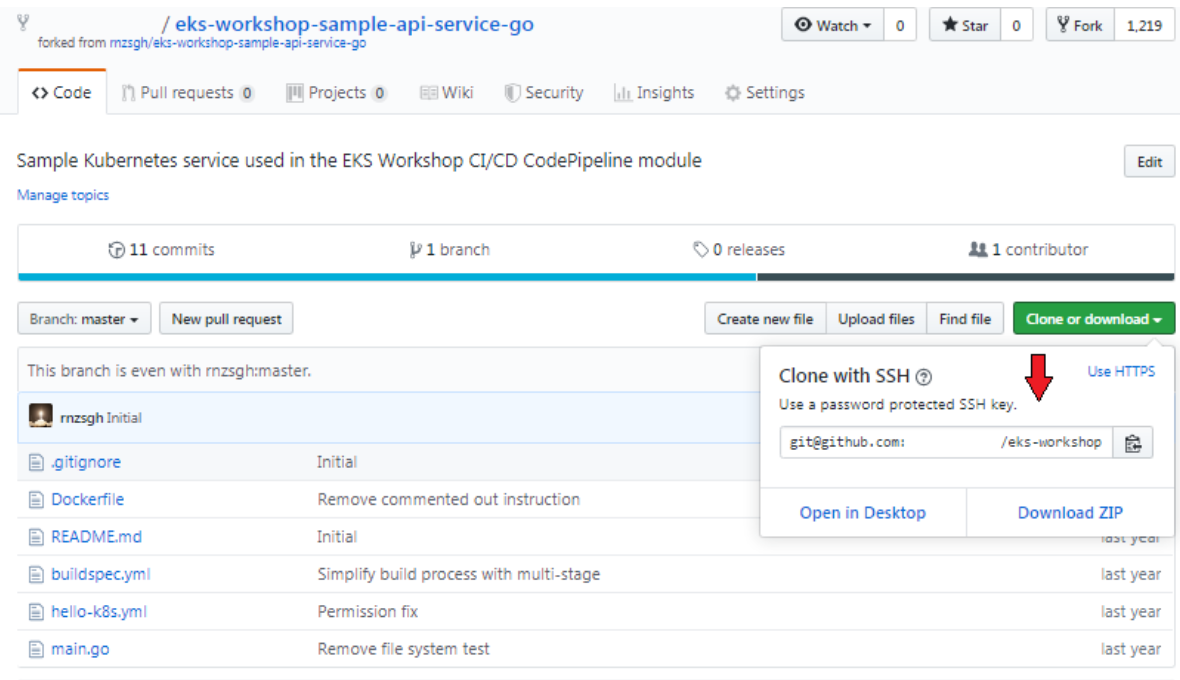
To begin the basic setup, fork a Node.js sample application on GitHub and clone the repository to your local environment. required This is so you can deploy and make modifications to the application. Then you can launch an EKS cluster.1. On GitHub, fork a Github repository by clicking on the top-right corner button on the page.
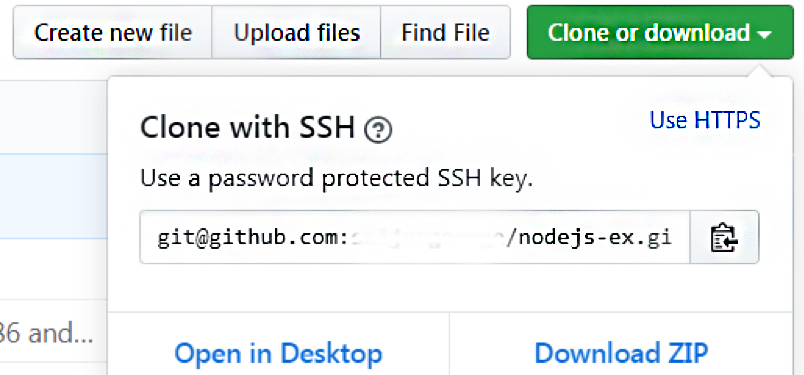
2. Copy the URLs from GitHub.
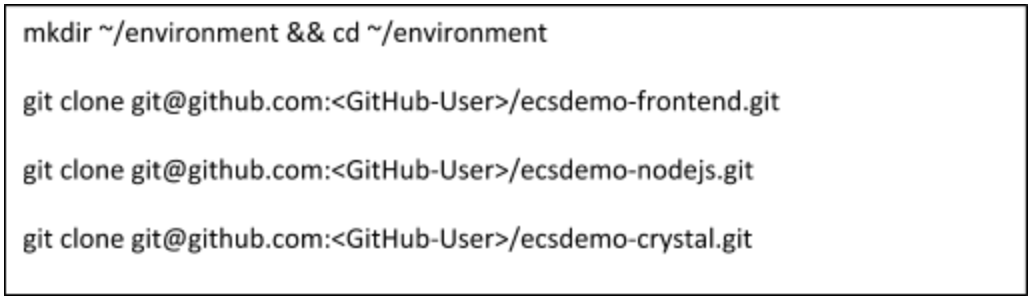
3. Next, execute the commands below on your local machine to checkout the sample application and go to the new directory.
Now, you have a local copy of the GitHub repository on which you can you can make modifications and deploy. Next, setup the EKS cluster.4. First, download the eksctl binary:
5. Confirm the eksctl command is working:
6. Create an EKS cluster:
7. Test the cluster by getting the values of nodes.
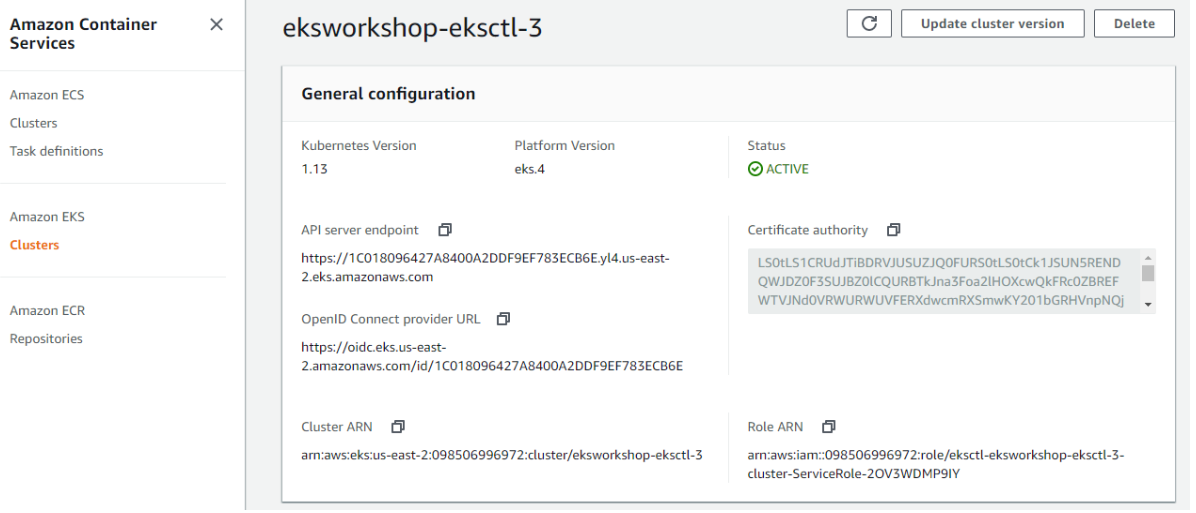
8. Check the status of the Cluster on the AWS Console.
Congratulations! You have setup a fully working Amazon EKS cluster that can host a micro services-based application.
Get Familiar with the Kubernetes Dashboard
The Kubernetes Dashboard in AWS is not available by default. To gain access to it:
Deploy the dashboard by executing the following command:
The dashboard is then deployed in your private cluster. You will need to access it via proxy. Kube-proxy is available to proxy requests to the dashboard service by running the following command:
To access the dashboard, open ingress port 8080 in security groups of the EC2 instance.
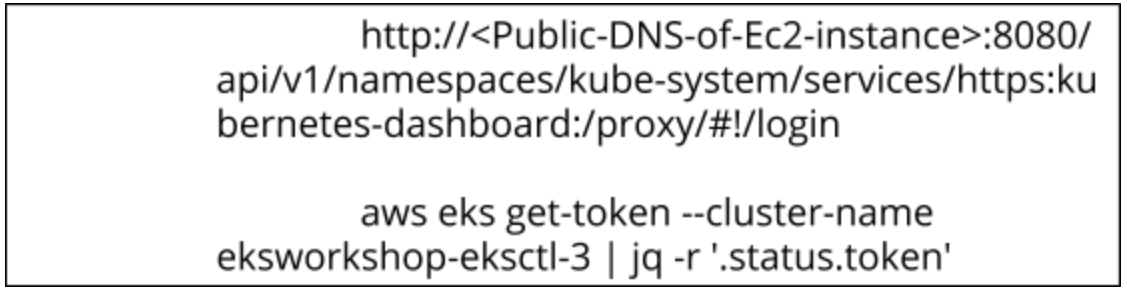
On your browser open the link and, on the terminal, generate a token to login.
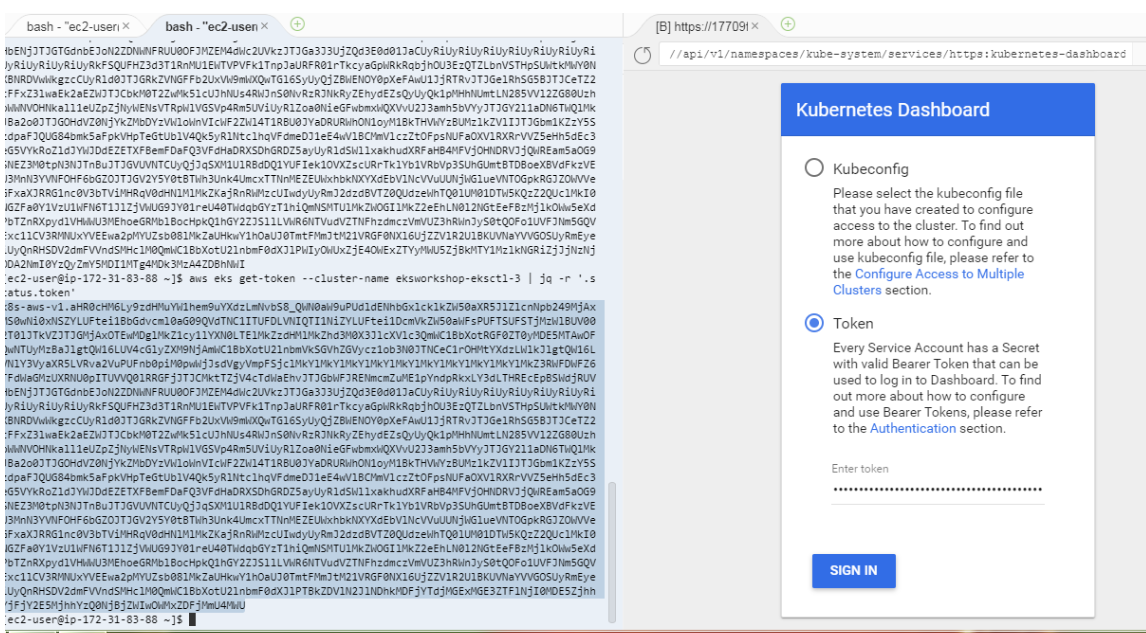
Login to the Kubernetes dashboard by the generated token.
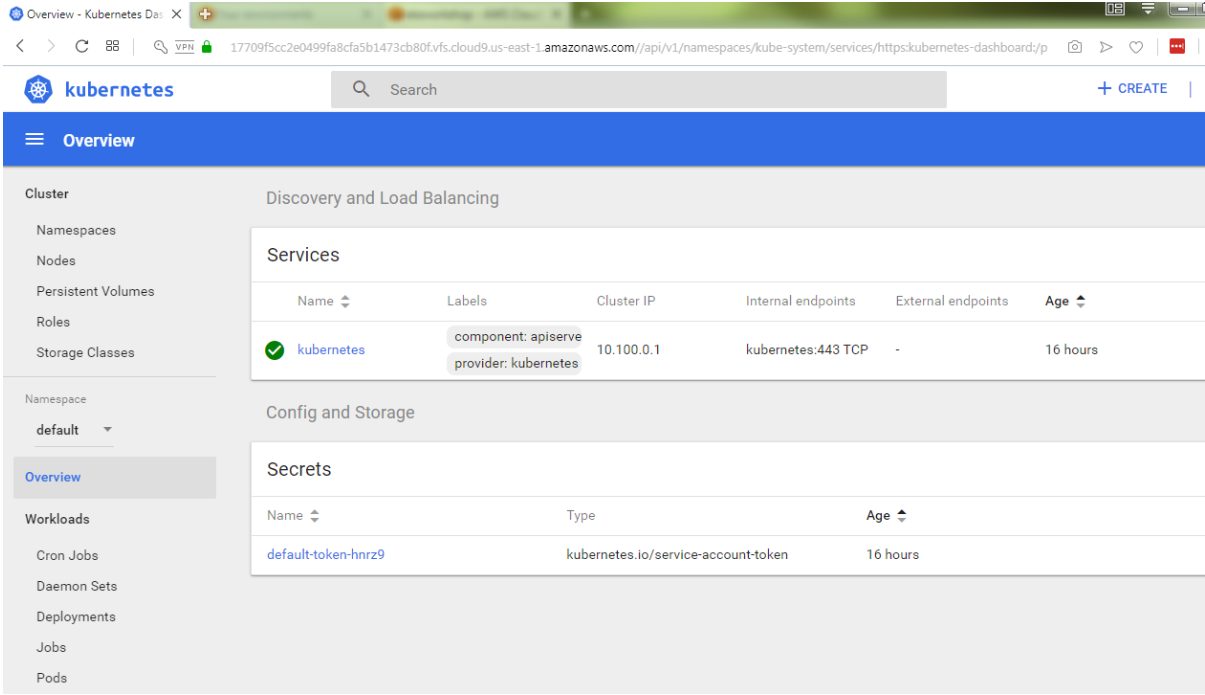
Congratulations! You have successfully installed a Kubernetes Dashboard.
Deploying a Sample Microservices-based Application
Now, you will setup a Nodejs application to the EKS cluster using the CLI interface.
To bring up the NodeJS Backend API, run the following commands on your EC2 command line:
To bring up the ruby front-end service, run the following commands.
Now, you have a running service. However you need to find the ELB’s address to access the web page.
This confirms that you have successfully deployed a nodejs app Amazon EKS.
Configure Continuous Delivery (CD)
In an AWS CodePipeline, you are going to use AWS CodeBuild to deploy a sample Kubernetes service. This requires an AWS Identity and Access Management (IAM) role capable of interacting with the EKS cluster.In this step, you will create an IAM role and add an inline policy that will be used in the CodeBuild stage to interact with the EKS cluster via kubectl.
Setting up the CD Pipeline
Create an IAM role by running the following commands:
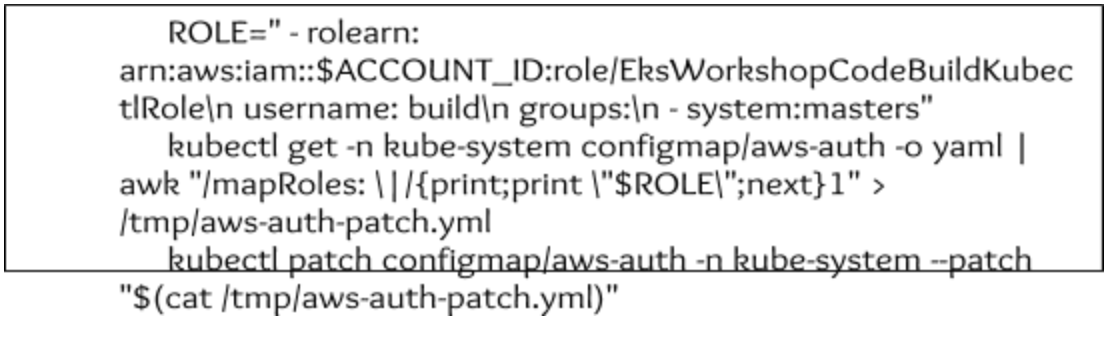
Now that the IAM role is created, add the role to the AWS-auth ConfigMap for the EKS cluster. Once the ConfigMap includes this new role, kubectl in the CodeBuild stage of the pipeline will be able to interact with the EKS cluster via the IAM role.
Fork a sample Kubernetes GitHub repository so that you can modify the repo and trigger builds. Login to GitHub and fork the repo to your own account:
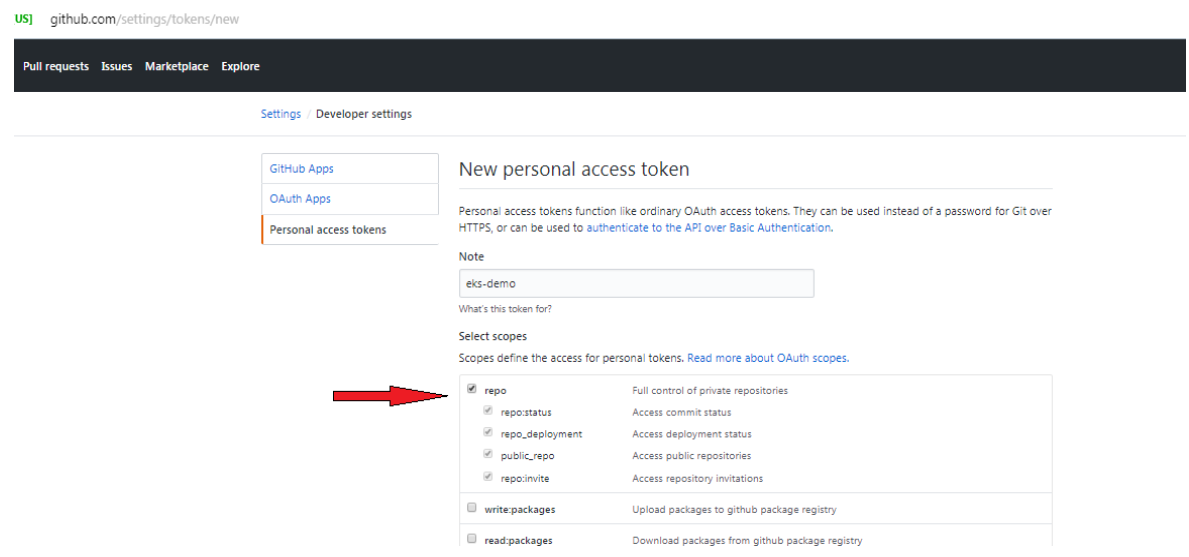
In order for CodePipeline to receive callbacks from GitHub, you will need to generate a personal access token.
Copy the personal access token and save it in a secure place for the next step.
Next, you will create the AWS CodePipeline using AWS CloudFormation. CloudFormation is an infrastructure as code (IaC) tool that provides a common language for you to describe and provision all the infrastructure resources in your cloud environment. CloudFormation allows you to use a simple text file to model and provision, in an automated and secure manner, all the resources needed for your applications across all regions and accounts.Use the following template to create the CloudFormation stack in the AWS Management Console.
After the console is open, enter your GitHub username, personal access token (created in the previous step), check the acknowledge box and then click the “Create stack” button located at the bottom of the page.
Wait for the status to change from “CREATE_IN_PROGRESS” to CREATE_COMPLETE before moving on to the next step.
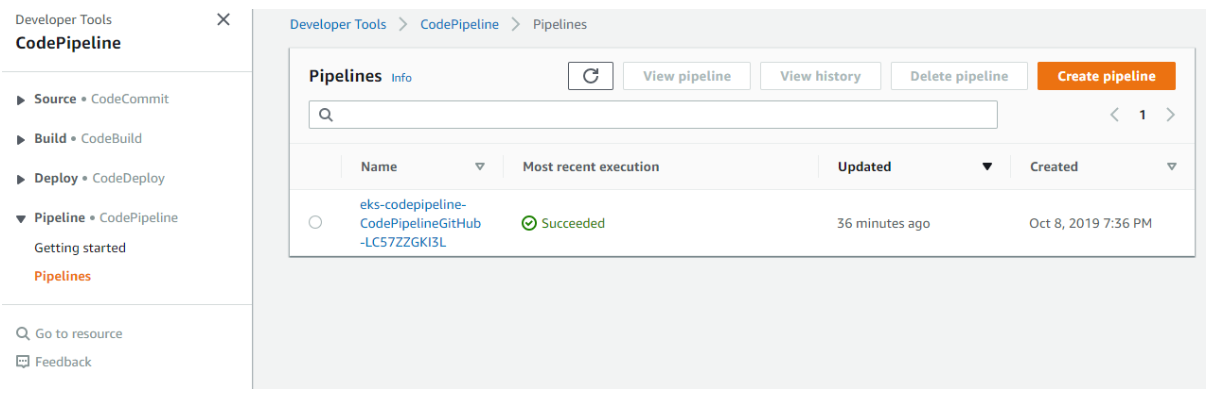
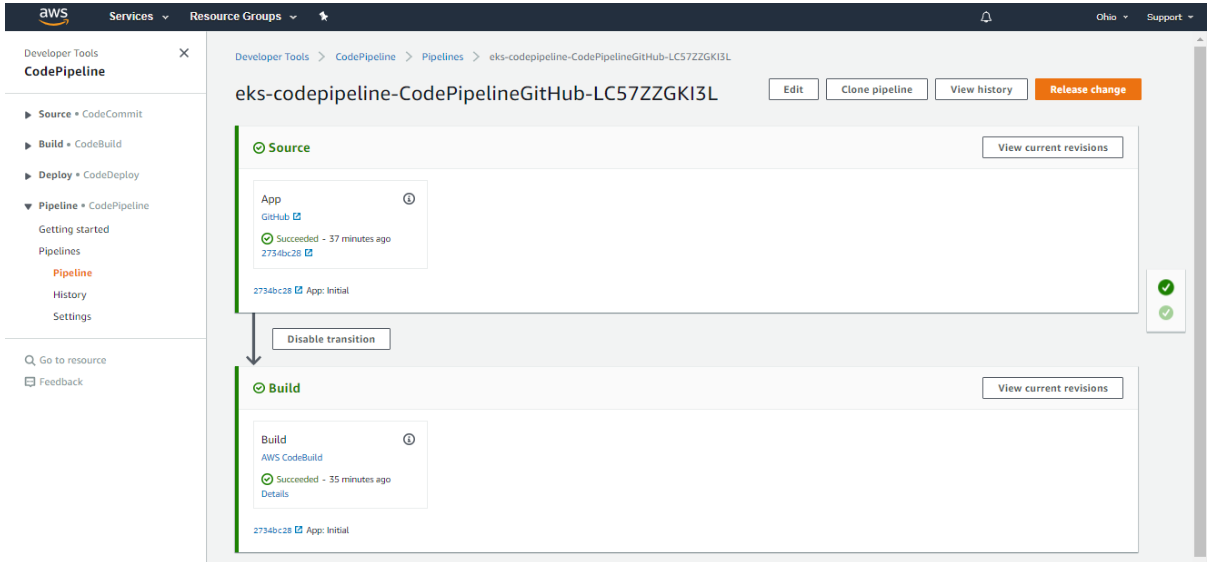
Open CodePipeline in the Management Console. You will see a CodePipeline that starts with eks-workshop-codepipeline. Click this link to view the details
Congratulations! You have successfully built the CI/CD pipeline for Amazon EKS.
Building a Code Change
Next, push the modified code to the application.
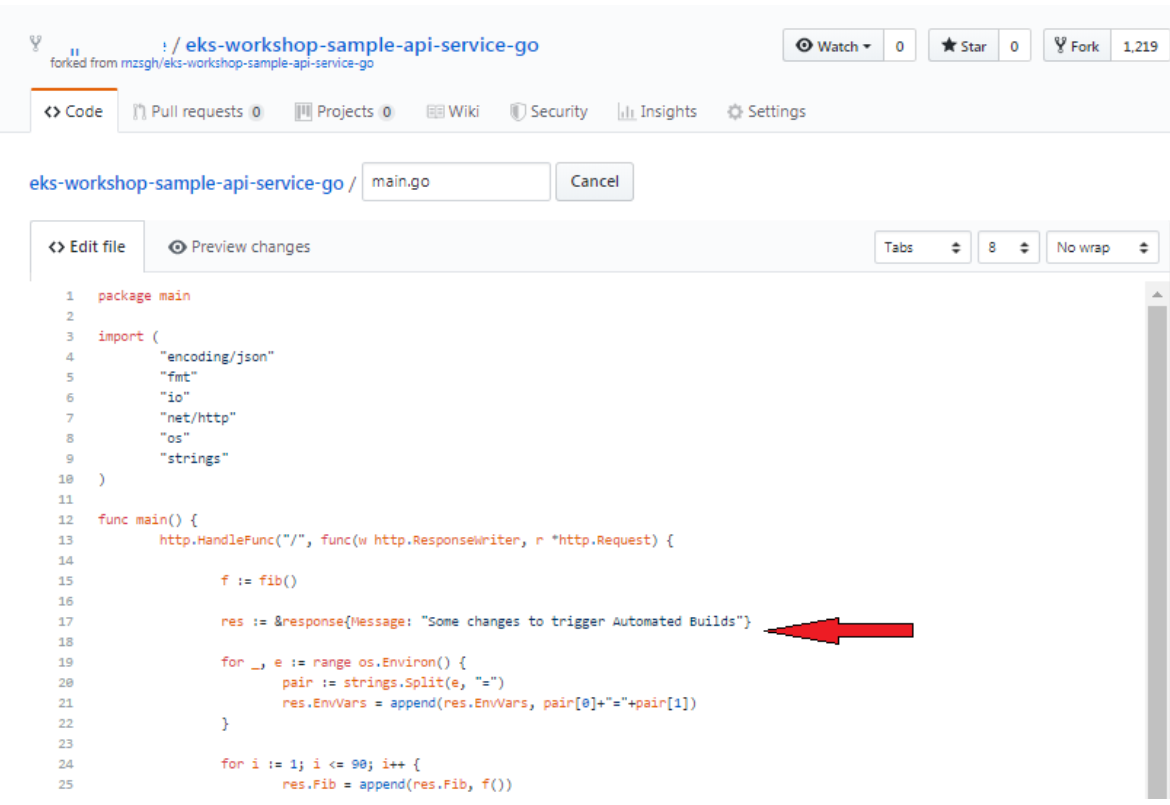
On your local desktop, use an editor to modify the GitHub code for the file (eks-workshop-sample-api-service-go/main.go
Make some changes that will be visible from your application. For instance, change the title on line 17:
Commit the changes to GitHub and push the changes to master.
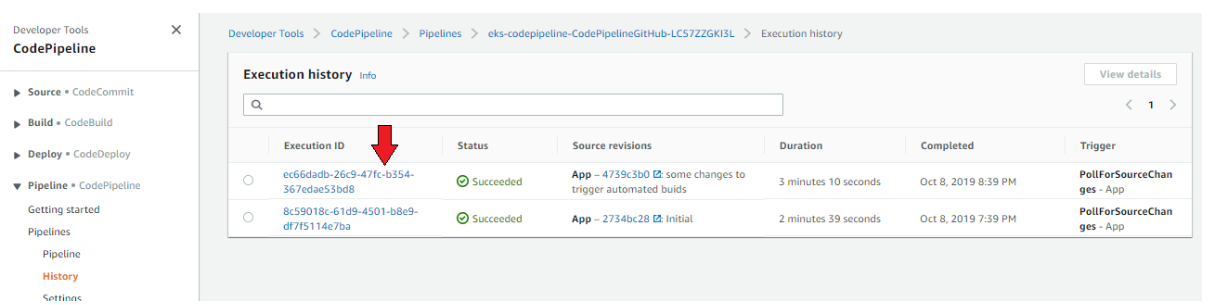
If your webhooks are configured correctly, your eks Codepipeline project will rebuild and deploy itself. To view the Automated builds, check the history.
Validate changes by clicking on the ELB URL in your browser and refresh to confirm the update.
Scaling Applications On-Demand
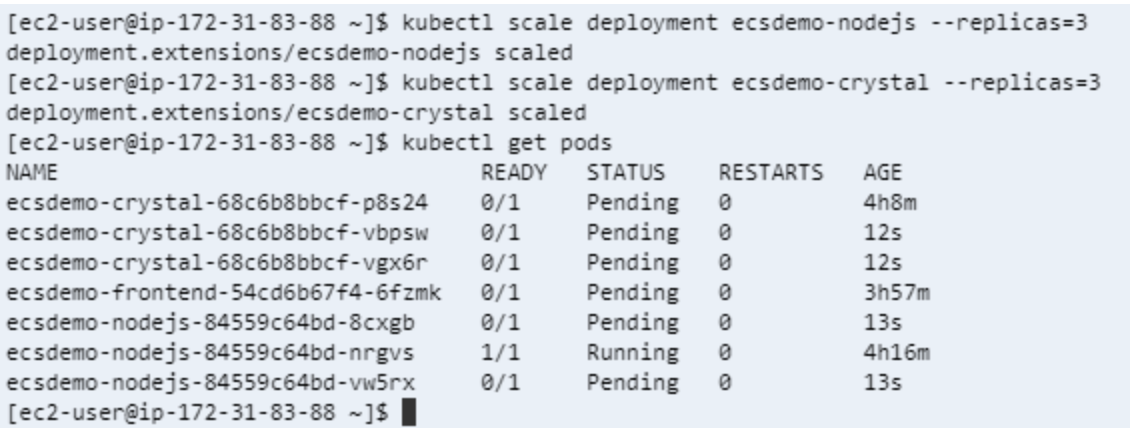
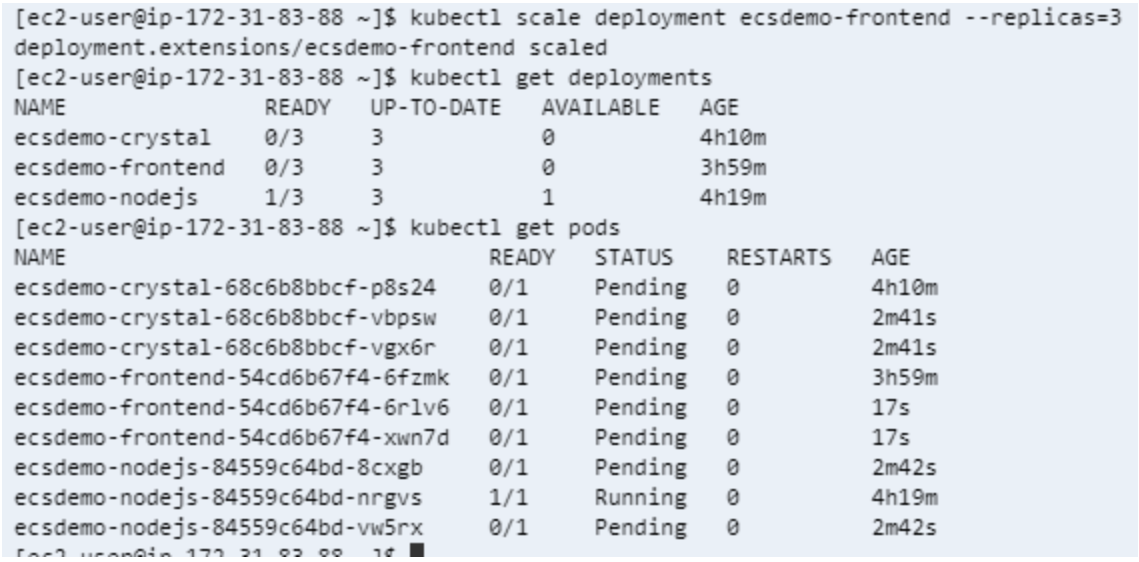
You will now add additional pods to your Node.js service to accommodate additional traffic volumes.
To scale the backend services, run the following command:
To scale the frontend services, run the following command:
Conclusion
In this guide, we have seen how easy it is to build, deploy and scale a Nodejs application using Amazon EKS. But this is just the first part of your Application Lifecycle Journey. There are plenty more steps involved. In the next installment, we’ll dig deeper to help you understand how Rafay and Amazon EKS work together.
Certifying Tenant GPU Kubernetes Clusters with NVIDIA Cluster Readiness Engine
Learn how NeoClouds can use NVIDIA Cluster Readiness Engine to certify GPU Kubernetes clusters before tenant handoff and validate AI workload readiness.
Kubernetes is a rapidly evolving open-source project with periodic releases. And organizations embracing Kubernetes must adopt the practice of regular upgrades.


























.png)