Product
Migrating Existing EKS Clusters to EKS Auto Mode
Read Now
No items found.
2026-01-05


Amazon Managed Service for Prometheus (AMP) is a new managed service by Amazon launching in general availability and providing an easy, scalable equivalent to the CNCF open-source Prometheus project. With AMP, enterprises get all the container monitoring benefits of open-source Prometheus without the hardware, storage, or software reliability and maintenance issues. Additionally, Prometheus can easily collect and send application metrics from multiple AWS and third-party services running inside of clusters without having to manually instrument the application to Amazon Managed Service for Prometheus. AMP auto-scales ingestion, storage, alerting, and querying of metrics based on your monitoring needs and the elastic nature of metrics generated from your dynamic workloads. AMP is perfect for AWS customers looking to focus on developing, deploying, and monitoring business-critical applications without having to use critical resources on deploying and managing a monitoring tool across cloud and on-premises container environments.Rafay is excited to be a launch partner with AMP enabling AWS customers looking to standardize on AMP. Organizations can use Rafay’s add-on and cluster blueprinting capability ensuring AMP is deployed for all or a specific set of clusters. Rafay’s cluster blueprints give control to DevOps teams enabling them to automate the installation, management, and enforcement of standardized tools or software add-ons across their Kubernetes clusters providing governance and compliance across any or all Kubernetes environments.
For this blog post we will walk you through configuring the Prometheus service with Rafay to monitor the performance of an EKS cluster. We will assume you have an EKS cluster up and running and have a visualization tool to view the AMP data. If you’d like to see how to set up an EKS cluster and/or Grafana, an open-source analytics and visualization tool, you can see the full Rafay AMP recipe here.
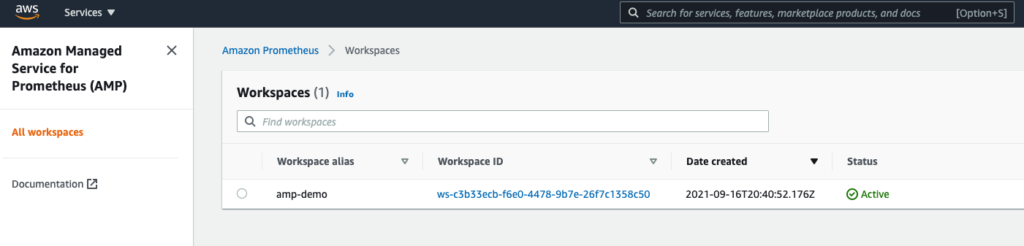
In the example below, we have created our AMP workspace called "amp-demo" in the "us-east-1" AWS region.
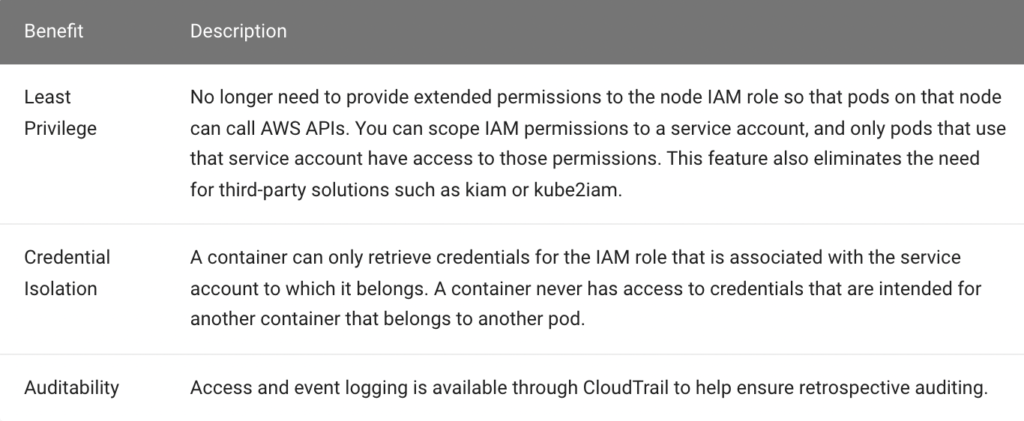
In this step, you will create an IRSA so that the Prometheus pods on the EKS cluster will have the necessary permissions to perform "remote writes" to the AMP remote write endpoint. In AWS, it is a recommended best practice to use AWS Identity and Access Management (IAM) roles for service accounts (IRSA) to access AWS services outside the EKS cluster because of the following benefits:
We will deploy Prometheus to a namespace called "monitoring":
In the example below, the EKS cluster's name is "amp-demo" and the IRSA name is "amp-irsa"../rctl create iam-service-account amp-demo --name amp-irsa --namespace monitoring --policy-arn arn:aws:iam::aws:policy/AmazonPrometheusRemoteWriteAccessRequest submitted successfully to create IAM service account(s).
Creation of the IRSA can take a few seconds. You can verify the status of the IRSA by using RCTL../rctl get iam-service-account amp-demoYou can also verify that the k8s service account was created in the EKS cluster in the "monitoring" namespace.
[{"metadata":{"name":"amp-irsa","namespace":"monitoring"},"attachPolicyARNs":["arn:aws:iam::aws:policy/AmazonPrometheusRemoteWriteAccess"]}]
kubectl get sa -n monitoringAs you can see in this example, the "amp-irsa" service account was successfully created in the "monitoring" namespace.
NAME SECRETS AGE
amp-irsa 1 2m33s
default 1 18m
In this step, you will
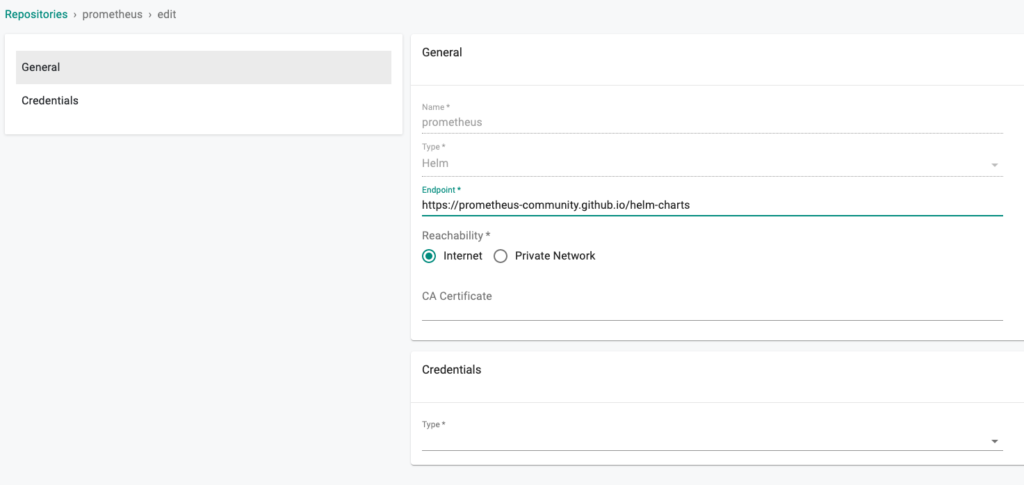
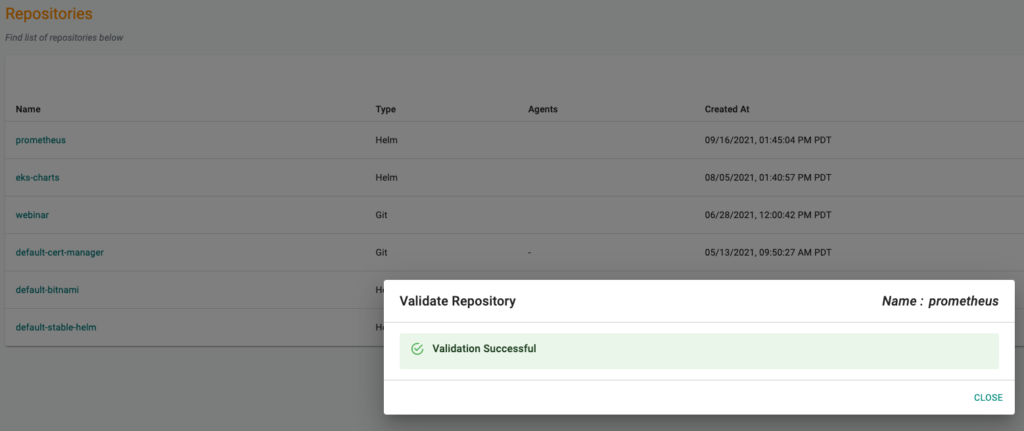
Configure the Prometheus repo endpoint so that the controller can automatically retrieve the required Helm chart directly from the Internet facing repository.
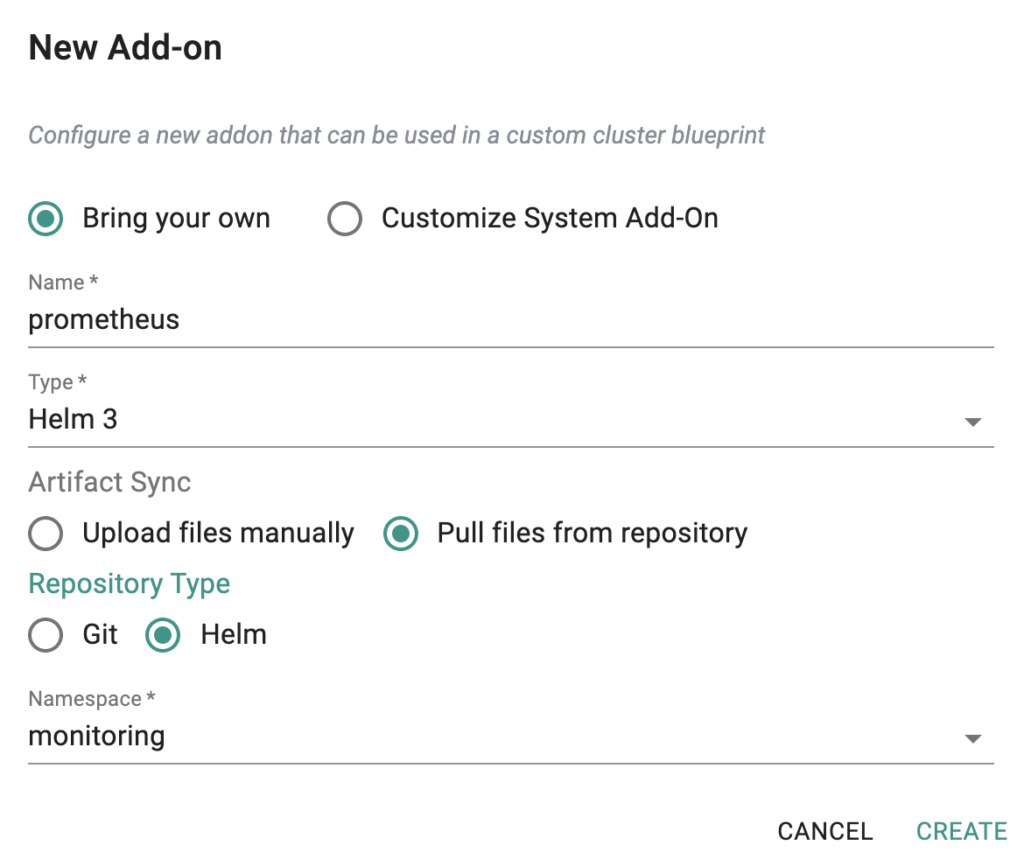
Create Rafay Add-on
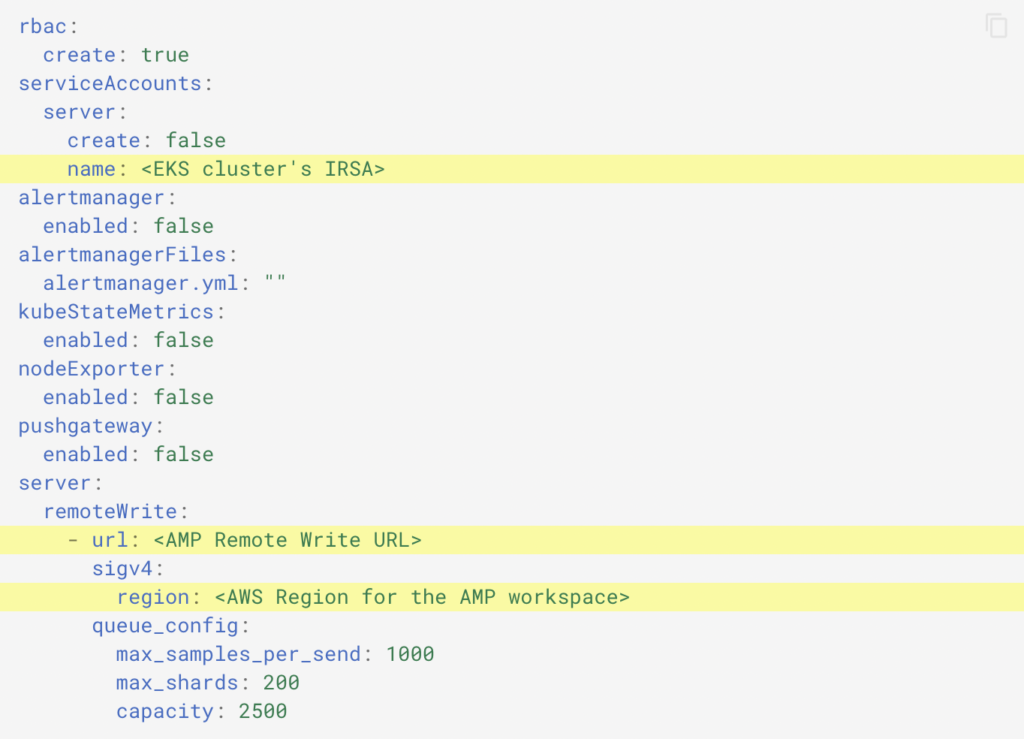
We need to customize the Prometheus add-on with an override "values file" comprising the following:
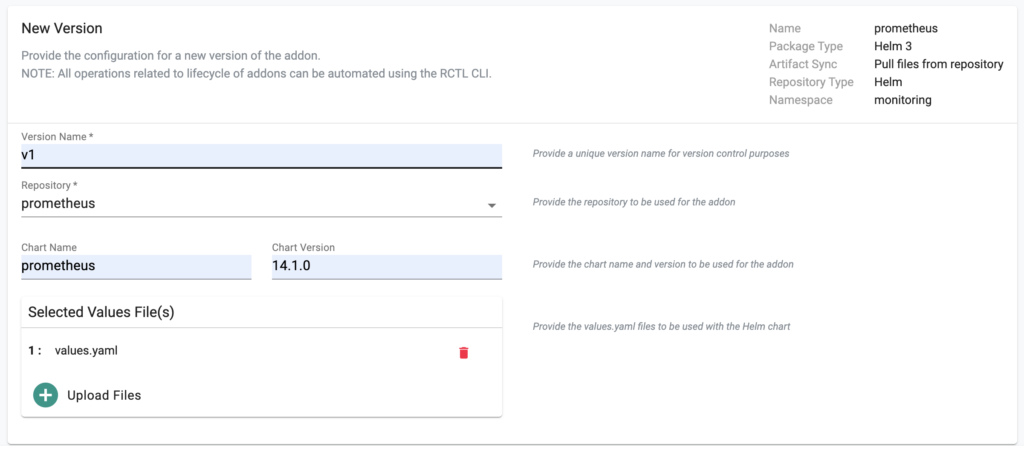
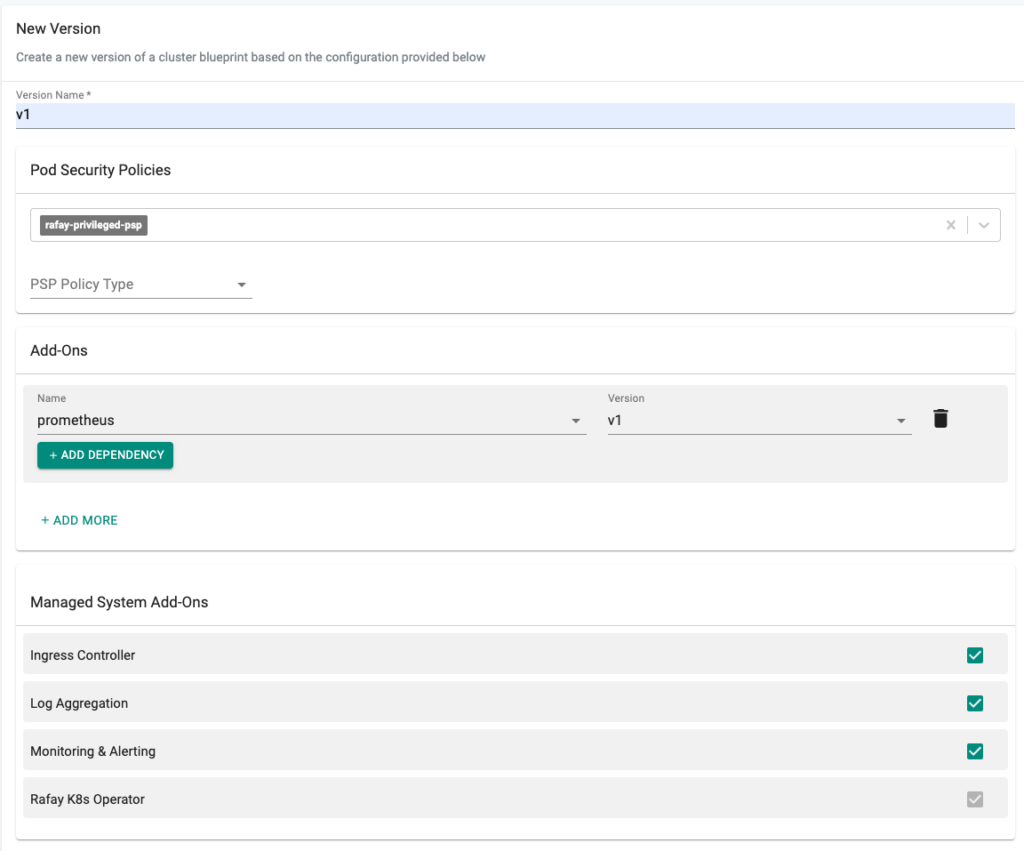
Now, we are ready to apply the newly created, custom blueprint to our EKS cluster.

In a few minutes, all the k8s resources matching the custom cluster blueprint will become operational on the cluster. Notice that the cluster's blueprint name and version match what you created in the prior step.

Optionally, to verify if Prometheus is able to remote write to the AMP workspace

Congratulations! You have successfully set up and deployed AMP with Rafay. With Rafay cluster blueprinting, you can automate the deployment of AMP across your Kubernetes clusters making it easier to install, maintain, update, and provide governance across your EKS or on-premise Kubernetes clusters.Ready to find out why so many enterprise platform teams have partnered with Rafay to streamline Amazon EKS and EKS Anywhere operations? Sign up for a free trial today.
.png)
Kubernetes is a rapidly evolving open-source project with periodic releases. And organizations embracing Kubernetes must adopt the practice of regular upgrades.
Read Now
Amazon EKS Anywhere (EKS-A) now supports a deployment option to provision Kubernetes clusters on bare metal environments such as data centers. EKS Anywhere provides an installable software package for creating and managing Kubernetes clusters in data centers, along with tooling for cluster lifecycle support.
Read Now