InPart 1, we discussed the core problem: most organizations still deliver GPU access through the wrong abstraction. Developers do not want tickets, YAML, and long wait times. They want a working environment with the right tools and GPU access, available when they need it.
In this post, let’s look at the other half of the story: the end-user experience. Specifically, what does self-service actually look like for a developer or data scientist using Rafay Developer Pods?
The answer is simple: a familiar UI, a few guided choices, and a running environment they can SSH into in about 30 seconds.
Self-Service Means the User Does Not Need to Understand the Infrastructure
This is perhaps the most important design choice. The user is not being asked to:
Request capacity through a ticket
Understand Kubernetes objects
Pick from dozens of low-level infrastructure settings
Wait for an operator to provision a VM
Instead, they are presented with a clean, curated workflow built around the thing they actually want:
“Give me a ready-to-use development environment with the right amount of compute.”
Step 1: Fill in a Simple, Familiar Form
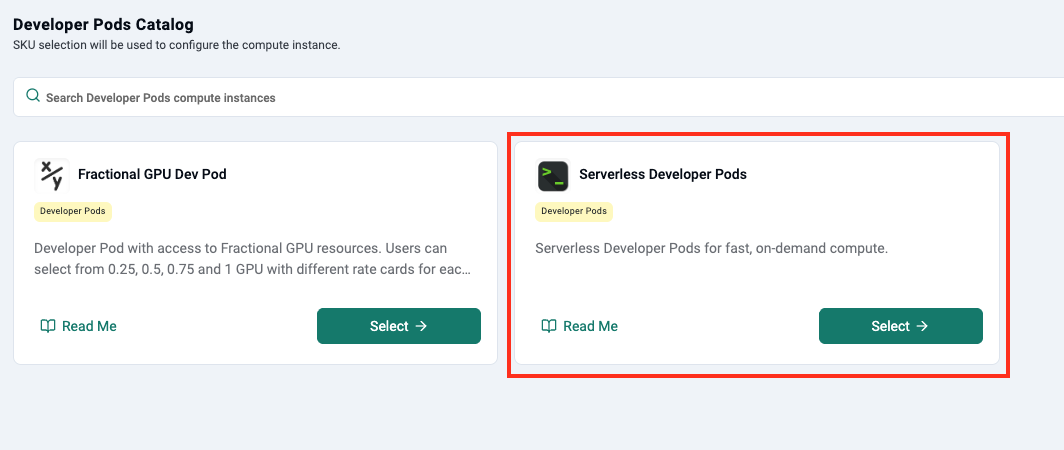
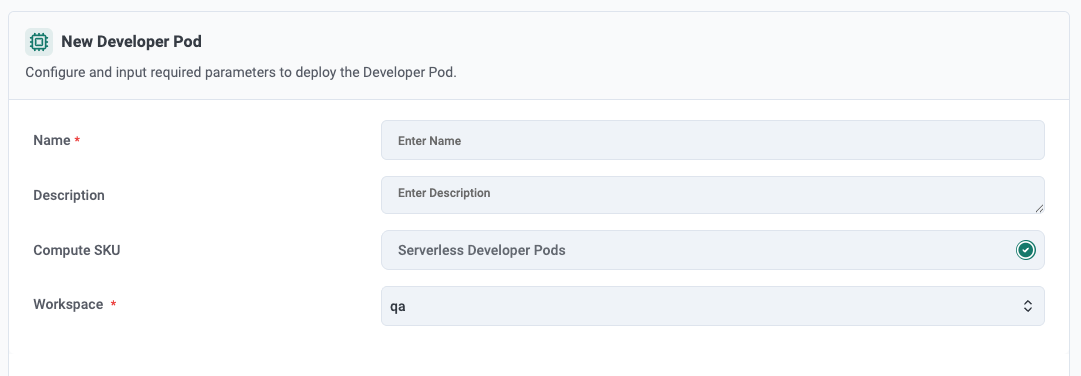
The end user logs into Rafay's Self Service Portal. Once they select Developer Pods, the user is taken to straightforward configuration form. They are asked to provide the following:
Metadata
A name for the developer pod
The target workspace
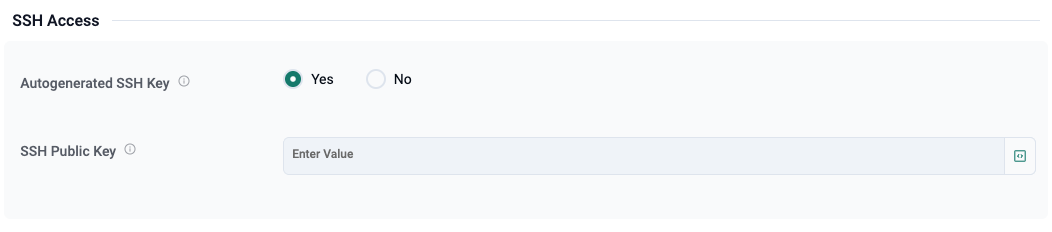
SSH Access
For most developers, the first expectation after requesting an environment is straightforward:
“How do I get into it?”
Developer Pods supports this directly through SSH configuration. In the example below, the user can choose whether to auto-generate an SSH key or provide their own public key.
Again, this is intentionally familiar.
Users do not need to learn a proprietary access workflow. They do not need to navigate complicated network or cluster credentials. They use the access model they already know: SSH into a machine-like environment and start working.
That familiarity is important. Self-service only works when the experience feels natural to the user.
Specify Resources
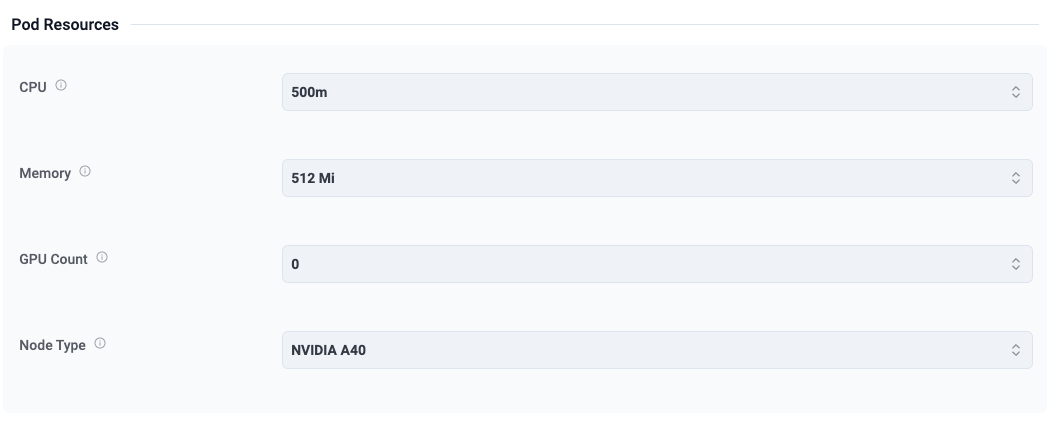
The next step in the workflow allows the user to specify the compute resources for their Developer Pod. In this example, the user can configure:
CPU
Memory
GPU Count
Node Type
This is where the platform team gives users controlled flexibility. They are not exposed to the entire infrastructure inventory. Instead, they get a curated set of supported choices. That means:
Users can choose what they need
Platform teams maintain governance
Expensive GPU capacity is consumed more efficiently
This is one of the biggest differences between Developer Pods and traditional infrastructure delivery.
With traditional VM provisioning, users are often over-provisioned by default because nobody wants to repeat a multi-day request cycle. As a result, expensive infrastructure sits idle.
With Developer Pods, users can request the right-sized environment for the task at hand. That leads to:
Better utilization
Lower waste
Faster iteration
More predictable operations
Select a Ready-to-Use Image
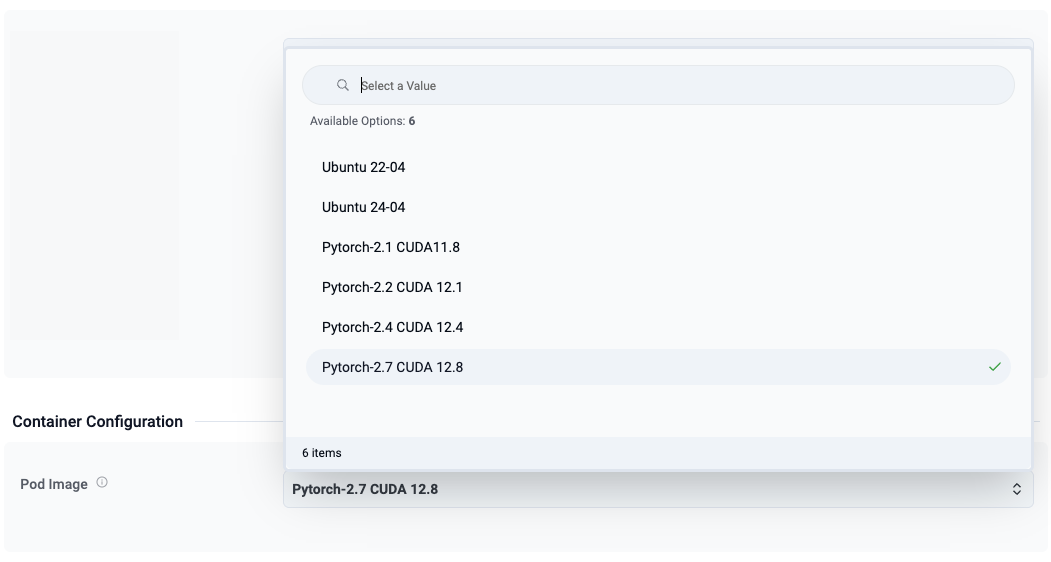
This is where the experience becomes especially powerful for AI and ML teams. Rather than starting from a blank machine and manually installing everything, users can choose from prebuilt images such as:
Ubuntu 22.04
Ubuntu 24.04
PyTorch 2.1 with CUDA 11.8
PyTorch 2.2 with CUDA 12.1
PyTorch 2.4 with CUDA 12.4
PyTorch 2.7 with CUDA 12.8
This is a huge productivity gain for users. Instead of spending the first 30 to 60 minutes preparing an environment, the user starts with an image aligned to their workload. For platform teams, this is equally valuable because they can publish validated images with the right frameworks, CUDA versions, and dependencies.
The result is a better experience for both sides:
Developers get speed and consistency
Operations teams get standardization and control
That is what a good internal platform should do.
Step 2: Launch and Connect
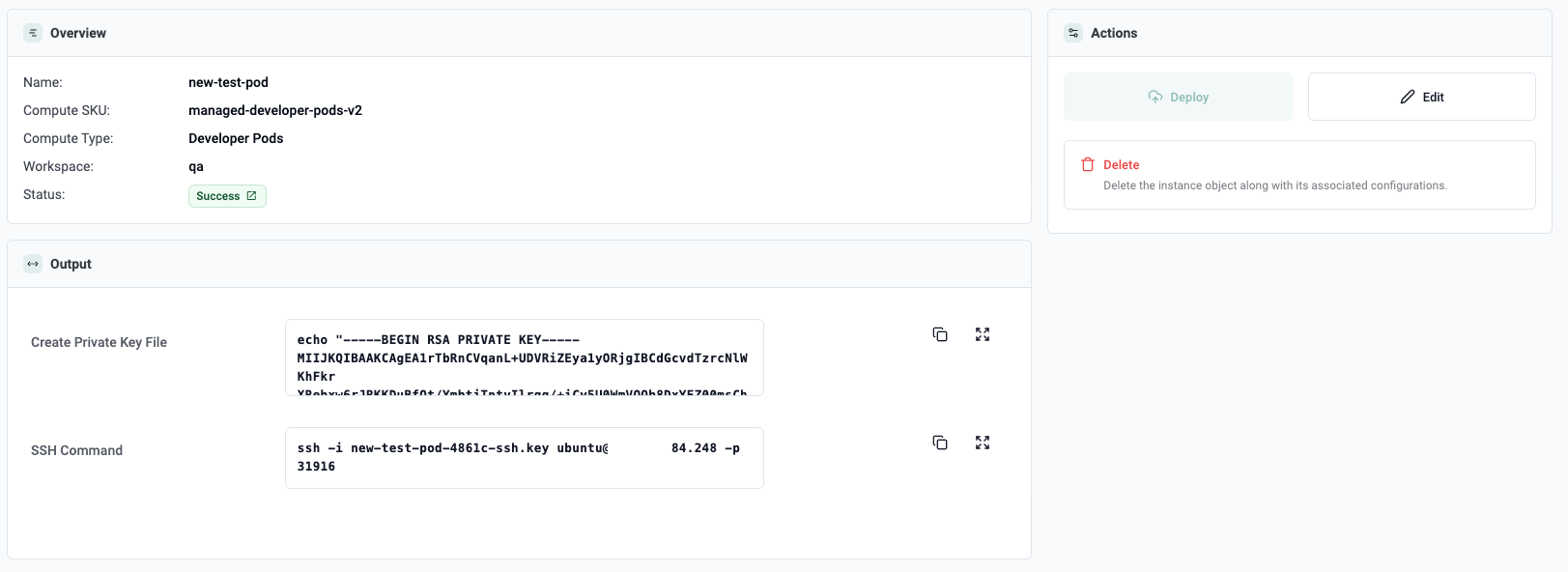
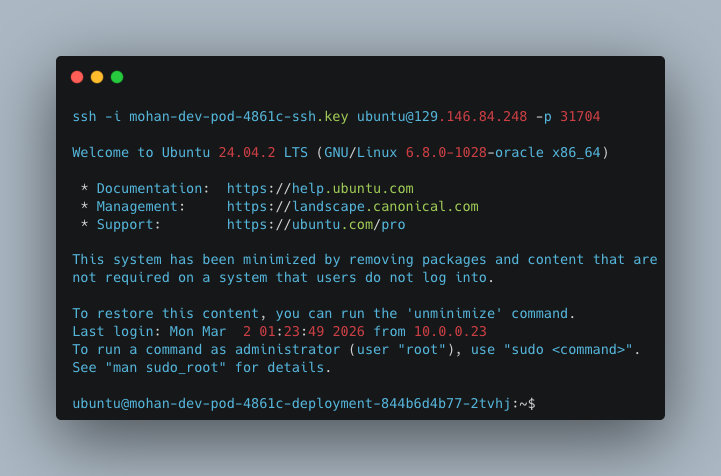
Once the user submits the request, the developer pod is created (approx 30 seconds).
Then comes the moment that matters most. They connect to the environment and start working. In the example below, the pod is reachable over SSH and the user lands directly in an Ubuntu environment.
This is the experience the user wanted from the beginning.
Not a ticket number.
Not an approval chain.
Not a provisioning delay.
Just a working environment with the right software stack and access to compute. This matters because most users are not trying to become infrastructure specialists. They are just trying to start working. The form is opinionated enough to keep users on the rails, while still giving them the flexibility to choose the environment they need.
Why This Experience Matters
It is easy to underestimate how much velocity is lost in the gap between “I want to try something” and “I finally have an environment.". For AI teams, that gap is especially expensive. Experiments are iterative by nature. A developer may want to:
Test a new model version
Validate a dependency change
Compare framework versions
Run a short-lived fine-tuning task
Check GPU behavior with a different image
If each of those steps requires infrastructure mediation, the platform becomes a bottleneck. Developer Pods changes that dynamic. The self-service model gives users:
fast access to environments
familiar workflows
curated choices instead of raw infrastructure
direct access to compute when they need it
At the same time, platform and operations teams still retain the things they care about: Governance, Standardization, Multi-tenancy, Efficient cluster utilization, Controlled exposure of GPU resources
This is perhaps the most important point:
Self-service is not about giving users unrestricted infrastructure. It is about giving them the right experience on top of well-governed infrastructure.
The Bigger Shift: Kubernetes Without Kubernetes
One of the most interesting things about this workflow is what the user does not see. Specifically, they do not see:
Kubernetes YAML
Kubectl
pods, deployments, ingress, load balancers etc
node pools
namespaces
schedulers
resource quotas
cluster topology
And that is exactly the point. All of that power is still there. Kubernetes is still doing the heavy lifting. But the user experience has been redesigned around outcomes, not infrastructure primitives.
This is the real promise of platform engineering for AI infrastructure. Developer Pods is one example of what that looks like in practice.
Developer Pods for Platform Teams: Designing the Right Self-Service GPU Experience
A deep dive into how platform teams use SKU design to transform raw GPU infrastructure into intuitive, self-service Developer Pod experiences for AI builders.
Instant Developer Pods: Rethinking GPU Access for AI Teams
Rafay Developer Pods eliminate the ticket queues and bloated VMs holding AI teams back — GPU-ready in ~30 seconds, Kubernetes-powered, complexity-free.



.png)