Helm chart hooks are a useful tool in your Kubernetes deployments and are used to perform certain actions at specific points in a release cycle. Helm supports a variety of hooks and this blog serves as a tutorial to help you quickly learn how and when you can use them to make your kubernetes management process as efficient and repeatable as possible.
What are Helm Chart Hooks?
Oftentimes a Helm chart developer may want to perform some auxiliary operations before installing the main service or upgrading the main service that are required for the main service to function in the correct manner. Typically, these operations are one time operations that are performed during a specific stage of the chart. Helm chart hooks provide the ability to perform these operations in a release lifecycle. Helm chart hooks get deployed onto the cluster as kubernetes resources, but are cleaned up according to the hook clean up policy.Helm chart hooks are simple Kubernetes manifest templates identified by an annotation whose value will determine when the hook should be rendered. These YAML files are bundled in the templates/ folder of a chart and are identified with helm.sh/hook(-*) annotations. In a Helm release, any manifest resource with hook annotation(s) can declare multiple stages where the hooks should be executed.
Helm Chart Hooks Use Cases
Helm chart hooks have many use cases in helping developers package complex applications. Some of the use cases include:
Loading of secrets to access a repository to pull an image before the main service is deployed
To perform DB migrations before updating the service
Cleaning up external resources after the service is deleted
Checking for the prerequisites of a service before the service is deployed
Types of Helm Chart Hooks
Helm chart hooks are categorized into the following types based on what stage of the chart life cycle they are triggered.
pre-install hooks run after templates are rendered and before any resources are created in a Kubernetes cluster
post-install hooks run after all Kubernetes resources have been loaded
pre-delete hooks run before any existing resources are deleted from Kubernetes
post-delete hooks run after all Kubernetes resources have been deleted
pre-upgrade hooks run after chart templates have been rendered and before any resources are loaded into Kubernetes
post-upgrade hooks run after all Kubernetes resources have been upgraded
pre-rollback hooks run after templates have been rendered and before any resources are rolled back
post-rollback hooks run after all resources have been modified
test hooks run when helm test subcommand is executed
How Helm Chart Hooks Are Executed
When a Helm chart containing hooks is executed, components like pods or jobs pertaining to hooks are not directly applied in a Kubernetes environment, instead when a hook is executed, a new pod is created corresponding to the hook. If successfully run, they will be in Completed state.Any resources created by a Helm hook are un-managed Kubernetes objects. In other words, uninstalling a Helm chart will not remove the underlying resources created by hooks. A separate deletion policy needs to be defined in the form of annotation if those resources need to be deleted.Three different deletion policies are supported which will decide when to delete the resources:
before-hook-creation: Delete the previous resource before a new hook is launched
hook-succeeded: Delete the resource after the hook is successfully executed
hook-failed: Delete the resource if the hook failed during execution
If no hook deletion policy annotation is specified, the before-hook-creation behavior is applied by default.For example:apiVersion: v1 kind: Pod metadata: name: hook-preinstall annotations: "helm.sh/hook": "pre-install" “helm.sh/hook-delete-policy": before-hook-creation A single Helm hook can declare multiple Kubernetes resources in it.There can be multiple hooks defined in a Helm chart. As a chart developer, you can control the order in which the hooks are executed defining the weight. If weight is lower, it has higher priority and will be executed first. Weights can be in a range from negative to positive integers.
Example of a Pre-Install Helm Chart Hook (Pod)
hook-preinstall.yaml apiVersion: v1 kind: Pod metadata: name: hook-preinstall annotations: "helm.sh/hook": "pre-install" spec: containers: - name: hook1-container image: busybox imagePullPolicy: IfNotPresent command: ['sh', '-c', 'echo The pre-install hook Pod is running - hook-preinstall && sleep 15'] restartPolicy: Never terminationGracePeriodSeconds: 0 In the above example, there is an annotation with key “helm.sh/hook” and mentions a stage at which this should get executed.This hook will start a container, will sleep for 15 seconds and will be completed.
Example of a Post-Install Helm Chart Hook (Pod)
hook-postinstall.yaml apiVersion: v1 kind: Pod metadata: name: hook-postinstall annotations: "helm.sh/hook": "post-install" spec: containers: - name: hook2-container image: busybox imagePullPolicy: IfNotPresent command: ['sh', '-c', 'echo post-install hook Pod is running - hook-postinstall && sleep 10'] restartPolicy: Never terminationGracePeriodSeconds: 0 Before running the chart make sure there are no pods related to the above chart:# kubectl get all NAME TYPE CLUSTER-IP EXTERNAL-IP PORT(S) AGE service/kubernetes ClusterIP 10.96.0.1 <none> 443/TCP 4h39m # Install the chart containing the hooks with pods:# helm install demohook ./testhook/ NAME: demohook LAST DEPLOYED: Tue Jan 5 00:19:29 2021 NAMESPACE: default STATUS: deployed REVISION: 1 NOTES: 1. Get the application URL by running these commands: export POD_NAME=$(kubectl get pods --namespace default -l "app.kubernetes.io/name=testhook,app.kubernetes.io/instance=demohook" -o jsonpath="{.items[0].metadata.name}") export CONTAINER_PORT=$(kubectl get pod --namespace default $POD_NAME -o jsonpath="{.spec.containers[0].ports[0].containerPort}") echo "Visit https://127.0.0.1:8080 to use your application" kubectl --namespace default port-forward $POD_NAME 8080:$CONTAINER_PORT # Verify the chart containing the hooks is deployed:# helm list NAME NAMESPACE REVISION UPDATED STATUS CHART APP VERSION demohook default 1 2021-01-05 00:19:29.191519704 +0000 UTC deployed testhook-0.1.0 1.16.0 # Verify the Pods status:# kubectl get pods NAME READY STATUS RESTARTS AGE demohook-testhook-5ff88bb44b-qc4n2 1/1 Running 0 5m45s hook-postinstall 0/1 Completed 0 5m45s hook-preinstall 0/1 Completed 0 6m2s # Verify the Pre-install and Post-install Pod’s start and finish times. Notice that the pre-install pod started and finished exactly after 15 seconds.# kubectl describe pod/hook-preinstall | grep -E 'Anno|Started:|Finished:' Annotations: cni.projectcalico.org/podIP: 10.244.0.41/32 Started: Tue, 05 Jan 2021 00:19:30 +0000 Finished: Tue, 05 Jan 2021 00:19:45 +0000 # Notice that the pod belonging to the chart has started after finishing up of the pre-install pod.# kubectl describe pod/demohook-testhook-5ff88bb44b-qc4n2 | grep -E 'Anno|Started:|Finished:' Annotations: cni.projectcalico.org/podIP: 10.244.0.43/32 Started: Tue, 05 Jan 2021 00:19:53 +0000 # Notice that the post-install pod has finished after starting of the actual chart pod.# kubectl describe pod/hook-postinstall | grep -E 'Anno|Started:|Finished:' Annotations: cni.projectcalico.org/podIP: 10.244.0.42/32 Started: Tue, 05 Jan 2021 00:19:47 +0000 Finished: Tue, 05 Jan 2021 00:19:57 +0000 # Cleanup:# helm delete demohook release "demohook" uninstalled # kubectl get pods NAME READY STATUS RESTARTS AGE hook-postinstall 0/1 Completed 0 48m hook-preinstall 0/1 Completed 0 48m # The pre and post install pods need to be deleted manually using “kubectl delete pod” command:# kubectl delete pod hook-preinstall hook-postinstall pod "hook-preinstall" deleted pod "hook-postinstall" deleted # Kubernetes jobs can also be used as helm hooks.
backoffLimit: 3 completions: 1 parallelism: 1 Install the chart containing the hooks with jobs:# helm install demohook-job ./testhook/ NAME: demohook-job LAST DEPLOYED: Tue Jan 5 04:52:34 2021 NAMESPACE: default STATUS: deployed REVISION: 1 NOTES: 1. Get the application URL by running these commands: export POD_NAME=$(kubectl get pods --namespace default -l "app.kubernetes.io/name=testhook,app.kubernetes.io/instance=demohook-job" -o jsonpath="{.items[0].metadata.name}") export CONTAINER_PORT=$(kubectl get pod --namespace default $POD_NAME -o jsonpath="{.spec.containers[0].ports[0].containerPort}") echo "Visit https://127.0.0.1:8080 to use your application" kubectl --namespace default port-forward $POD_NAME 8080:$CONTAINER_PORT # Verify the chart containing the hooks with jobs is deployed:# kubectl get all NAME READY STATUS RESTARTS AGE pod/demohook-job-testhook-c755897b-6dvqz 1/1 Running 0 4m39s pod/job-hook-postinstall-bb45t 0/1 Completed 0 4m38s pod/job-hook-preinstall-bf94q 0/1 Completed 0 4m46s
NAME TYPE CLUSTER-IP EXTERNAL-IP PORT(S) AGE service/demohook-job-testhook ClusterIP 10.101.95.186 <none> 80/TCP 4m39s service/kubernetes ClusterIP 10.96.0.1 <none> 443/TCP 9h
NAME READY UP-TO-DATE AVAILABLE AGE deployment.apps/demohook-job-testhook 1/1 1 1 4m39s
NAME DESIRED CURRENT READY AGE replicaset.apps/demohook-job-testhook-c755897b 1 1 1 4m39s
NAME COMPLETIONS DURATION AGE job.batch/job-hook-postinstall 1/1 12s 4m38s job.batch/job-hook-preinstall 1/1 7s 4m46s # Verify the Pre-install and Post-install Pod’s start and finish times:Notice that the pre-install pod started and finished exactly after 5 seconds.# kubectl describe pod/job-hook-preinstall-bf94q | grep -E 'Anno|Started:|Finished:' Annotations: cni.projectcalico.org/podIP: 10.244.0.70/32 Started: Tue, 05 Jan 2021 04:52:35 +0000 Finished: Tue, 05 Jan 2021 04:52:40 +0000 #Notice that the pod belonging to the chart has started after finishing up of the pre-install pod.# kubectl describe pod/demohook-job-testhook-c755897b-6dvqz | grep -E 'Anno|Started:|Finished:' Annotations: cni.projectcalico.org/podIP: 10.244.0.71/32 Started: Tue, 05 Jan 2021 04:52:43 +0000 # Notice that the post-install pod has finished after starting of the actual chart pod.# kubectl describe pod/job-hook-postinstall-bb45t | grep -E 'Anno|Started:|Finished:' Annotations: cni.projectcalico.org/podIP: 10.244.0.72/32 Started: Tue, 05 Jan 2021 04:52:43 +0000 Finished: Tue, 05 Jan 2021 04:52:53 +0000 #
Example of Pre-Install Helm Chart Hooks with Weight:
DevOps and Application teams can use Rafay to dramatically accelerate and streamline the deployment and ongoing operations for their Helm charts. Some of the core benefits provided by Rafay are described below.Visualize Helm ReleasesRafay provides users with intuitive dashboards that automatically organize and display details of all Kubernetes resources associated with a Helm chart workload deployed to remote clusters. Users can also instantly view Helm release information associated with a deployed workload on remote clusters.
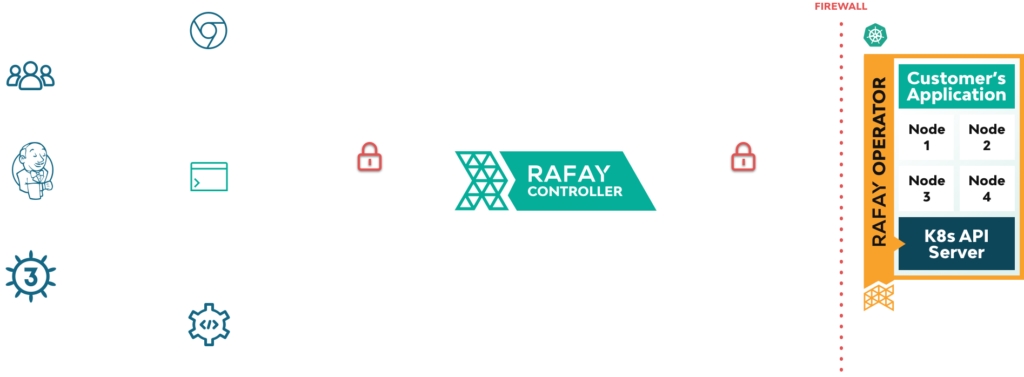
Deploy and Operate Helm Workloads to Remote Clusters behind FirewallsOperate with a great security posture by not requiring inbound access to your remote clusters. Use Rafay's Zero Trust KubeCTL Access (ZTKA) to dramatically simplify secure networking requirements between your CI/CD system and remote clusters in your datacenters. Use the Helm client with Rafay’s ZTKA to securely deploy Helm charts to remote clusters.
Use ZTKA to securely debug and troubleshoot issues with Helm chart based workloads on remote clusters:
Drift Detection and Protection Control LoopRafay can detect, report and block changes to Helm charts deployed on remote clusters. Organizations can ensure that deployed Helm workloads on remote clusters are not accidentally or maliciously tampered:
Helm charts and helm chart hooks are incredibly useful tools to help you manage the definition and deployment of Kubernetes applications. And Rafay makes it easy to manage it all. To learn more about Helm and Helm Chart Hooks, please visit:
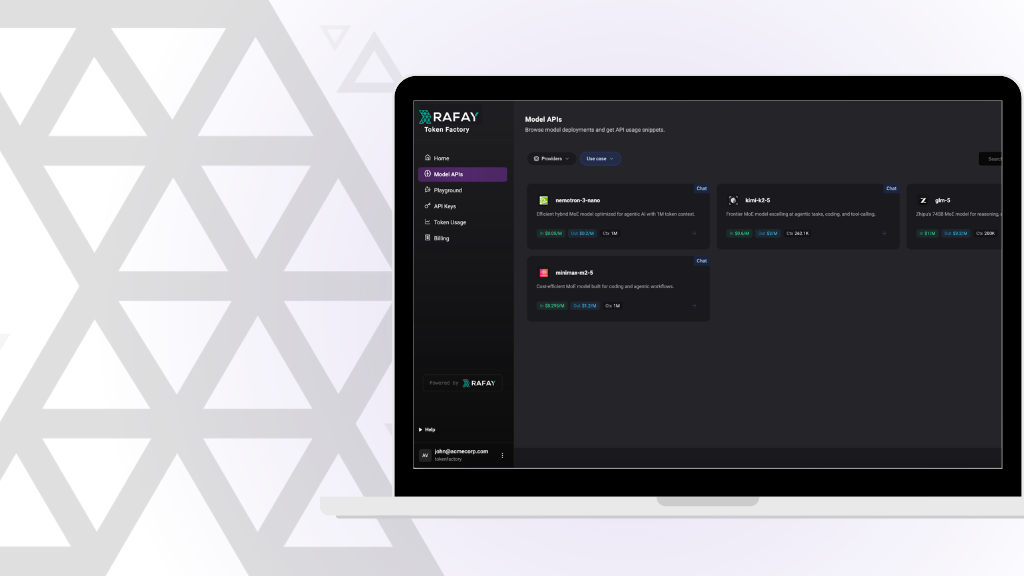
How Rafay and NVIDIA Help Neoclouds Monetize Accelerated Computing with Token Factories
Learn how Rafay and NVIDIA enable NeoClouds to monetize accelerated computing using Token Factories—turning GPU infrastructure into scalable, token-based AI services.
Kubernetes is a rapidly evolving open-source project with periodic releases. And organizations embracing Kubernetes must adopt the practice of regular upgrades.