Infra operators managing GPU-enabled Kubernetes clusters often need a fast and secure way to validate GPU visibility, driver health, and runtime readiness without exposing the cluster directly or relying on bastion hosts, VPNs, or manually managed kubeconfigs.
With Rafay's zero trust kubectl, operators can securely access remote Kubernetes resources and execute commands inside running pods from the Rafay platform. A simple but powerful example is running nvidia-smi inside a GPU Operator pod to confirm that the NVIDIA driver stack, CUDA runtime, and GPU devices are functioning correctly on a remote cluster.
In this post, we walk through how infra operators can use Rafay's zero trust access workflow to run nvidia-smi on a remote GPU-based Kubernetes cluster.
Why this workflow matters
GPU validation is a routine part of day-2 operations for platform teams. It is especially useful after:
provisioning a new GPU-backed cluster
deploying the NVIDIA GPU Operator
adding new GPU nodes
upgrading drivers or container runtime components
troubleshooting workloads that are not detecting GPUs
Rather than giving operators broad direct access to every cluster, Rafay provides a centralized and secure access path for common operational tasks like these.
What you will do
In this workflow, you will:
Log in to your Rafay organization
Open the Infrastructure Portal
Navigate to the target Kubernetes cluster
Open the cluster's Kubernetes resources
Select the gpu-operator-resources namespace
Open an exec session into the nvidia-dcgm-exporter pod
Run nvidia-smi
This gives you a quick way to confirm GPU visibility and validate that the NVIDIA software stack is functioning correctly on the remote cluster.
Step 1: Log in to Rafay and open the target cluster
Start by logging in to your Rafay organization.
From the left navigation, go to Infrastructure,
Select the target GPU-enabled Kubernetes cluster card.
This opens the cluster detail page, where you can inspect nodes, resources, and cluster operational state.
Step 2: Navigate to Kubernetes resources
Inside the cluster page, click the Resources tab.
In the resource browser:
Set Show Resources By to Namespaces
Select the namespace gpu-operator-resources
This namespace contains resources deployed by the NVIDIA GPU Operator.
Next, click Pods under the deployment resources section. You should see the GPU Operator-related pods for the cluster.
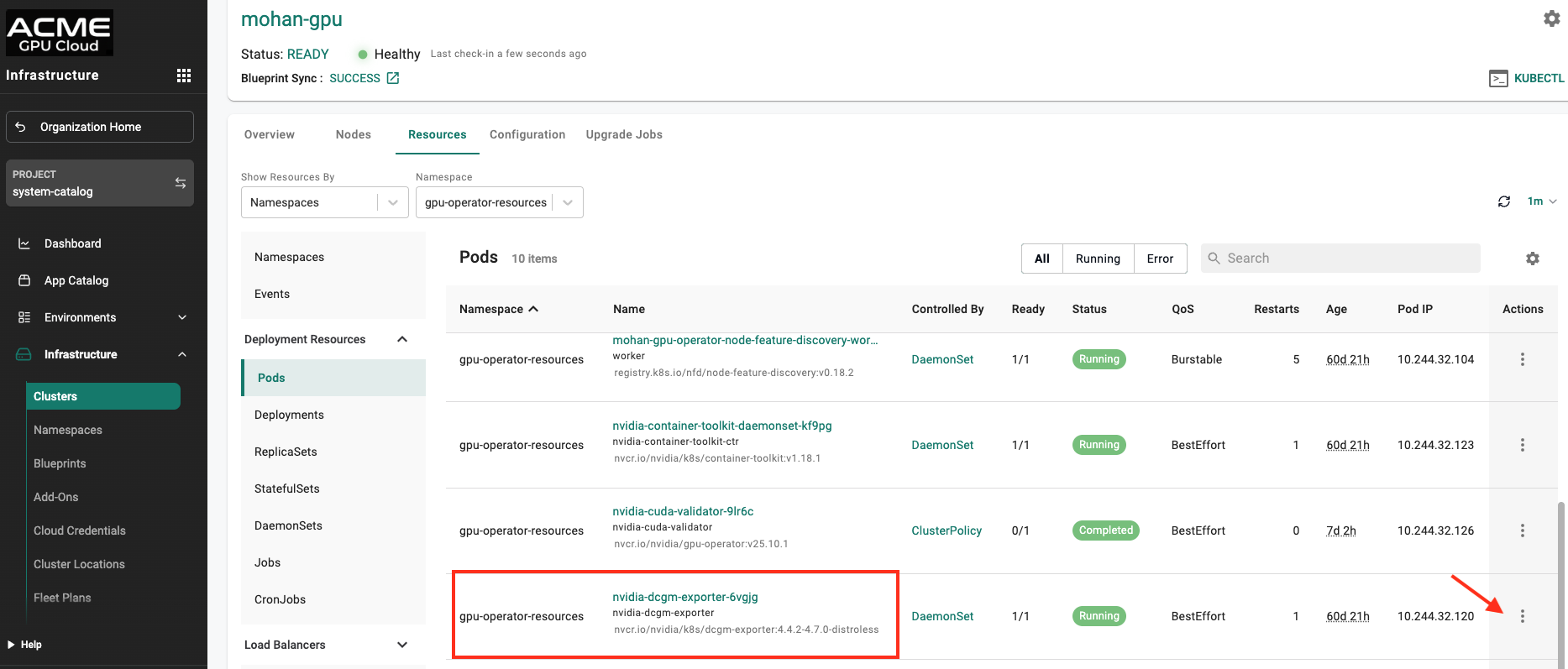
Step 3: Locate the nvidia-dcgm-exporter pod
From the pod list, locate the pod named similar to:
nvidia-dcgm-exporter-<suffix>
Make sure the pod is in a Running state. This pod is part of the NVIDIA GPU Operator stack and is a useful location for verifying GPU visibility from within the cluster runtime environment.
Step 4: Open an Exec Session
Click the Actions menu alongside the nvidia-dcgm-exporter pod. From the available options, select Exec.
Rafay will open a remote shell session into the container using its zero trust kubectl access path. This allows operators to securely interact with the running workload without requiring direct cluster exposure.
Step 5: Run nvidia-smi
Once the shell is open, run:
nvidia-smi
This command queries the NVIDIA driver stack and returns details about the GPU devices visible to the container.
Deciphering the Output
A successful nvidia-smi response typically shows:
NVIDIA driver version
CUDA version
detected GPU model
temperature and power state
memory usage
GPU utilization
active GPU processes, if any
In the example shown here, the output confirms:
the cluster node can see an NVIDIA T1000 8GB GPU
the NVIDIA driver is installed and working
the CUDA stack is available
memory and utilization metrics are being reported correctly
This is often the quickest way to validate that the node and runtime are ready for GPU-backed workloads.
Why use Rafay zero trust kubectl for this
This workflow highlights several practical benefits for infra and platform teams.
1. Secure operational access
Operators can run troubleshooting and validation commands without exposing the Kubernetes API publicly or distributing long-lived cluster credentials broadly.
2. Faster GPU troubleshooting
When a workload cannot detect GPUs, operators can quickly inspect GPU-related pods and verify the environment from inside the cluster.
3. Consistent multi-cluster operations
Teams can use the same operational pattern across clusters and environments, which simplifies day-2 management.
4. Better readiness validation
Before onboarding AI or ML workloads, platform teams can confirm that GPU nodes are correctly configured and visible to the Kubernetes runtime.
Conclusion
For infra operators, validating GPU readiness should be fast, secure, and repeatable.
With Rafay zero trust kubectl, operators can open a shell into a remote Kubernetes pod and run a simple command like:
nvidia-smi
This workflow is useful for scenarios such as:
post-deployment GPU validation
troubleshooting GPU visibility issues
validating NVIDIA GPU Operator health
checking readiness before AI/ML onboarding
confirming node-level GPU access after upgrades or maintenance
Delivering NVIDIA RAG Blueprints as a Self-Service GPU Service
A production RAG stack spans LLMs, embedding and reranking models, ingestion, and search. See how Rafay GPU PaaS turns the NVIDIA RAG Blueprint into a repeatable, self-service catalog offering for neoclouds.
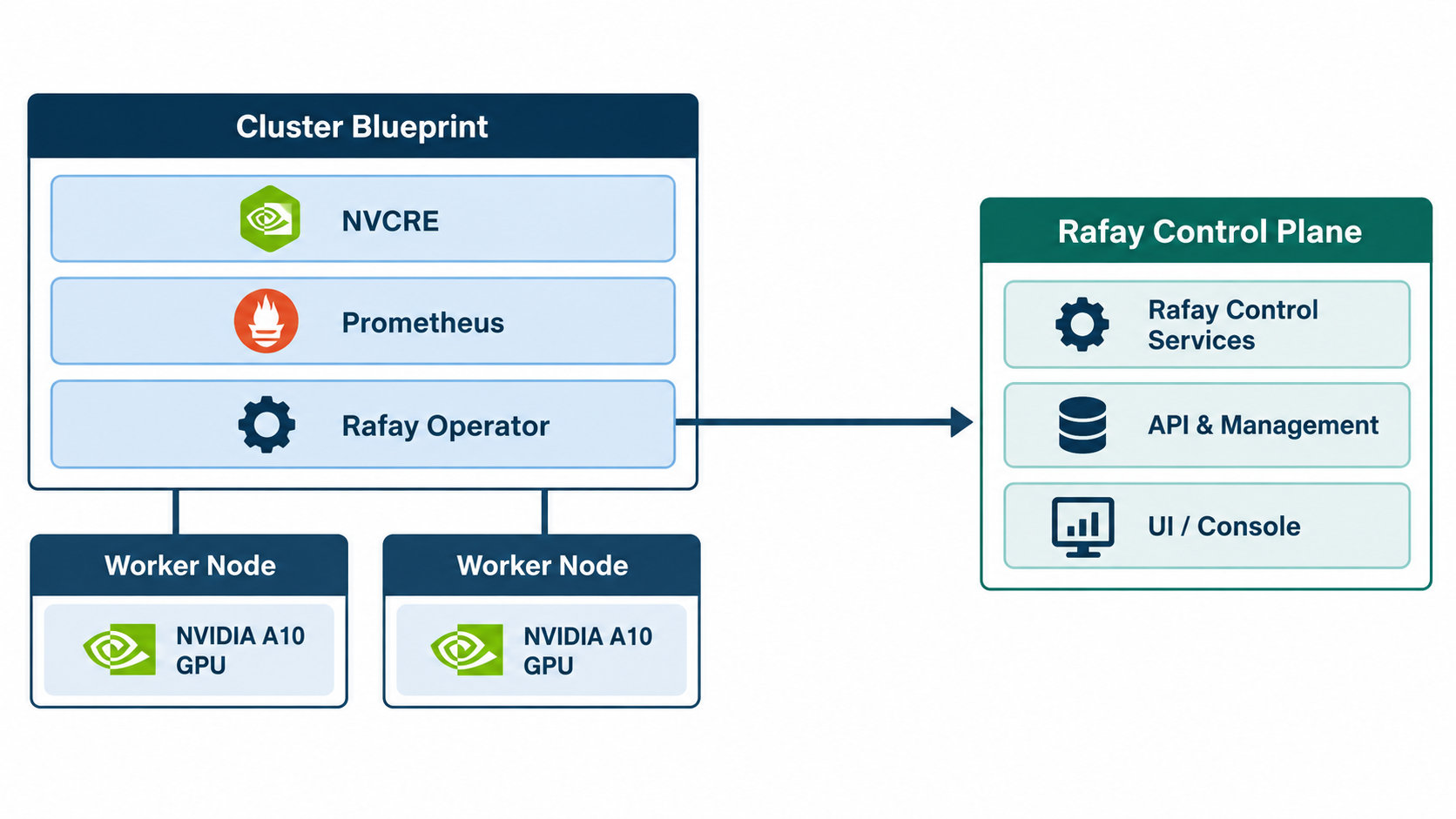
Certifying Tenant GPU Kubernetes Clusters with NVIDIA Cluster Readiness Engine
Learn how NeoClouds can use NVIDIA Cluster Readiness Engine to certify GPU Kubernetes clusters before tenant handoff and validate AI workload readiness.

.png)