
Key takeaways
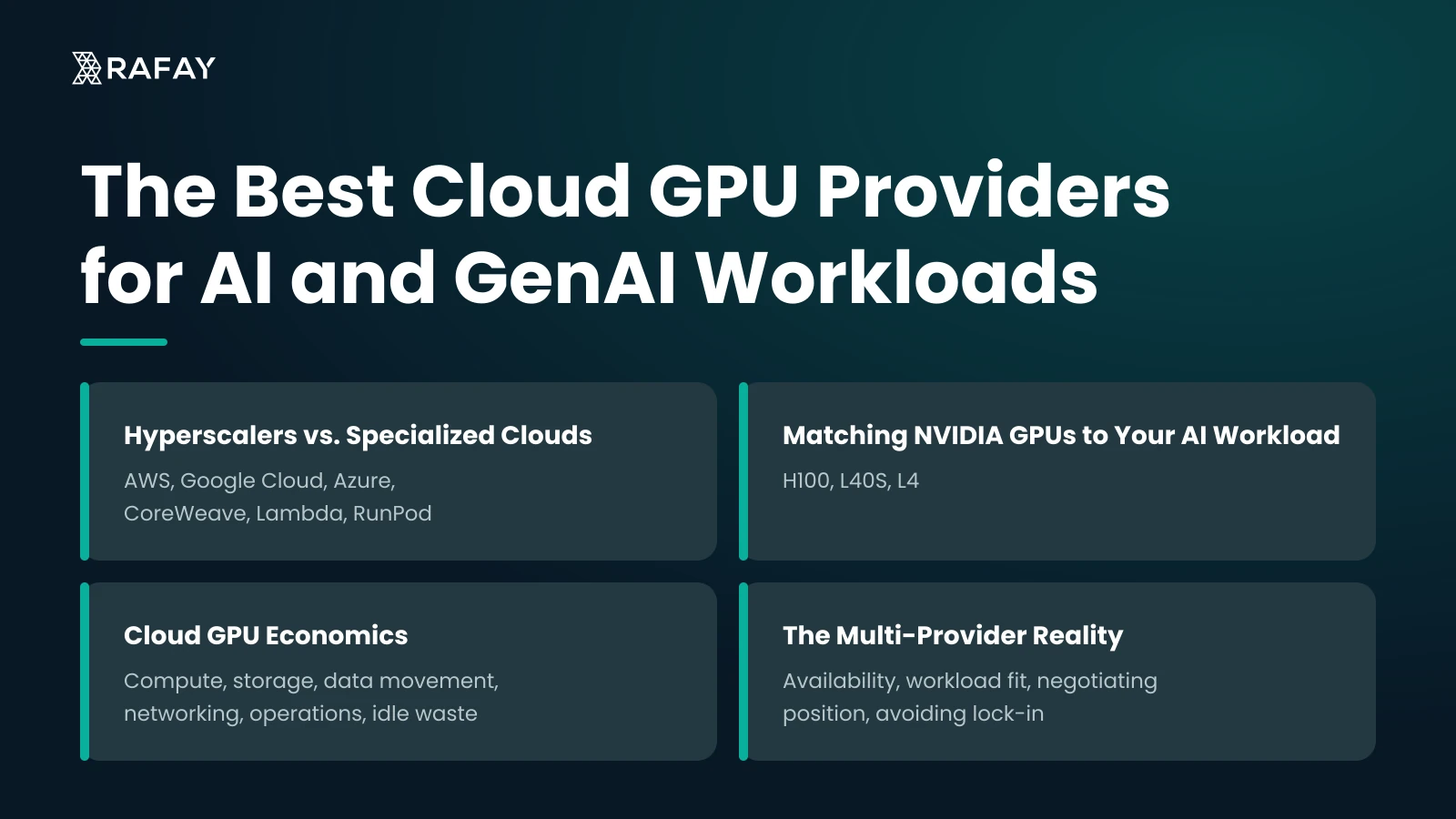
- Hyperscalers such as AWS, Google Cloud, and Azure sell integration with existing data, identity, and compliance controls, while specialized GPU clouds such as CoreWeave, Lambda, and RunPod generally offer better price-to-performance and faster access to new NVIDIA hardware. Most mature organizations use both, often training on specialized providers and serving production inference where their data already lives.
- Overspending on GPUs usually comes from putting every workload on the most powerful card. The NVIDIA H100 suits large-scale training and very large models, the L40S handles single-node fine-tuning and inference for most 7B–34B models, and the L4 is the economical choice for high-volume inference on smaller models.
- The most important metric for inference planning is cost per million tokens at your required latency target, measured by running your actual model on each candidate GPU with your production serving stack. Utilization also matters: a reserved H100 running at 40% utilization effectively costs 2.5 times its sticker rate per productive hour.
- A complete GPU TCO model includes compute, storage, data movement, networking, operations, and idle waste. Operations and idle waste are where most budgets break, and egress costs from moving training data out of a primary cloud can erase the compute savings of a cheaper provider.
- A multi-provider GPU strategy improves availability, workload fit, negotiating position, and portability, but each provider adds its own console, IAM model, quota system, and billing format. Without a common control plane to apply governance, quotas, and policies consistently, a multi-provider strategy creates more operational risk than it removes.
Most enterprises we work with don't lose AI momentum because they picked the wrong GPU. They lose it because they picked a provider on an hourly rate alone, then spent months fighting capacity shortages, egress bills, and a provisioning process that makes data scientists wait days for a notebook.
This comparison gives you a working framework: which providers fit which workloads, how to match NVIDIA hardware to models, how to calculate the real total cost of ownership, and how to run more than one provider without multiplying your operational burden.
The AI Imperative: Why Your GPU Strategy is Business-Critical
Your GenAI roadmap is a compute roadmap. Every product decision, whether a customer-facing assistant, an internal copilot, or a fine-tuned domain model, translates directly into GPU hours, memory footprint, and interconnect requirements. If the compute isn't there when the team needs it, the roadmap slips.
The parallel processing architecture of modern GPUs is what makes transformer training and high-throughput inference practical. Training runs that would take months on CPUs complete in days. Inference that would cost dollars per request on general-purpose compute costs fractions of a cent. That gap is why GPU strategy now sits on the CTO's desk rather than in a procurement queue.
Three decisions carry the most weight:
- Where the capacity comes from and whether you can get it when you need it
- How it's consumed, meaning whether teams self-serve or file tickets
- How it's paid for, and whether you can attribute that spend to products, teams, or paying customers
Organizations that treat these as one architectural decision ship faster. Those that treat them as three separate procurement exercises end up with stranded GPUs in one region and a waitlist in another.
The Provider Environment: Hyperscalers vs. Specialized Clouds
The market splits into two camps, and the split matters more than any single provider choice.
Hyperscalers: AWS, Google Cloud, Azure
The hyperscalers sell integration. Your GPUs sit next to your data lake, your identity provider, your VPCs, your managed Kubernetes, and your compliance attestations. For an enterprise with years of investment in AWS IAM policies or Azure Active Directory, that adjacency removes a lot of friction.
The tradeoffs are real, though. On-demand pricing for top-tier GPU instances at hyperscalers typically runs well above specialized providers for comparable hardware. Getting large H100 allocations often requires capacity reservations or committed spend negotiations. And the sheer number of services, quotas, and instance families creates its own complexity. We regularly see teams lose weeks to quota increase requests alone.
Specialized GPU Clouds: CoreWeave, Lambda, RunPod
Specialized providers built their businesses around GPUs. Their infrastructure, networking, and pricing reflect that focus. You generally get better price-to-performance on raw compute, faster access to new NVIDIA generations, and cluster configurations tuned for distributed training.
What you give up: the surrounding service catalog is thinner, enterprise identity and compliance integrations vary widely, and you'll often move data across clouds to use them. AI startups adopted these providers first because they had no hyperscaler lock-in to protect. Enterprises are now following, usually for training workloads, while keeping production systems where their data lives.
Our position: neither camp is the default answer. The right choice depends on the workload, and most mature organizations end up using both.
Decoding the Hardware: Matching NVIDIA GPUs to Your AI Workload
Overspending on GPUs usually comes from one mistake: putting every workload on the most powerful card available. An H100 serving a 7B-parameter model at modest traffic is expensive idle silicon.
H100: The Training Powerhouse
The H100's value comes from three things working together: HBM3 memory bandwidth, the Transformer Engine with FP8 support, and NVLink/NVSwitch for fast GPU-to-GPU communication. For pretraining or full fine-tuning of large models across many nodes, interconnect bandwidth often matters as much as raw FLOPS. A cluster of H100s with poor networking between nodes will underperform a smaller, well-connected one.
Use it when you're training foundation models, running full-parameter fine-tunes on 70B+ models, or serving very large models where VRAM and bandwidth dictate latency.
L40S: The Versatile Workhorse
The L40S is the card we see most underused in enterprise planning. With 48 GB of VRAM, it handles LoRA and QLoRA fine-tuning on mid-size models, serves quantized versions of larger models, and runs inference for most 7B–34B workloads comfortably. It lacks NVLink and HBM, so it's a poor fit for large distributed training. For single-node fine-tuning and production inference, it often delivers better cost per useful output than an H100.
L4: The Inference Specialist
The L4 runs at roughly 72W and fits where power and cost per request matter most: high-volume inference on smaller models, embedding generation, video transcoding, and edge-adjacent deployments. Its 24 GB of VRAM limits model size, but for retrieval pipelines, classifiers, and small language models, it's the economical choice.
Benchmark Before You Commit
Published benchmarks give you directional guidance, but your model, batch size, sequence length, quantization scheme, and serving framework will change the results. We recommend a standard test before any commitment: run your actual model on each candidate GPU using your production serving stack (vLLM, TensorRT-LLM, or Triton), and measure tokens per second at your target latency percentile. Then divide hourly cost by throughput. That number, cost per million tokens at your SLA, is the only one that matters for inference planning.
Top Cloud GPU Services: A Comparative Review
We've selected six providers that cover the realistic decision set for enterprise AI teams. Pricing changes frequently and varies by region and commitment, so we describe pricing models rather than quoting rates that will be stale within a quarter.
AWS
Overview: The broadest service catalog and the deepest enterprise adoption. SageMaker, EKS, and native integration with S3 make it the path of least resistance for organizations already standardized on AWS.
Key GPU Offerings: EC2 P5 instances (H100), G6e (L40S), G6 (L4). UltraClusters for large-scale distributed training.
Pricing Model: On-demand, Savings Plans, Reserved Instances, Spot, and Capacity Blocks for reserving GPU capacity for defined windows.
Best For: Enterprise integration where data, identity, and compliance already live in AWS.
Google Cloud
Overview: Strong AI tooling through Vertex AI and GKE, which remains one of the most mature managed Kubernetes services. Google also offers TPUs as an alternative to NVIDIA hardware.
Key GPU Offerings: A3 VMs (H100), G2 VMs (L4), plus TPU options.
Pricing Model: On-demand, committed use discounts, and Spot VMs.
Best For: Kubernetes-native ML platforms and teams that want TPU optionality.
Microsoft Azure
Overview: The natural choice for organizations deep in the Microsoft stack, with Azure OpenAI Service and Azure Machine Learning integrated into existing enterprise agreements.
Key GPU Offerings: ND H100 v5 series for training, plus inference-oriented NV and NC families.
Pricing Model: Pay-as-you-go, reservations, Spot, and enterprise agreement discounts.
Best For: Microsoft-centric enterprises and regulated industries using Azure's compliance portfolio.
CoreWeave
Overview: A Kubernetes-native specialized cloud built for GPU workloads, with infrastructure designed around large-scale training and inference.
Key GPU Offerings: H100 clusters with InfiniBand networking, L40S, and a broad range of NVIDIA SKUs.
Pricing Model: On-demand and reserved capacity contracts, typically negotiated for larger commitments.
Best For: Large distributed training and organizations that want Kubernetes-native GPU infrastructure without hyperscaler overhead.
Lambda
Overview: Popular with ML research teams for its simplicity. Instances come preconfigured with the common ML stack, and on-demand GPU access is straightforward.
Key GPU Offerings: H100 instances and multi-node clusters for training.
Pricing Model: On-demand hourly and reserved cluster contracts.
Best For: Research teams and model developers who want fast access to training capacity with minimal setup.
RunPod
Overview: A GPU cloud platform offering on-demand and community-hosted GPU infrastructure, with a focus on affordability, accessibility, and flexibility. RunPod supports both individual developers and enterprise AI teams, providing serverless GPU deployments and dedicated GPU instances for training and inference.
Key GPU Offerings: NVIDIA H100, H200, A100, RTX 4090, and L40S GPUs, with options for single-GPU deployments and multi-GPU configurations.
Pricing Model: Pay-as-you-go pricing based on GPU type and deployment configuration, with on-demand and reserved options. Serverless pricing is based on resource consumption, including GPU execution time.
Best For: Startups, independent developers, and AI teams looking for cost-effective GPU access, flexible deployment options, and serverless inference without the complexity or cost of traditional hyperscaler infrastructure.
Quick Comparison
Note: Rafay differs from the other providers in this comparison. While the cloud providers supply GPU infrastructure, Rafay provides an orchestration and management layer that helps enterprises provision, govern, and manage GPU resources across multiple cloud and on-premises environments.
Critical Evaluation Criteria: Beyond the Hourly Rate
The hourly rate is the least informative number on a cloud GPU provider's pricing page. Here's what we evaluate instead.
Price-to-Performance
Measure cost per unit of useful work, not cost per GPU-hour. For training, that's cost per completed epoch or cost to reach a target loss on your dataset. For inference, it's cost per million tokens at your required p95 latency. A cheaper GPU that requires twice the instances to hit your SLA is not cheaper.
Include utilization in the math. A reserved H100 running at 40% utilization effectively costs 2.5 times its sticker rate per productive hour.
Availability and Queue Times
This is where theory breaks down. A provider with excellent pricing is useless if your training job sits in a queue for two weeks, or if you can only get eight GPUs when you need sixty-four in a single placement group.
We advise teams to test this before signing. Request the exact configuration you'll need, in the regions you need it, and record how long it takes to receive capacity. Ask providers directly about allocation policies for new hardware generations. The cost of an idle ML team waiting for compute rarely appears in a TCO spreadsheet, and it's often the largest number.
MLOps Features
Check how the provider fits your existing stack:
- Managed Kubernetes with GPU operator support and node autoscaling
- Compatibility with your orchestration layer (Kubeflow, Ray, Slurm, or similar)
- Container registry access and image pull performance for large model images
- Shared storage performance for checkpointing and dataset loading
A provider without solid Kubernetes support will force you to build and maintain a parallel operational model.
Security and Compliance
Verify certifications against your actual requirements (SOC 2, ISO 27001, HIPAA, FedRAMP, regional data residency rules). Then go a level deeper: how is tenant isolation enforced on shared GPU hardware? Can you integrate your identity provider for SSO and RBAC? Are audit logs exportable to your SIEM? Specialized providers vary widely here.
Network Latency and Interconnect
For distributed training, ask for InfiniBand or equivalent high-bandwidth fabric specs and topology details. For inference, measure latency from the GPU region to your users and to your data sources. A 40ms round trip to a vector database in another cloud will cost you more user experience than any GPU upgrade can recover.
Improving Your Spend: A Guide to Cloud GPU Economics
Pricing Models Compared
The common mistake with reservations is sizing them to peak demand. Reserve for your baseline and burst onto on-demand or spot for the rest. The common mistake with spot is using it for training jobs without frequent checkpointing; one preemption late in a multi-day run erases the savings.
A TCO Framework
We use a simple structure when modeling GPU TCO with customers:
TCO = Compute + Storage + Data Movement + Networking + Operations + Idle Waste
- Compute: GPU hours across all pricing models, weighted by actual usage
- Storage: Datasets, checkpoints, model artifacts, and high-performance scratch storage
- Data Movement: Egress charges, especially when training on one cloud with data stored in another
- Networking: Premium interconnect, private links, and load balancing for inference endpoints
- Operations: Platform engineering headcount spent provisioning, patching, monitoring, and troubleshooting clusters
- Idle Waste: Reserved or provisioned capacity that sits unused
The last two line items are where most budgets break. Teams compare specialized providers to hyperscalers on compute alone, then discover that moving petabytes of training data out of their primary cloud erased the savings. Or they reserve capacity and leave it idle because no one can easily request it.
Practical Cost Controls
- Set GPU quotas per team or project, with clear owners
- Auto-shut idle notebooks and development environments after a defined period
- Right-size inference: start on L4 or L40S and move to H100 only when benchmarks justify it
- Attribute every GPU hour to a cost center so spend conversations are grounded in data
- Use quantization and batching to raise throughput per GPU before adding GPUs
Private GPU Clouds: For Maximum Control and Security
Some workloads shouldn't run on shared infrastructure. A private GPU cloud provides single-tenant, dedicated hardware, either on-premises, in a colocation facility, or as dedicated capacity from a provider.
The benefits are concrete. You control where data physically resides and who can access the hardware. Performance is predictable because no other tenant competes for the same network fabric or storage. And at sustained high utilization, owning or leasing dedicated capacity often beats public cloud pricing over a multi-year horizon.
Ideal use cases include:
- Regulated industries. Financial services, healthcare, and public sector organizations with strict data residency and audit requirements.
- Sensitive data processing. Training on proprietary data, customer records, or intellectual property that legal teams won't allow on shared hardware.
- Sovereign AI. National or regional initiatives requiring infrastructure under local jurisdiction.
- Production inference at steady volume. Predictable, high-utilization workloads where dedicated capacity pays for itself.
The hard part isn't buying the hardware. It's operating it. A private GPU cloud without self-service provisioning, multi-tenancy controls, and usage metering becomes an expensive cluster that a handful of people know how to use.
Cloud service providers and neoclouds building GPU services for external customers face the same problem with higher stakes: without tenant isolation and accurate metering, they can't bill for consumption or turn capacity into revenue.
The Multi-Provider Reality: The Case for a Diversified Strategy
Almost every enterprise we work with already runs GPUs in more than one place. Usually it happened by accident: a research team signed up with a specialized provider, the platform team runs inference on the primary hyperscaler, and a regulated workload sits on-premises.
Doing this deliberately makes sense for several reasons:
- Availability. When one provider can't allocate H100s, another often can. Single-source dependency on scarce hardware is a schedule risk.
- Workload fit. Train on a specialized provider with strong interconnect and better rates; serve from the hyperscaler where your users, data, and compliance controls already are.
- Negotiating position. A credible ability to move workloads gives you use at renewal.
- Avoiding lock-in. Proprietary ML services make migration expensive. Container- and Kubernetes-based workloads move more easily.
The friction is that every provider has its own console, IAM model, Kubernetes distribution quirks, quota system, and billing format. Without a common control plane, each new provider adds a separate operational silo. Platform teams end up writing custom scripts for each environment, security teams can't enforce consistent policy, and finance can't see total GPU spend in one place.
This is the problem infrastructure orchestration solves. A unified layer across clouds and on-premises environments lets you define governance once (who can access which GPUs, under which quotas, with which policies) and apply it everywhere. Without that layer, a multi-provider strategy creates more risk than it removes.
Turning GPU Infrastructure into Business Value with Rafay
GPU capacity alone doesn't guarantee faster AI delivery. Organizations also need a way to provision, manage, and share that capacity efficiently.
Rafay helps platform teams orchestrate GPU infrastructure across hybrid and multi-cloud environments through centralized Kubernetes management. Developers and data scientists can access compute resources through self-service workflows, while platform teams maintain control over security, governance, and policies. Automated provisioning reduces reliance on manual requests, and multi-tenancy allows teams to share infrastructure securely.
For cloud service providers, sovereign cloud operators, and neoclouds, Rafay also provides the foundation to offer GPU resources as managed services. Tenant isolation, consistent controls, and usage tracking help providers manage consumption and turn available GPU capacity into revenue-generating services.
To get more value from GPU infrastructure, organizations should:
- Benchmark workloads on suitable GPUs and compare performance against cost.
- Assess total cost of ownership, including data transfer, operations, and idle capacity.
- Confirm hardware availability for the configurations they need.
- Use Kubernetes to support workload portability across environments.
- Implement an orchestration layer to simplify management as infrastructure expands across providers.
Choosing the right GPUs is important, but how that infrastructure is managed determines how effectively organizations can turn compute capacity into AI products and services. Rafay provides the orchestration layer to help make that possible.
Frequently Asked Questions
How do I choose between a hyperscaler and a specialized cloud GPU provider?
Hyperscalers such as AWS, Google Cloud, and Azure offer integration with broader enterprise services. Specialized providers such as CoreWeave and Lambda focus on GPU infrastructure and may offer more competitive pricing for AI workloads. The right choice depends on your workload, existing infrastructure, and budget. Some organizations use both to balance compute costs with access to broader cloud services.
What should I include when calculating the total cost of GPU cloud services?
Look beyond hourly GPU rates. Include storage, data transfer, networking, infrastructure management, and engineering time. Also account for idle capacity, particularly when paying for reserved resources that aren't fully utilized. These costs can significantly affect the overall cost of running AI workloads.
Is Rafay a cloud GPU provider?
No. Rafay is a GPU infrastructure orchestration and management platform, not a cloud GPU provider. It doesn't supply GPU capacity directly. Instead, it helps enterprises provision, manage, and govern GPU resources across public clouds, private infrastructure, and on-premises environments.
How can I control and optimize GPU spending?
Start by tracking GPU usage across teams and workloads. Set resource quotas, shut down idle development environments, and match GPU capacity to workload requirements. Techniques such as quantization and batching can also improve utilization and help you get more value from existing hardware before investing in additional capacity.
When is a private GPU cloud a better choice than public cloud infrastructure?
Private GPU clouds can be a better fit for organizations with strict data residency, security, or sovereignty requirements. They may also make financial sense for predictable workloads with consistently high GPU utilization, where dedicated infrastructure offers greater control and more predictable costs.
Why should organizations consider a multi-provider GPU strategy?
Using multiple providers gives organizations more flexibility when accessing GPU capacity, matching workloads to suitable hardware, and managing costs. It can also reduce reliance on a single vendor. However, managing different environments introduces complexity. Kubernetes and infrastructure orchestration can help standardize workload deployment, governance, and resource management across providers.