
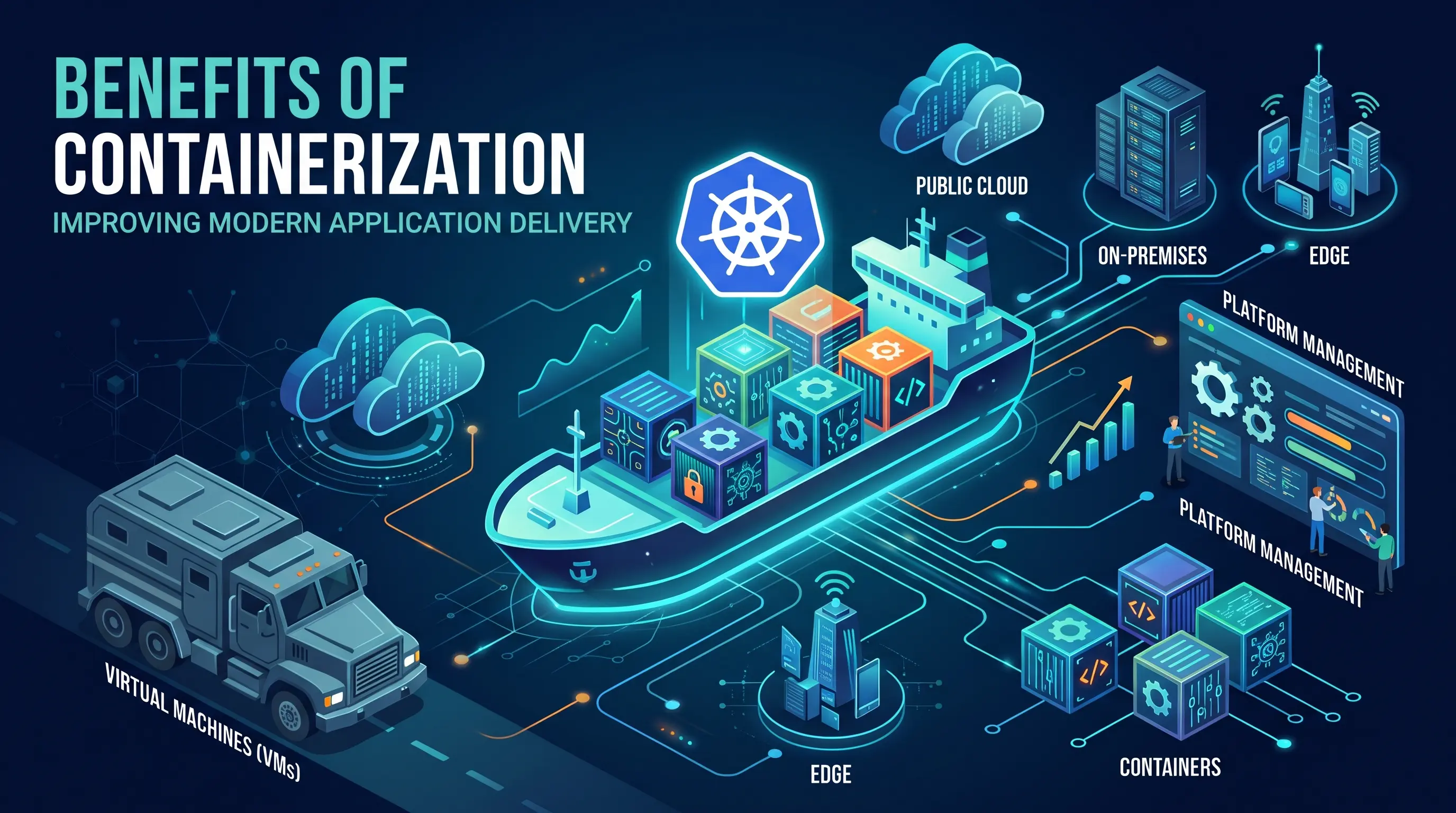
Key takeaways
- Containers package an application with its dependencies into a standardized, portable image that moves through development, testing, and production without being rebuilt, reducing environment-related deployment issues across hybrid and multi-cloud infrastructure.
- Unlike virtual machines, which virtualize hardware and run a full guest OS for each workload, containers share the host kernel and isolate applications through namespaces and cgroups, so they start in seconds, use far less memory, and fit more workloads on the same hardware.
- Containers provide process and resource isolation but are not a complete security boundary. They need image scanning, access controls, network policies, runtime monitoring, and supply chain controls to secure workloads effectively.
- Kubernetes automates scheduling, scaling, self-healing, networking, and updates for containers. Running it across multiple clusters, clouds, and on-premises environments, however, creates operational overhead around upgrades, RBAC, policies, storage, and multi-tenancy.
- Containerization is not right for every workload. Simple single-server applications, hardware-dependent or kernel-customized workloads, and stateful applications without careful storage planning may be better served by virtual machines or bare metal.
Every enterprise we work with faces the same bottleneck: their infrastructure can't keep pace with the demands their business places on it. Application deployment that takes weeks instead of hours, environment inconsistencies that derail releases, and cloud bills that grow faster than revenue. Containerization addresses each of these problems directly.
This article breaks down the specific benefits, where containers outperform traditional approaches, and the operational reality that emerges once you adopt them at scale.
Why Modern Infrastructure Needs a Consistent Deployment Model
Enterprise applications increasingly run across public clouds, on-premises data centers, and edge environments. Each environment can have different runtime configurations, dependencies, networking, and security requirements, making consistent application deployment more difficult.
Containers address this by packaging an application with its dependencies into a standardized, portable unit. The same container image can move through development, testing, and production without rebuilding the application for each environment.
This consistency helps teams reduce environment-related deployment issues and simplify application delivery across hybrid and multi-cloud infrastructure.
Containerization vs. Virtual Machines: A Key Shift
The containers vs. virtual machines comparison gets oversimplified too often, so let's be precise about what actually changes.
A Virtual Machine Virtualizes Hardware
Each VM runs a full guest OS on top of a hypervisor, which sits on the host hardware. If you need five applications isolated from each other, you spin up five VMs, each carrying its own OS kernel, system libraries, and runtime. That's a lot of duplicated weight.
A Container Virtualizes the OS Instead
Containers share the host kernel and isolate applications using OS-level features like namespaces and cgroups. There's no guest OS per container. The result: a container image might be tens of megabytes versus multiple gigabytes for a VM image.
Think of it this way. VMs are like shipping each item in its own truck, complete with its own driver, fuel tank, and engine. Containers are like shipping items in standardized boxes on a shared truck. The boxes are isolated from each other, but they share the transportation infrastructure.
This makes containers lightweight and resource-efficient in ways that matter operationally. Startup times drop from minutes to seconds. Memory overhead shrinks by an order of magnitude. You fit more workloads on the same hardware. Virtualization still has its place (we'll get to that), but for application delivery, the shift toward containers reflects a real architectural advantage, not just a trend.
The Core Benefits of Containerization
Containerization can simplify application delivery by making workloads more portable, consistent, and efficient. The benefits become especially valuable as organizations scale across teams, environments, and cloud infrastructure.
Accelerate Development and Deployment Velocity
Containers package an application and its dependencies into a consistent, immutable image that can move through development, testing, and production without being rebuilt for each environment.
- Faster deployment: Containers start quickly without booting a full guest OS.
- Simpler CI/CD: Teams can promote the same image across environments.
- Faster iteration: Consistent environments make testing and deployment more predictable.
Improve Consistency and Portability
Container images package applications with their required dependencies, reducing differences between development, testing, and production environments. The same image can run across on-premises infrastructure and public clouds, provided the underlying platform supports the required container runtime and dependencies.
This can simplify hybrid and multi-cloud deployments and make production issues easier to reproduce using the exact image that was deployed.
Improve Resource Efficiency and Control Costs
Because containers share the host operating system kernel, they generally require less overhead than virtual machines. This can increase workload density and make more efficient use of available compute resources.
For AI/ML workloads, container orchestration can also help teams schedule and scale GPU workloads based on demand. However, actual cost savings depend on workload characteristics, resource configuration, and how well the container environment is managed.
Strengthen Application Security Through Isolation
Containers provide process and resource isolation using mechanisms such as Linux namespaces and cgroups. This can help limit the impact of a compromised application, but containers should not be treated as a complete security boundary.
Security also depends on practices such as:
- Image scanning: Identify vulnerabilities before deployment.
- Access controls: Limit who can deploy and manage workloads.
- Network policies: Control communication between workloads.
- Runtime monitoring: Detect suspicious behavior after deployment.
- Supply chain controls: Verify the provenance and security of container images.
Containerization can strengthen an application's security posture, but it needs to be combined with broader image, infrastructure, and runtime security practices.
The Role of Containers in Modern Cloud-Native Architectures
Containers provide a consistent foundation for building, deploying, and scaling cloud-native applications, particularly microservices.
Microservices and Independent Deployment
Each microservice can run in its own container with its own dependencies, release cycle, and scaling requirements. Teams can update or scale individual services without redeploying the entire application.
Flexible Scaling and Technology Choices
Containerized services can scale independently based on demand and support different technology stacks within the same application. This makes it easier to use the right language or runtime for each service.
Cloud-Native Tooling
Containers integrate with common cloud-native technologies for:
- Service management: Service meshes can manage traffic between services.
- Observability: Distributed tracing helps teams monitor requests across services.
- Deployment: GitOps tools support declarative application and infrastructure management.
Containers don't dictate an application's architecture, but they make cloud-native development and deployment easier to implement and operate at scale.
The Challenge of Scale: Why Container Orchestration Matters
Containers simplify application packaging and deployment, but managing them across large, distributed environments introduces a new set of operational challenges. Orchestration provides the automation needed to run containers reliably at scale.
What Container Orchestration Solves
As the number of containers and hosts grows, teams need to automate tasks such as:
- Scheduling: Decide where workloads should run based on available resources and constraints.
- Scaling: Add or remove workloads as demand changes.
- Self-healing: Restart or replace failed containers.
- Networking: Enable communication between workloads across hosts and clusters.
- Resource management: Prevent workloads from consuming more resources than they should.
- Updates: Roll out new application versions with minimal disruption.
Kubernetes at Scale
Kubernetes has become a widely adopted platform for orchestrating containers. It automates deployment, scaling, networking, health management, and resource allocation across clusters.
However, running Kubernetes at scale introduces its own operational requirements. Teams need to manage cluster upgrades, RBAC, network policies, storage, cloud integrations, security, and multi-tenancy. These challenges become more complex when Kubernetes spans multiple clouds, regions, or on-premises environments.
Where Infrastructure Management Becomes the Challenge
As Kubernetes environments grow, platform teams can spend significant time managing clusters and enforcing consistent policies instead of enabling application teams.
An infrastructure management platform can help centralize cluster operations and provide self-service workflows while maintaining governance, security, and cost controls.
Where Rafay Fits
Rafay provides a management layer for Kubernetes environments across cloud, on-premises, and edge infrastructure. It helps platform teams manage cluster lifecycles, standardize policies, and provide self-service capabilities across distributed environments.
For organizations running Kubernetes at scale, this can reduce operational complexity without requiring teams to give up the flexibility of Kubernetes.
Real-World Use Cases for Containerization
Containerization supports a range of application and infrastructure use cases, from AI/ML workloads to legacy modernization and hybrid cloud deployments.
AI/ML Platforms
Containers package models, dependencies, and runtime environments into reproducible units. This makes it easier to run training workloads across GPU clusters and deploy inference services that can scale with demand.
“I would have had to bring together a multidisciplinary team that understood Kubernetes, Slurm, Jupyter Notebooks and AI tokenization. With Rafay, I get all of that out of the box, and a team that’s ready to support us day to day, as an extension of our own team.” ~ Shane Ronan, CEO, Parinita AI
Legacy Application Modernization
Organizations can gradually break monolithic applications into containerized services rather than replacing the entire application at once. This incremental approach reduces the risk and disruption of a large-scale rewrite.
Standardized Developer Environments
Development teams can use containerized environments to standardize application dependencies and tooling. This reduces setup differences between developers and makes new environments easier to reproduce.
Hybrid Cloud Workload Placement
Containers make it easier to deploy the same application across on-premises and cloud environments. Organizations can choose where workloads run based on factors such as cost, compliance, capacity, and performance.
Multi-Tenant SaaS Platforms
Containers can help SaaS providers isolate tenant workloads and enforce resource limits on shared infrastructure. Strong tenant isolation still requires additional controls, including appropriate Kubernetes configuration, network policies, identity controls, and security practices.
Is Containerization Always the Right Choice?
No. Containerization is not the best fit for every workload.
Simple Applications
Small, monolithic applications that run on a single server may gain little from containerization. The additional tooling and operational overhead may outweigh the benefits.
Hardware-Dependent Workloads
Applications that require direct hardware access, kernel-level customization, or specific OS configurations may be better suited to virtual machines or bare metal. Some legacy Windows and HPC workloads fall into this category.
Stateful Applications
Stateful applications, including databases, can run in containers but require careful planning around persistent storage, backups, and data durability.
The goal is not to containerize everything but to identify the workloads where containers provide clear operational and business benefits.
Manage Containerized Infrastructure at Scale with Rafay
Containerization simplifies application delivery, but managing Kubernetes across multiple clusters, clouds, teams, and environments adds operational complexity.
Rafay provides a centralized management layer for Kubernetes, helping platform teams standardize cluster operations, enforce governance and security policies, and give developers self-service access to containerized workloads.
With Rafay, teams can manage Kubernetes infrastructure across cloud, on-premises, and edge environments while maintaining visibility and control as deployments scale.

Ready to simplify Kubernetes management?
Explore how Rafay can help you manage containerized infrastructure at scale.
Talk to a Rafay expert
Frequently Asked Questions
What is Rafay used for?
Rafay provides a centralized management platform for Kubernetes environments across public cloud, on-premises, and edge infrastructure. It helps platform teams manage clusters, standardize operations, enforce policies, and provide self-service capabilities for development teams.
How does Rafay simplify Kubernetes management?
Rafay centralizes Kubernetes cluster management and provides automation for common operational tasks. Teams can use it to standardize cluster configurations, manage policies, and streamline operations across multiple environments.
Can Rafay manage Kubernetes across multiple clouds?
Yes. Rafay is designed to manage Kubernetes environments across multiple clouds and infrastructure locations from a centralized platform. This gives platform teams a consistent way to manage clusters and policies across distributed environments.
How does Rafay support developer self-service?
Rafay enables platform teams to provide developers with self-service workflows for deploying and managing applications while maintaining organizational governance. Teams can standardize how workloads are provisioned without giving developers unrestricted access to underlying infrastructure.
Does Rafay support Kubernetes security and governance?
Yes. Rafay provides capabilities for applying and managing policies across Kubernetes environments, helping organizations maintain consistent security and governance controls as clusters and teams scale.
Can Rafay help manage Kubernetes for AI/ML workloads?
Rafay can help teams manage the Kubernetes infrastructure supporting AI/ML workloads across distributed environments. This includes providing a consistent management layer for clusters and enabling teams to apply governance and operational controls as AI infrastructure scales.
When should an organization consider a Kubernetes management platform like Rafay?
A Kubernetes management platform becomes particularly useful as organizations operate multiple clusters, environments, or teams and need consistent governance, automation, and self-service. Rafay is designed to provide this management layer without replacing Kubernetes itself