
Key takeaways
- An AI Cloud is built around accelerators, MLOps tooling, and a governance layer that supports data preparation, training, deployment, and inference in one operating framework.
- General-purpose cloud strains under AI workloads because GPU scheduling, storage throughput, and manual provisioning leave expensive capacity idle.
- Compute, storage, and networking have to be balanced. Powerful GPUs still underperform when the network or storage tier cannot keep up.
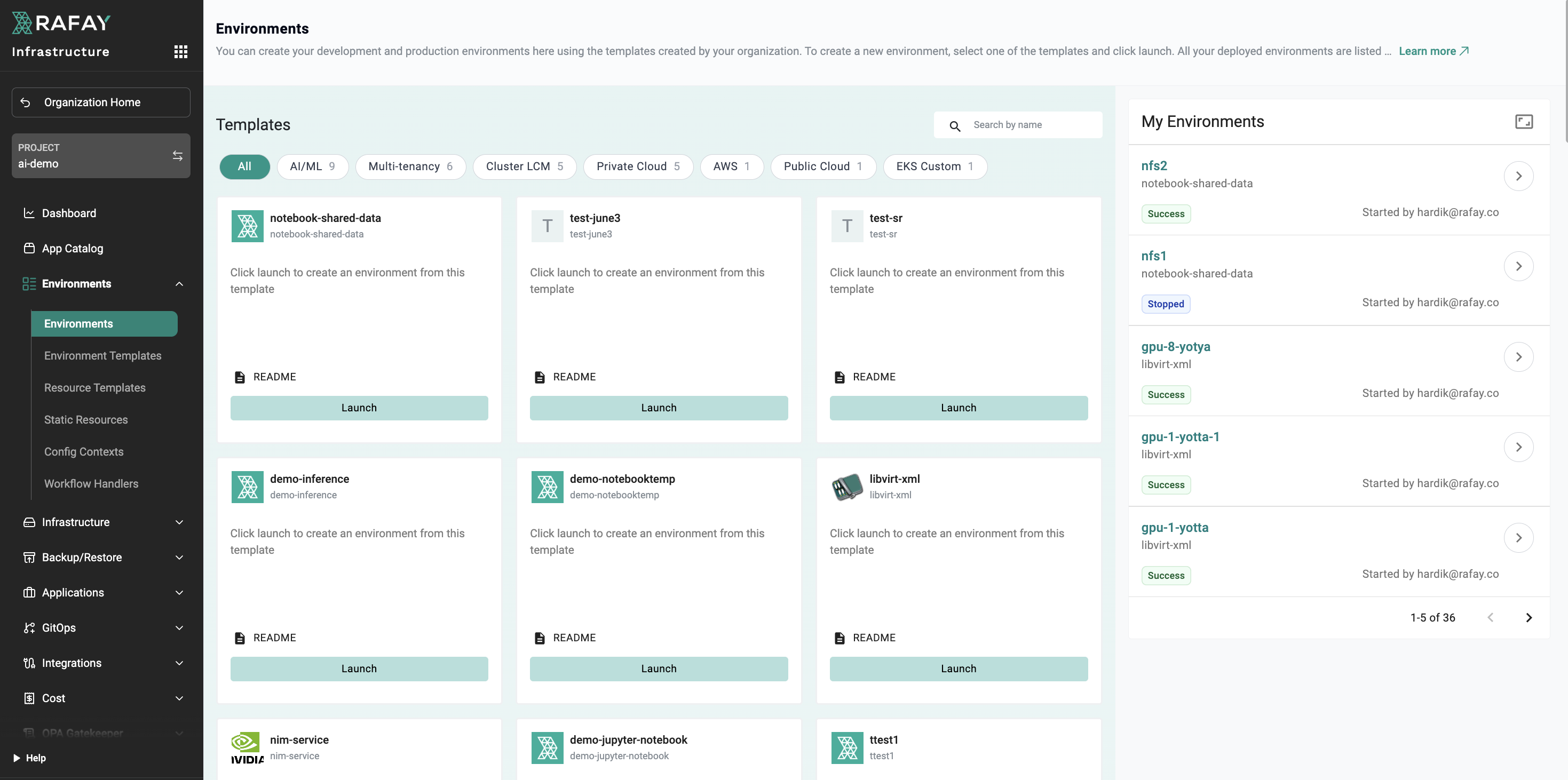
- Rafay provides the infrastructure operating layer for AI Cloud environments, turning distributed GPU infrastructure into self-service, governed, and measurable AI services across hybrid and multi-cloud environments.
Most enterprise AI initiatives don't stall because the models are wrong. They stall because the infrastructure underneath can't keep up: GPUs sit idle waiting for manual provisioning, data scientists queue for days to get a training job scheduled, and finance teams struggle to attribute $400K monthly cloud bills to specific projects.
This piece breaks down what an AI Cloud actually is, what sits inside one, and how to evaluate whether to build or buy your way into one.
Why Traditional Cloud Falls Short for Enterprise AI
General-purpose cloud infrastructure was designed for web applications, databases, and stateless microservices. It does those things well. But AI workloads operate under a fundamentally different set of constraints, and stretching traditional clouds to meet them creates problems that compound fast.
Specialized Compute and Scheduling
Training a large language model or running distributed deep learning jobs requires sustained, high-throughput access to specialized accelerators, often hundreds of GPUs working in concert for days or weeks. Traditional cloud computing treats compute as fungible. You request a VM, and you get a VM. AI workloads need topology-aware scheduling, where the physical placement of GPUs on the same node or rack can directly affect training performance.
Data and Storage Bottlenecks
Then there's the data problem. Machine learning pipelines consume and produce massive datasets. Traditional storage tiers, designed for transactional workloads or object storage at rest, can introduce latency that starves GPU compute during training. You end up paying for expensive GPU hours while the accelerators wait on I/O.
Provisioning and Operational Complexity
The operational model breaks down too. In a traditional cloud setup, provisioning a training environment means stitching together compute, storage, networking, drivers, frameworks, and scheduling, often through manual configuration or brittle custom scripts. Each step introduces drift, delays, and security gaps. Multiply that across teams, projects, and clusters, and resource utilization drops while costs climb.
GPU Utilization and Visibility
We've seen organizations running GPU clusters at 20-30% utilization because no one has visibility into who's using what, and there's no mechanism for reclaiming idle resources. Traditional cloud tooling wasn't built to solve that.
Defining the AI Cloud: A Purpose-Built System
An AI Cloud is a specialized cloud computing environment designed from the ground up to support the full AI lifecycle. It integrates high-performance computing hardware, MLOps tools, and managed services into a cohesive platform where data preparation, model development, training, deployment, and inference all happen within a unified operational framework.
What separates it from traditional cloud? The following three things:
1. The compute layer is built around accelerators, not general-purpose CPUs. GPUs, TPUs, and custom ASICs are first-class citizens, with scheduling and orchestration designed for their specific characteristics.
2. The software stack includes native MLOps tooling: experiment tracking, model registries, automated training pipelines, serving infrastructure, and monitoring. These aren't bolt-on additions. They're integrated into the platform's core workflow.
3. A proper AI Cloud includes an orchestration and governance layer that manages multi-tenancy, cost allocation, security policies, and resource quotas across distributed infrastructure. Without this, you just have expensive hardware with no operational control.
The goal is to collapse the distance between raw infrastructure and business outcomes. Data scientists get self-service access to the compute they need. Platform teams maintain governance and cost control. And the organization can iterate on AI projects in days instead of months.
Inside the AI Cloud: Core Infrastructure Components
Three pillars define the infrastructure layer of an AI Cloud: compute, storage, and networking. Each has requirements that can diverge significantly from traditional cloud workloads.
Compute
The compute layer combines general-purpose CPUs, which handle tasks such as data preprocessing, orchestration, and system operations, with specialized accelerators for training and inference. The ratio between these resources, and the ability to schedule them dynamically, influences how efficiently the platform runs. We'll cover the accelerators in depth in the next section.
Storage
AI workloads are data-hungry. Training runs can consume terabytes of data, while checkpointing large models produces substantial intermediate artifacts. The storage layer needs to deliver high throughput and appropriate access latency. Object storage is commonly used as the durable data repository, but training workloads may require caching, parallel file systems, or other high-performance storage layers to keep GPUs supplied with data.
The storage tier also needs to support data versioning, since reproducibility depends on knowing exactly which dataset version produced which model.
Networking
Distributed training across multiple GPUs and nodes generates substantial inter-node communication. Gradient synchronization in data-parallel training, for example, can place significant demands on network links. AI Cloud networking can rely on high-bandwidth, low-latency interconnects such as InfiniBand or RoCE (RDMA over Converged Ethernet) to support efficient communication between accelerators. Without sufficient network performance, scaling training jobs beyond a single node can produce diminishing returns, and in some cases adding GPUs can actually reduce overall efficiency.
Balancing the Infrastructure
The interplay between these three components matters more than any one of them in isolation. A cluster with powerful GPUs can still be constrained by insufficient networking or storage, making a balanced configuration critical to overall AI workload performance.
The Powerhouse: Specialized Hardware for AI Acceleration
AI workloads need to process huge amounts of data at the same time. While CPUs are designed to handle a wide range of tasks, specialized AI accelerators can process many calculations in parallel, making them better suited to training and running large AI models.
CPUs: General-Purpose Computing
CPUs remain an important part of AI infrastructure. They handle tasks such as data preparation, system operations, orchestration, and workloads that don't require specialized acceleration. However, large AI models rely heavily on parallel calculations, making specialized accelerators essential for demanding training and inference workloads.
GPUs: The Main AI Accelerator
GPUs are the dominant hardware for many AI workloads. NVIDIA's data center GPUs, including the A100, H100, and newer B200 series, are widely used for training and inference. They are designed to perform large numbers of calculations in parallel and include high-speed memory to keep data moving efficiently.
For enterprises evaluating AI Cloud providers, GPU availability, performance, and the range of supported hardware are often important considerations.
TPUs: Google's AI Accelerators
Tensor Processing Units (TPUs) are specialized chips developed by Google for machine learning workloads. They are designed to accelerate frameworks such as TensorFlow and JAX and can be combined into large systems for demanding AI training workloads within Google's cloud environment.
ASICs: Purpose-Built AI Chips
Application-Specific Integrated Circuits (ASICs) are custom-designed chips built for particular types of workloads. AWS, for example, offers Trainium for training and Inferentia for inference. These chips can deliver strong performance and efficiency for specific workloads, but they generally offer less flexibility than GPUs.
Choosing the Right Hardware
The right accelerator depends on the workload, software environment, performance requirements, and deployment model. GPUs remain a common choice because of their flexibility and broad software support. But choosing the hardware is only part of the equation. How those accelerators are provisioned, scheduled, shared, and monitored across teams can have a major impact on overall utilization and cost.
Simplifying Operations with an Integrated MLOps Lifecycle
AI hardware alone isn't enough to run AI workloads efficiently. The MLOps lifecycle connects the different stages of developing, deploying, and managing AI models so teams can operate them more consistently.
This is how an integrated MLOps lifecycle simplifies AI operations: it connects data, development, training, deployment, and monitoring into one repeatable workflow.
Data Preparation and Versioning
Every training run starts with data. AI Cloud platforms provide or integrate with tools for managing datasets, tracking where data comes from, and preparing it for training. Data versioning also helps teams reproduce results by knowing which dataset was used to train each model.
Model Development and Experimentation
Data scientists need development environments such as Jupyter notebooks and VS Code with access to the GPU resources they need. Experiment tracking records settings, performance metrics, models, and results so teams can compare experiments without relying on manual spreadsheets.
Automated Training
Once an experiment produces a promising configuration, training pipelines turn the process into a repeatable workflow. Teams define the compute resources, data, training code, and outputs, while the platform handles scheduling and resource allocation.
Model Deployment
Moving a model into production requires more than simply making it available. Models need to be packaged, tested, deployed, and updated safely. Automated deployment workflows can support practices such as gradual rollouts, testing, and rollback.
Monitoring and Retraining
AI models can become less effective as the data they encounter changes. Monitoring model performance, latency, and resource consumption helps teams identify when a model needs attention and can trigger retraining workflows when necessary.
Connecting the MLOps Toolchain
The challenge is that organizations often adopt separate tools for experiment tracking, training, pipelines, and model serving. Without an overarching infrastructure layer, these tools can create a fragmented operating environment where teams lack a unified view of resources, utilization, cost, and governance.
An integrated infrastructure operating layer connects these workflows while giving platform teams greater control over the environments in which AI workloads run.
Managed vs. Self-Managed: The Strategic Advantage of Abstraction
Organizations can build and operate AI infrastructure themselves, but doing so means taking responsibility for the underlying infrastructure and its ongoing maintenance. A managed approach abstracts much of this complexity so teams can focus on running AI workloads rather than maintaining the platform beneath them.
What Self-Managed AI Infrastructure Requires
With a self-managed environment, teams are responsible for tasks such as infrastructure provisioning, GPU and Kubernetes management, storage and networking configuration, security updates, and multi-tenancy. As AI infrastructure grows across teams and environments, this operational burden can become significant.
What a Managed Approach Provides
A managed AI Cloud abstracts much of this infrastructure complexity. Provisioning, scaling, patching, and lifecycle management can be handled through a consistent platform while users access the resources they need through self-service interfaces.
The tradeoff depends on the type of managed service:
Why the Operating Layer Matters
An infrastructure operating layer sits between users and the underlying infrastructure, providing a consistent way to provision, manage, govern, and consume AI resources across environments. This allows organizations to retain flexibility over where their GPUs run while reducing the operational burden of managing distributed infrastructure directly.
Rafay provides this operating layer, helping platform teams deliver GPU infrastructure as a self-service, governed, and measurable service across hybrid and multi-cloud environments.
Evaluating AI Cloud Platforms: Key Considerations
Skip the feature matrix. Instead, focus on the questions that matter when evaluating an AI Cloud platform:
- What hardware is available? Check whether the provider offers the accelerators your workloads require and whether capacity is readily available, reserved, or offered on a spot basis.
- Does it support your deployment model? If you need hybrid or on-premises infrastructure for regulatory or operational reasons, look for a platform that can manage resources across environments through a consistent control plane.
- How well does it support the MLOps lifecycle? Consider whether the platform integrates with your existing development, training, deployment, and monitoring tools, and whether its level of automation matches your team's needs.
- What does multi-tenancy look like? Enterprise AI platforms need to support multiple teams with different security, resource, and compliance requirements. Look for capabilities such as isolation, resource quotas, role-based access, and audit logging.
- How does it handle AI workloads at scale? Look for support for the requirements of both training and inference, including efficient workload scheduling, model deployment, scaling, and recovery.
- How much vendor lock-in does it create? Consider how portable your workloads are across infrastructure and providers. Support for open standards such as Kubernetes and widely used ML frameworks can make it easier to change environments as requirements evolve.
Managing AI Cloud Costs and Optimization Strategies
GPU infrastructure can become a significant cost as AI workloads scale. Without visibility into how resources are being consumed, organizations can struggle to identify waste, allocate costs, and understand which workloads are delivering value.
Key Cost Optimization Strategies
- Right-size GPU allocations: Match GPU resources to the requirements of each workload rather than automatically allocating maximum capacity.
- Reclaim idle resources: Automatically identify and reclaim unused GPU capacity from idle development environments and completed workloads.
- Track resource consumption: Measure GPU usage and other infrastructure resources by team, project, model, or workload to identify opportunities for optimization and support chargeback or showback.
- Optimize scheduling: Schedule workloads based on demand and available capacity to improve utilization and make better use of shared infrastructure.
Visibility Enables Cost Control
Cost optimization starts with understanding where resources are being used. Rafay provides usage visibility and metering across AI infrastructure, helping organizations track consumption, improve GPU utilization, and allocate costs across teams and workloads.
How to Secure and Govern an AI Cloud
AI workloads can process sensitive data, including customer records, proprietary training data, financial information, and medical images. Security and compliance therefore need to be built into the AI Cloud platform rather than added later.
Security and Access Controls
Data encryption at rest and in transit is a baseline requirement. Identity and access management (IAM) policies should also control who can access specific GPU clusters, datasets, and model artifacts. Role-based access control can provide additional isolation between teams and their resources.
Compliance and Auditability
Regulations such as GDPR, HIPAA, and industry-specific requirements impose obligations around data handling, access, auditability, and retention. AI Cloud platforms should provide audit logs that record resource access and administrative activity, making it easier to demonstrate compliance and investigate issues.
Data Sovereignty
Data sovereignty is an increasingly important consideration for organizations operating across jurisdictions. Some data must remain within specific geographic boundaries. An AI Cloud architecture should support policy-driven placement of data and workloads so that training data and model artifacts remain in approved regions.
Consistent Governance Across Infrastructure
The challenge is enforcing these controls consistently across distributed infrastructure. A policy that applies to one cluster but not another can create security and compliance gaps. Rafay uses policy-based controls across managed clusters to help organizations apply governance consistently, regardless of where their infrastructure runs.
From Infrastructure to Revenue: The Path to AI Monetization
AI infrastructure can become more than a cost center. For cloud providers, neoclouds, and enterprises, the opportunity is to turn compute capacity into AI services that teams or customers can consume on demand.
Building an AI Factory
An AI Factory is a standardized, automated infrastructure environment that turns compute resources into AI capabilities such as trained models, inference endpoints, and AI-powered applications. The goal is to make these services easier to provision, operate, measure, and scale.
From Infrastructure Consumption to AI Services
The next step is measuring consumption at the AI service level. Instead of tracking only GPU hours, organizations can measure usage such as inferences served or tokens generated. This creates a foundation for internal chargeback, customer billing, and more accurate understanding of the cost of delivering AI services.
The challenge is bringing these capabilities together across the hardware, MLOps, security, and infrastructure layers. Organizations need a consistent way to provision resources, manage workloads, track consumption, and apply governance as AI services scale.
Build Your AI Cloud With Rafay
Rafay provides the infrastructure operating layer for AI Cloud environments, helping organizations turn distributed GPU infrastructure into self-service, governed, and measurable AI services. With automated provisioning, multi-tenant governance, usage visibility, and infrastructure orchestration, teams can manage AI infrastructure more efficiently across hybrid and multi-cloud environments.
Ready to simplify your AI infrastructure?
Frequently Asked Questions
Why can't I just use regular cloud for AI workloads?
Traditional cloud infrastructure can struggle with the unique demands of AI workloads, including sustained access to specialized accelerators, high-performance networking, large datasets, and efficient GPU scheduling. Without the right infrastructure and management layer, organizations can face underutilized resources and greater operational complexity.
What is the main difference between an AI Cloud and standard cloud platforms?
An AI Cloud is designed around the specific requirements of AI workloads. It combines specialized compute, high-performance storage and networking, MLOps capabilities, and an infrastructure management layer for provisioning, governance, resource management, and self-service access.
How do AI Cloud platforms help manage the high cost of GPU computing?
AI Cloud platforms can help manage GPU costs through resource metering, utilization tracking, right-sizing, automated reclamation of idle resources, and more efficient workload scheduling. Visibility into resource consumption also helps organizations allocate costs across teams and projects.
What MLOps capabilities should an AI Cloud provide?
An AI Cloud should support the AI development lifecycle, including data preparation, experimentation, training, deployment, monitoring, and retraining. It should also integrate with the tools teams already use while providing consistent infrastructure management underneath those workflows.
Should my company build its own AI Cloud infrastructure or use a managed service?
Building an AI Cloud provides greater control but also requires teams to manage infrastructure provisioning, GPU and Kubernetes environments, networking, security, and ongoing maintenance. A managed approach can abstract much of this complexity, allowing teams to focus more on AI workloads while retaining the capabilities they need.
What security and compliance capabilities should I look for in an AI Cloud?
Look for capabilities such as encryption, identity and access management, role-based access control, audit logging, policy enforcement, and support for data sovereignty requirements. These controls should be applied consistently across the environments where AI workloads run.
How does Rafay help organizations manage AI Cloud infrastructure?
Rafay provides an infrastructure operating layer for AI workloads, helping organizations manage distributed GPU infrastructure through self-service provisioning, multi-tenant governance, policy enforcement, usage visibility, and orchestration across hybrid and multi-cloud environments.