TL;DR: A working tenant cluster about 21 minutes after logging in to a bare VM. Each new cluster after that in about three minutes. The whole lifecycle in five nvkectl verbs.
NVIDIA is building more of the AI factory software stack in the open, and Kubernetes lifecycle is part of it. NVIDIA Kubernetes Engine (NVKE), developed in the dsx-ai-factory project, builds, scales and tears down Kubernetes clusters on GPU machines. We wanted to see what it looks like from a standing start, so we ran the quick start end to end on a single cloud VM and recorded every step.
The rest of this post shows what gets installed and what comes up, and ends with what an operator still needs before selling these clusters to customers.
What's in the box
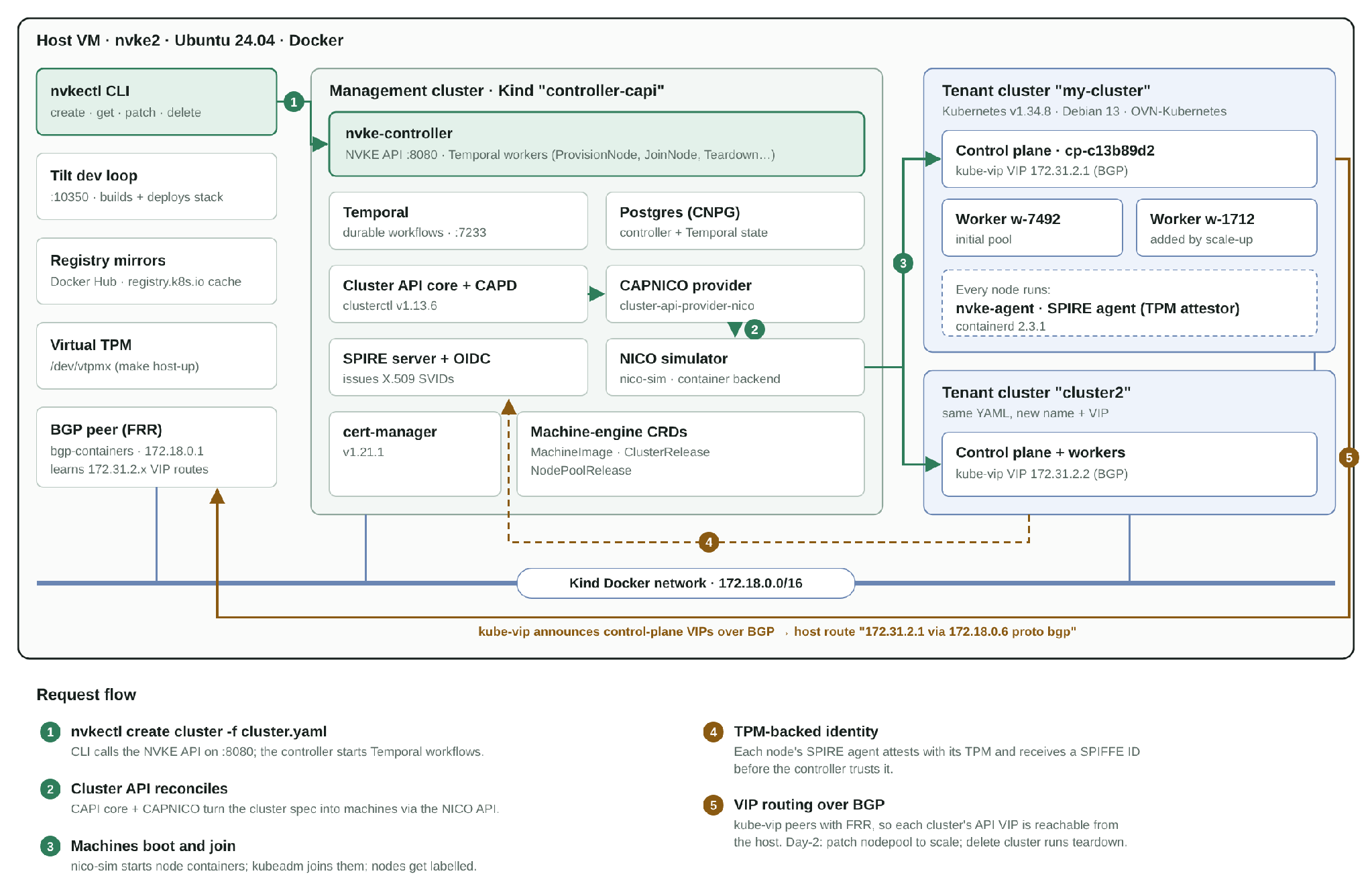
NVKE is a Kubernetes lifecycle engine built on Cluster API. In this quick start everything runs on one machine: a Kind cluster acts as the management plane, and simulated bare-metal machines stand in for real GPU nodes. Even in this all-in-one form you can see the production architecture. Tenant clusters are declared through a CLI, provisioned by durable workflows, attested over TPM-backed SPIFFE identities, and networked with OVN-Kubernetes and a BGP-advertised control-plane VIP.
How the pieces fit: nvkectl drives the NVKE controller in a Kind management cluster, Cluster API and the NICo provider turn cluster specs into (simulated) machines, SPIRE gives each node a TPM-backed identity, and kube-vip advertises each cluster's API VIP to the host over BGP.
The run at a glance
Elapsed (h:mm)
Milestone
0:00
SSH into a fresh Ubuntu 24.04 VM (16 GB RAM, 242 GB disk)
0:02
Toolchain installed and verified, host prepared, repo cloned
0:04
make -C controller capd-up builds images and creates the Kind management cluster
0:10
tilt up starts deploying the NVKE control plane
0:16
All Tilt resources healthy; nvkectl site configured
0:17
nvkectl create cluster for my-cluster
0:21
Tenant control plane Ready; node pool scaled to 2 workers
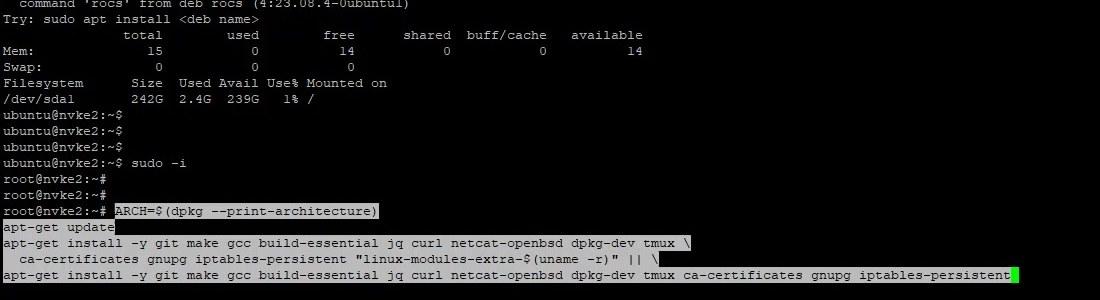
The host is an ordinary cloud VM with 16 GB of memory and a 242 GB root disk. After a quick free -g; df -h / sanity check, switch to root and install the base packages: a build toolchain, jq, tmux, iptables-persistent, and the kernel's extra modules package.
Memory and disk check, then the prerequisite install. The fallback line retries without linux-modules-extra if that package isn't available for the running kernel.
Docker comes from the convenience script. Go is unpacked into /usr/local, and the PATH is extended up front to include /root/nvke/cli/bin, where nvkectl will land later. kind, kubectl, Helm and Tilt each install with one line.
Go, kind, kubectl, Helm and Tilt going in back to back.
Step 3: Verify versions and prepare the host
Three pieces of host prep keep the rest of the run quiet:
Firewall. Accept traffic on the Docker and Kind bridges (docker0, br-+) so management and tenant containers can reach each other, then persist the rules.
inotify limits. Tilt, Kind and many controllers watch files; the defaults run out quickly.
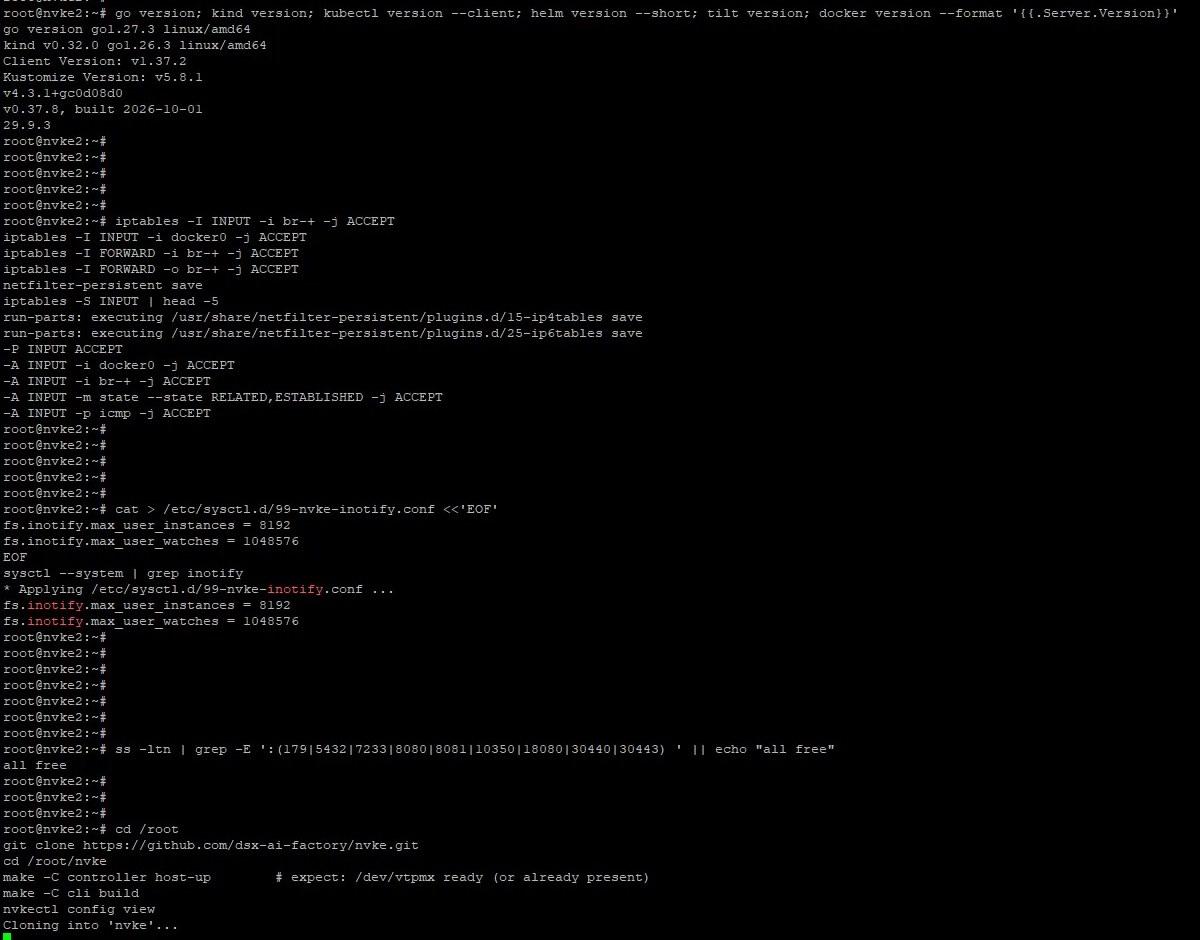
Port check. Confirm nothing already holds the ports the stack needs: BGP (179), Postgres (5432), Temporal (7233), the NVKE API (8080/8081), Tilt (10350), and the NodePorts 18080, 30440 and 30443.
Then clone the repo, bring up the host-side pieces, and build the CLI:
cd /root
git clone https://github.com/dsx-ai-factory/nvke.git
cd /root/nvke
make -C controller host-up # expect: /dev/vtpmx ready (or already present)
make -C cli build
nvkectl config view
Version check, firewall rules, inotify limits, the port check returning all free, and the clone kicking off. host-up makes sure a virtual TPM device (/dev/vtpmx) exists, which the simulated machines use for TPM attestation.
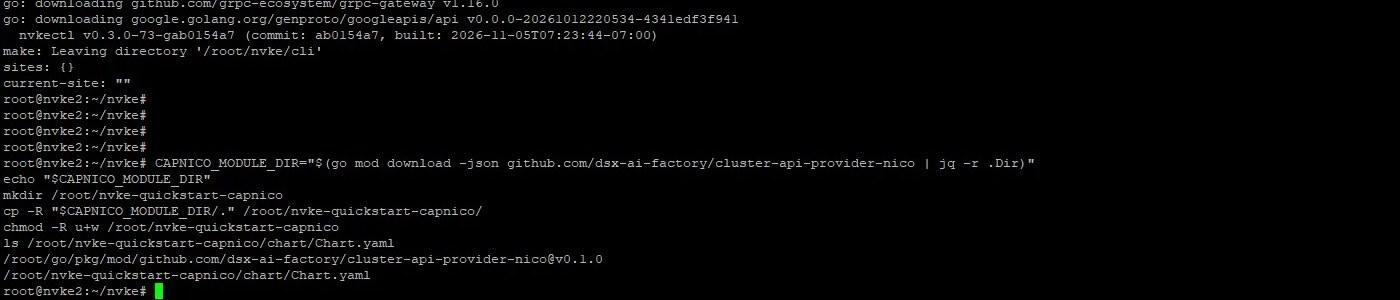
With nvkectl built (and an empty site list, as expected), pull the CAPNICO provider module with Go and copy it into a writable directory. Tilt deploys its Helm chart from there.
nvkectl reports its build and an empty sites: {}; the CAPNICO chart is in place.
Step 5: Configure Tilt and create the management cluster
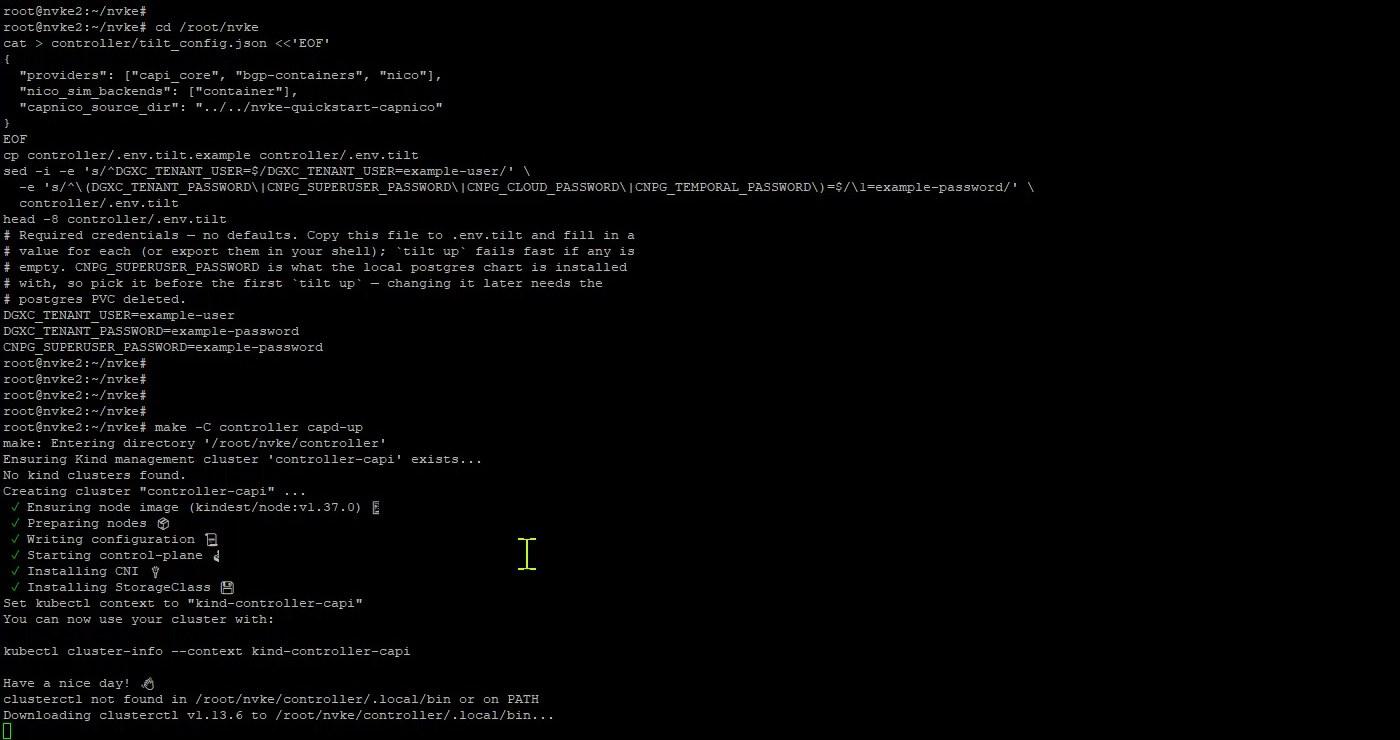
tilt_config.json picks which providers the dev control plane runs: Cluster API core, a BGP peer container, and NICo with a container-backed machine simulator. .env.tilt holds the required credentials; the quick start fills them with placeholder values.
Pick the Postgres password before the first tilt up. The comment in .env.tilt warns that the local Postgres chart is installed with CNPG_SUPERUSER_PASSWORD; changing it later means deleting the Postgres PVC. The placeholder values are fine for a local test only.
capd-up creates the Kind cluster controller-capi and fetches clusterctl v1.13.6.
Step 6: Watch it build everything locally
This is the longest stretch of the run, about five minutes on this VM. capd-up builds from source what a production install would pull from a registry:
An OVN-Kubernetes image, packaged into nvke-cni-ovn-charts and nvke-cni-ovn-images .debs (v2.4.2) for the node OS image.
The nvke-agent and nvke-agent-updater binaries (v0.4.0-73-gab0154a7).
A SPIRE agent bundle with the TPM attestor plugin (spire 1.14.1, spire-tpm-plugin 1.9.0).
A custom Kind node image the CAPD machines boot from.
CNI packages written to controller/.local/cni, the agent built and tarred, and the SPIRE + TPM attestor bundle assembled.
Once the images exist, it starts pull-through caches for Docker Hub and registry.k8s.io, so later clusters don't hit upstream registries again, and installs Cluster API core with the CAPD provider and cert-manager v1.21.1.
Registry mirrors up; CAPI core + CAPD and cert-manager installing.
Step 7: Bring up the control plane with Tilt
cd /root/nvke/controller && tilt up --stream=true
Tilt loads the controller's Tiltfile and starts the BGP peer first: an FRR container on the Kind network (172.18.0.0/16, gateway 172.18.0.1) that kube-vip in each tenant cluster will peer with to advertise its control-plane VIP.
Tilt detects the out-of-band cert-manager install and skips it, then bgp-containers brings FRR up in host network mode.
In a second terminal, a watch on Tilt's UI resources that hides anything already healthy gives a shrinking to-do list:
Early in the rollout (T+12:51). The resource names map out the control plane: Temporal, Postgres, the SPIRE server and OIDC provider, the NICo simulator, the CAPNICO provider, the machine-engine CRDs and releases, and nvke-controller itself.
Over the next six minutes the list drains: CRDs for machine images, cluster releases and node pool releases are applied, SPIRE starts issuing X.509 SVIDs, and finally nvke-controller is built and deployed. When the watch shows an empty table, the stack is ready and the NVKE API is listening on :8080.
Step 8: Point nvkectl at the site and create a cluster
Export a kubeconfig for the management cluster, register it as a site called local, and check providers. NICo showing CONFIGURED with NO-IDENTITY is fine for the simulator; LaunchLayer isn't installed in this setup.
cd /root/nvke
kubectl config view --raw --minify --context kind-controller-capi > local-mgmt.kubeconfig
chmod 600 local-mgmt.kubeconfig
nvkectl config set-site --name local --url http://localhost:8080 --kubeconfig "$PWD/local-mgmt.kubeconfig"
nvkectl get providers # nico row: CONFIGURED (NO-IDENTITY is fine)

nvkectl create cluster -f cli/examples/nico-mock-cluster.yaml
nvkectl get clusters
One command creates my-cluster. Provisioning is asynchronous and returns a trace ID you can follow through the controller's Temporal workflows.
Behind that one command the controller runs a ProvisionNode workflow per machine: it waits for the CAPI kubeconfig secret, for the SPIRE agent identity on the NICo machine (TPM attestation), runs node preflight, then joins and labels each node.
Step 9: Get into the tenant cluster
About four minutes after the create, pull the tenant kubeconfig and look around.
nvkectl get kubeconfig my-cluster --output-file my-cluster.kubeconfig
chmod 600 my-cluster.kubeconfig
ip route | grep 172.31 # the VIP route via the control-plane node
kubectl --kubeconfig my-cluster.kubeconfig get nodes -o wide
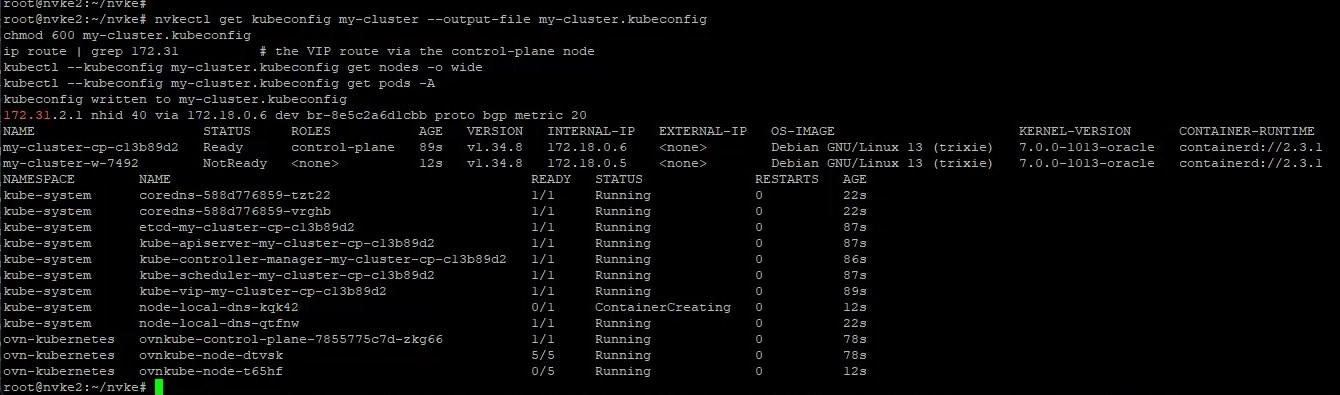
kubectl --kubeconfig my-cluster.kubeconfig get pods -A
The host has learned 172.31.2.1, the control-plane VIP, over BGP (proto bgp metric 20). One control-plane node is Ready and the first worker is joining. Both run Kubernetes v1.34.8 on Debian GNU/Linux 13 with containerd 2.3.1, and OVN-Kubernetes is coming up.
Step 10: Scale the worker pool
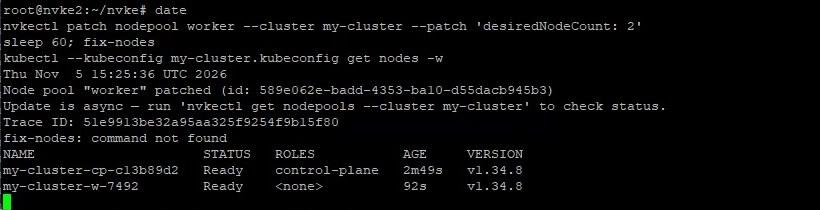
Day-2 changes go through the same API. Patching the node pool's desired count adds a second worker:
Patch accepted at T+21:36; the existing worker is now Ready.
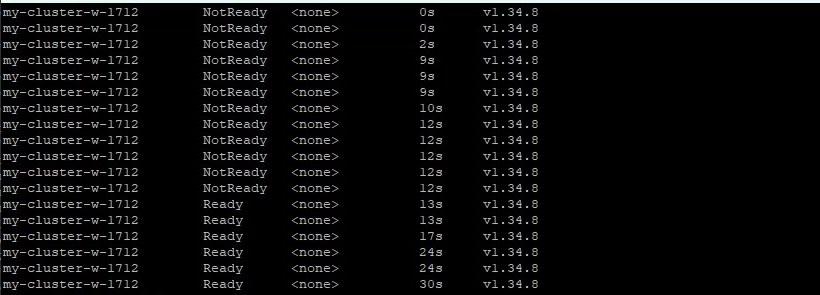
The new worker my-cluster-w-1712 registers and goes Ready about 13 seconds after it appears.
The runbook also chains a fix-nodes helper after the patch. It wasn't on the PATH in this run (command not found), and scaling completed without it.
Step 11: Add a second cluster
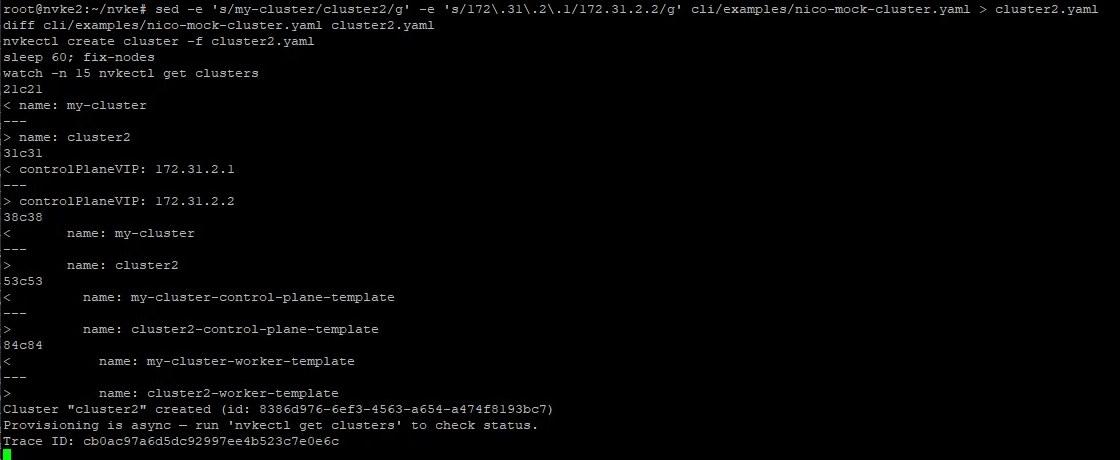
Clusters are plain YAML, so a second one is a rename and a new VIP. diff shows exactly what changes: the cluster name, the control-plane VIP (172.31.2.1 → 172.31.2.2), and the template names.
T+27:46: both clusters Provisioned. cluster2 took about three minutes, faster than the first because images and caches are already warm.
Step 12: Tear it all down
cd /root/nvke
nvkectl delete cluster my-cluster
nvkectl delete cluster cluster2 # if you made one
watch -n 15 nvkectl get clusters # wait until empty
T+27:59: TeardownNode and TeardownNodePool workflows run, including KubeadmReset on each machine.
T+29:30: nothing left. Cleanup took under two minutes for both clusters.
From engine to product
NVKE gives an operator a fast, well-built way to create Kubernetes clusters. Selling those clusters to enterprises takes another layer. In this run, every cluster came from one root user on the management host typing nvkectl. An operator’s customers need:
A self-service console and API under the operator’s own brand
Tenants, users and roles, so each customer sees only its own clusters
Quotas and GPU allocation per tenant
Usage metering sent to the operator’s billing system
Rafay is integrating NVKE, so operators can offer NVKE clusters as a governed, metered service alongside the rest of their GPU cloud.
“NVKE gives AI factory operators an open, NVIDIA-validated Kubernetes engine, and with Rafay, they can turn it into governed, self-service Kubernetes and GPU services, with one way to control access, manage quotas, and meter usage.” — Mohan Atreya, Chief Product Officer, Rafay
Takeaways
A working tenant cluster about 21 minutes after logging in to a bare VM, and most of that is one-time local image building. With images and mirrors warm, a new cluster reaches Provisioned in roughly three minutes and deletes in under two.
The developer surface is small. After setup, the whole lifecycle is five verbs: create cluster, get clusters, get kubeconfig, patch nodepool, delete cluster.
The hard parts aren't stubbed out. TPM-rooted SPIFFE identity, Temporal-driven provisioning with traceable workflows, OVN-Kubernetes, and BGP-advertised control-plane VIPs all run here, against simulated machines instead of real GPU servers.
Things to watch on your own run: make sure the listed ports are free and inotify limits are raised before tilt up, choose the Postgres password up front, and expect a few benign TLS handshake error ... EOF lines from spire-server in the Tilt log while health probes connect.
NVIDIA AI Cloud-Ready at Rack Scale: Rafay on GB200 NVL72 with NVIDIA Infra Controller
The rack is becoming the unit of AI compute. Rafay is extending its NVIDIA AI Cloud-Ready validation from single systems to full GB200 NVL72 racks with NVIDIA Infra Controller.
NVIDIA Dynamo in Practice: Scaling Disaggregated Inference on Rafay Token Factory
Inference now defines AI infrastructure economics. See how NVIDIA Dynamo splits prefill and decode across GPU pools, and how Rafay Token Factory turns it into a priced, multi-tenant service.
How the Rafay Platform Integrates with NVIDIA DSX OS Across the AI Factory
From workload scheduling and inference to GPU fleet health, the Rafay Platform integrates with NVIDIA DSX OS across the layers operators run every day, and turns the reference stack into services operators can sell.